Setting Up Your Private AI Research Assistant
Building a personal AI research assistant that respects your privacy and leverages the power of large language models (LLMs) locally is now within reach. The combination of OpenClaw and Ollama offers a robust framework for deploying such a system, integrated seamlessly with Telegram. This guide walks you through the complete setup, from initial configuration to headless deployment.
OpenClaw is an open-source project designed to create a private research assistant. It excels at managing conversational context, enabling web search capabilities, and can be deployed in various environments. Ollama, on the other hand, simplifies the process of running LLMs locally on your machine. By integrating these two powerful tools, you can create a highly capable AI assistant that runs entirely on your hardware, ensuring data privacy and control.
Core Components and Initial Configuration
The foundation of this setup involves two key technologies: Ollama for LLM inference and OpenClaw for the assistant's logic and Telegram integration. To begin, you'll need to have Ollama installed and running. Ollama allows you to download and run various LLMs with a simple command-line interface. Popular models like Llama 3, Mistral, or Phi-3 can be easily pulled and served.
Once Ollama is operational, the next step is to configure OpenClaw. This involves setting up its core parameters, including how it interacts with the LLM served by Ollama. A crucial aspect of this configuration is setting the correct context length. The context length determines how much of the previous conversation the LLM can remember. For effective research assistance, a generous context length is often desirable, but it must be balanced against the computational resources available and the specific LLM's capabilities.
OpenClaw's configuration file, often a YAML or JSON structure, allows you to specify the Ollama API endpoint. This tells OpenClaw where to send its prompts for processing by the LLM. You'll also define parameters related to the LLM itself, such as the model name you've downloaded via Ollama and any specific generation parameters like temperature or top-p sampling, which influence the creativity and determinism of the AI's responses.
Integrating with Telegram
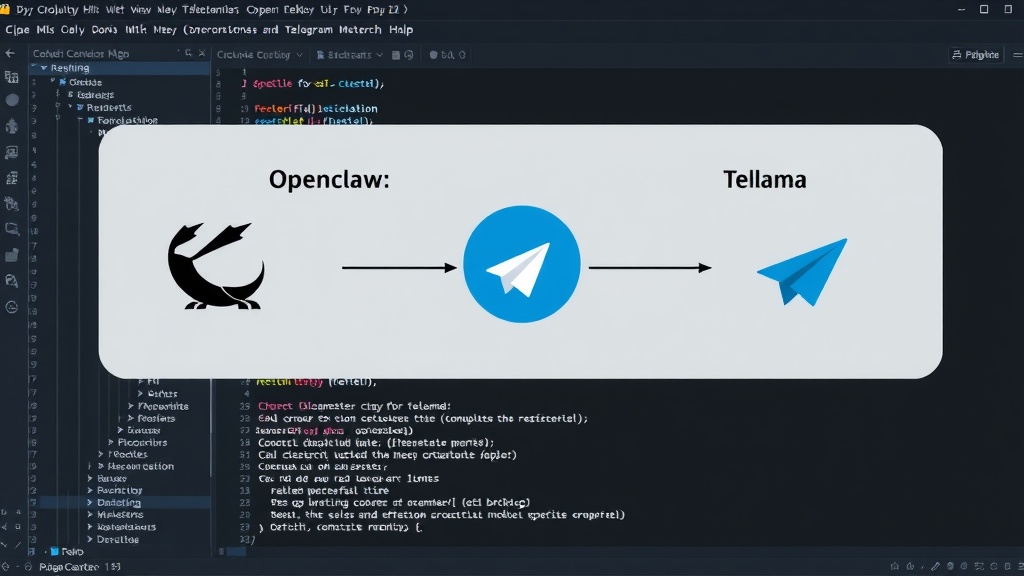
The Telegram integration is a core feature of OpenClaw, transforming it into an accessible research assistant. To enable this, you will need a Telegram bot token. This token is obtained by interacting with the BotFather on Telegram. Once you have your token, you'll configure OpenClaw to use it, allowing the assistant to send and receive messages within a specified Telegram channel or direct chat.
The process involves providing OpenClaw with your bot token and the chat ID of the Telegram channel or user you want it to interact with. OpenClaw then acts as a bridge: user messages in Telegram are sent to the LLM via Ollama, and the LLM's responses are relayed back to Telegram. This setup allows for asynchronous conversations, meaning you can interact with your AI assistant from anywhere using the familiar Telegram interface.
Consider the implications of this integration. Your entire conversation history, along with any documents or links you share, is processed and stored locally. This is a significant privacy advantage over cloud-based AI assistants where data might be used for training or other purposes. However, it also means you are responsible for managing the storage and security of this data.
Enabling Web Search Capabilities
A powerful research assistant needs access to up-to-date information. OpenClaw can be configured to incorporate web search, enabling it to fetch current data from the internet to supplement its LLM knowledge. This feature is critical for tasks requiring real-time information, such as market research, news aggregation, or verifying facts.
The web search functionality typically involves integrating with search engine APIs or using web scraping techniques. OpenClaw's design allows for modular integration of such tools. When a query is posed that the LLM cannot answer from its internal knowledge, or when explicitly instructed, OpenClaw can trigger a web search. The search results are then fed back into the LLM's context, allowing it to synthesize an informed response based on both its training data and live web information.
Configuring web search might involve obtaining API keys for services like Google Search or DuckDuckGo, or setting up specific scraping agents. The precision and relevance of the search results directly impact the quality of the AI's final output. Developers will need to carefully select and configure these search tools to ensure they align with the assistant's intended use case and maintain a good balance between comprehensiveness and noise reduction.
Headless Deployment with Docker
For a production-ready or consistently available research assistant, deploying OpenClaw and Ollama headlessly using Docker is the recommended approach. Docker containers encapsulate the applications and their dependencies, ensuring consistent behavior across different environments and simplifying management.
A typical Docker deployment involves creating a `docker-compose.yml` file. This file defines the services required: one for Ollama, which will serve the LLM, and one for OpenClaw, which will run the assistant logic and Telegram integration. You will map ports, set environment variables (including your Telegram bot token and Ollama API URL), and define persistent volumes for storing LLM models and conversation data.
The Ollama Docker image allows you to specify which models to download and run upon container startup. The OpenClaw container will then connect to the Ollama service, typically running on a local Docker network. This setup ensures that your research assistant is always available, restarting automatically if it crashes and making it easy to update or scale.
Deploying headlessly means the application runs in the background without direct user interaction on the host machine. This is ideal for a server or a dedicated machine. The use of Docker simplifies not only the initial setup but also ongoing maintenance, backups, and migration to new hardware. It provides a clean separation of concerns, with each service running in its own isolated environment.
Managing Context Length and Model Selection
The effectiveness of any LLM-powered assistant hinges on its ability to maintain coherent and relevant conversations. This is heavily influenced by the context window size. When running OpenClaw with Ollama, you must ensure that the context length configured in OpenClaw does not exceed the maximum context length supported by the LLM you are using via Ollama. Exceeding this limit can lead to errors or degraded performance.
For instance, if you are using a model like Llama 3 8B which might support up to 8192 tokens, and you configure OpenClaw with a context length of 16384, the LLM will likely fail to process the requests correctly. It's a delicate balance: a larger context window allows for more extended and nuanced discussions, but it also demands more RAM and processing power from your system. Choosing the right LLM for your hardware is therefore paramount.
Experimentation is key. Start with a context length that is well within the limits of your chosen model and available RAM. Monitor the assistant's performance, both in terms of response quality and system resource utilization. You can gradually increase the context length as your system's capacity allows. This iterative process ensures you get the most out of your local LLM setup without compromising stability.
The choice of LLM also impacts performance and capabilities. Smaller models are faster and require less memory but may have less sophisticated reasoning or knowledge. Larger models offer greater power but demand more substantial hardware. For a personal research assistant, a balance is often found in models that offer good performance for their size, such as Mistral 7B or certain fine-tuned versions of Llama.
Conclusion: A Private AI Powerhouse
By successfully running OpenClaw with Ollama, you've established a powerful, private AI research assistant accessible via Telegram. This setup provides an unparalleled level of control over your data and AI interactions. You have the flexibility to choose your preferred LLMs, fine-tune conversation parameters, and integrate real-world data through web search. The headless Docker deployment ensures reliability and ease of management for continuous operation.
This approach democratizes access to advanced AI capabilities, allowing individuals and small teams to build sophisticated tools without relying on external, potentially data-sensitive cloud services. The combination of OpenClaw's orchestration and Ollama's local inference engine creates a potent, privacy-preserving AI assistant ready for your most demanding research tasks.