
Debugging SAML SSO: Understanding SAMLResponse Encoding
When Single Sign-On (SSO) fails, developers often find themselves staring at a SAMLResponse blob. The expectation is that decoding this blob will reveal clean XML detailing the authentication. However, sometimes the decoded output is binary garbage, often starting with bytes like 0x78 0x9c. This discrepancy isn't an error; it's a direct result of the SAML binding used by the Identity Provider (IdP).
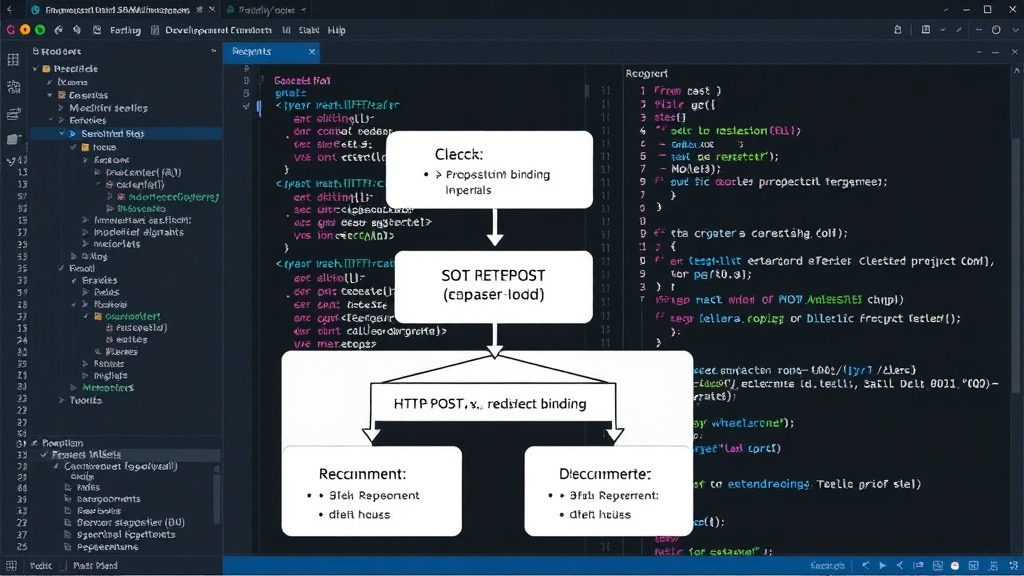
Understanding the two primary HTTP bindings—HTTP-POST and HTTP-Redirect—and how they encode SAML messages is key to demystifying SAML debugging. Once these encoding chains are clear, troubleshooting broken SSO logins transforms from guesswork into a systematic process.
The Two SAML Bindings and Their Encoding Chains
SAML messages, such as SAMLResponse and SAMLRequest, are transmitted over HTTP using one of two principal bindings. Each binding dictates a different method for encoding the message payload.
HTTP-POST Binding
In the HTTP-POST binding, the SAML message is sent as a hidden form field within an HTML form that auto-submits via POST. The value of this form field is the SAML message, typically Base64-encoded. To decode it:
- The raw value from the form field is extracted.
- This value is Base64-decoded.
- The resulting data is typically XML, representing the SAML assertion or response.
This method is straightforward and commonly used when the IdP needs to send a larger SAML message that might exceed URL length limits inherent in other methods.
HTTP-Redirect Binding
The HTTP-Redirect binding is more complex. Here, the SAML message is typically compressed using the zlib algorithm, then Base64-encoded, and finally URL-encoded before being appended as a query parameter to a redirect URL. This process is designed for efficiency and to avoid issues with URL length, though it requires multiple decoding steps.
To decode a SAML message sent via HTTP-Redirect binding:
- Extract the URL-encoded value from the query parameter (e.g.,
SAMLResponseorSAMLRequest). - URL-decode the value.
- Base64-decode the result.
- The outcome of this Base64 decoding is a zlib-compressed byte stream.
- Decompress this byte stream using zlib.
- The final decompressed data is the SAML XML.
The binary garbage starting with 0x78 0x9c is the zlib-compressed data before decompression. This sequence of bytes is a standard zlib header, confirming that the data is indeed compressed and not malformed XML.
Why the Difference Matters for Debugging
When you encounter a broken SSO flow, the first step is to inspect the SAMLResponse. If you immediately Base64-decode it and see XML, you're likely dealing with the HTTP-POST binding. If you get binary data, it's almost certainly the HTTP-Redirect binding.
Developers often get stuck because they assume SAML messages are always plain XML after a single Base64 decode. This assumption breaks down when the IdP uses the HTTP-Redirect binding. Recognizing the zlib header (0x78 0x9c) is the critical clue that signals the need for zlib decompression after Base64 decoding.
Practical Debugging Steps
To effectively debug SAML SSO issues:
- Intercept the Request/Response: Use browser developer tools (Network tab), a proxy like Burp Suite or OWASP ZAP, or SAML tracer browser extensions to capture the traffic after the IdP redirects back to your application.
- Locate the SAMLResponse: Identify the
SAMLResponseparameter in the request. Note whether it's in a POST body or a URL query parameter. This immediately tells you which binding is in use. - HTTP-POST Binding: If it's a POST parameter, copy the value, Base64-decode it. The output should be XML. If it's not, re-check the Base64 decoding.
- HTTP-Redirect Binding: If it's a URL parameter:
- Copy the URL-encoded value.
- URL-decode it.
- Base64-decode the result.
- If the output starts with
0x78 0x9c, use a zlib decompression tool or library to decompress the data. - The final output should be SAML XML.
- Validate the XML: Once you have the XML, parse it to check for correct assertions, audience restrictions, conditions, and signatures. Invalid signatures are a common source of SSO failures.
Many SAML debugging tools automatically handle these decoding steps. However, understanding the underlying process is crucial when these tools fail or when you need to debug manually. Knowing the binding in use allows you to apply the correct decoding chain, turning a cryptic blob into readable SAML XML and significantly speeding up the resolution of login problems.
What's Next for SAML Implementations?
While SAML remains a robust standard for enterprise identity federation, the complexity of its bindings and encoding mechanisms can be a hurdle for developers. The prevalence of the HTTP-Redirect binding, with its multi-stage decoding, highlights an area where developer experience could be improved. Future iterations or alternative protocols might aim for simpler, more transparent data transfer, but for now, mastering these two bindings is essential for any developer working with SAML SSO.