The AI Coding Assistant Dilemma
Developers using AI coding tools like Cursor or Replit AI have likely encountered a frustrating pattern: you ask the AI to implement a new feature, and instead of a clean, functional addition, you get chaos. Files appear in unexpected directories, already-working code is rewritten with new bugs, the AI hallucinates necessary imports, and it can get stuck in a loop of fixing one error only to introduce several more. This experience is common, and it highlights a fundamental misunderstanding of how these powerful tools operate.
The core issue isn't the AI's ability to write code – most advanced models are remarkably proficient at generating syntactically correct and often logically sound code snippets. The problem lies in the AI's profound inability to infer or understand the intricate architecture of a given project. Without explicit guidance on the tech stack, folder organization, database design, coding standards, and the precise order of implementation, the AI is left to guess. This guessing game is precisely what leads to the broken code, misplaced files, and endless error cycles developers experience.
Why AI Struggles with Project Structure
Think of an AI coding assistant less like a senior engineer and more like an incredibly fast, obedient junior developer who has never seen your codebase before. This junior developer can churn out code based on your instructions, but they lack the contextual understanding of how that code fits into the larger system. They don't intrinsically know your preferred framework, your database schema, or the established patterns you follow. This lack of architectural awareness is the root cause of the issues.
When you ask Cursor to, for example, "add user authentication," it doesn't inherently know whether you're using JWT, OAuth, session-based cookies, or a third-party service. It doesn't know if your user model is in `models/user.py` or `entities/User.js`. It doesn't understand if you have a separate `auth` service or if authentication logic is mixed into your API controllers. Without this architectural context, the AI's generated code is akin to a puzzle piece from a completely different box – it might look similar, but it won't fit.
The AI's tendency to rewrite existing code is another symptom of this architectural blindness. It might identify a piece of code related to your request and, without understanding its existing role or dependencies, modify it in a way that breaks other parts of the application. This is particularly true for complex or sensitive areas like state management, data validation, or core business logic.
The Developer's Role: Providing Architectural Context
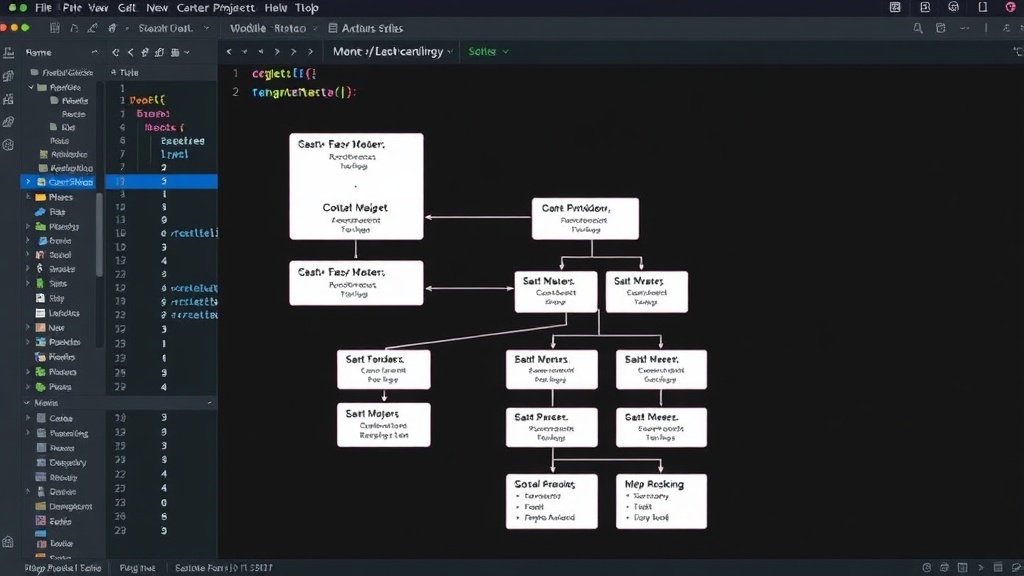
The solution is not to abandon AI coding tools, but to fundamentally change how we interact with them. The biggest mistake developers make is expecting the AI to infer project architecture. Instead, developers must proactively provide this context. This means being explicit about the project's setup before asking for code generation.
Before you ask Cursor to write code, consider:
- Tech Stack Definition: Clearly state the programming language(s), frameworks (e.g., React, Django, Node.js), and libraries being used.
- Folder Structure: Describe the organization of your project directories. For example, "My project uses a `src/components`, `src/utils`, `src/services` structure."
- Database Design: Outline your database models and their relationships. Mention the type of database (e.g., PostgreSQL, MongoDB).
- Coding Standards and Patterns: Specify any conventions you follow, such as naming conventions, error handling strategies, or architectural patterns like MVC, MVVM, or Clean Architecture.
- Implementation Order: For complex features, break down the request into smaller, sequential steps. Ask the AI to handle one part, review it, and then proceed to the next.
This upfront definition of architecture transforms the AI from a blind guesser into a more informed assistant. It's like giving that junior developer a detailed blueprint before they start building.
Strategies for Effective AI Code Generation
Beyond providing initial architectural context, several strategies can improve AI code generation:
- Iterative Refinement: Treat AI-generated code as a first draft. Review it thoroughly, test it, and then use the AI for targeted revisions or bug fixes, again providing context for each change.
- Code Review: Never commit AI-generated code without a human review. The AI can miss subtle logic errors or security vulnerabilities that a human engineer would spot.
- Small, Focused Prompts: Avoid overly broad requests. Break down large features into smaller, manageable tasks for the AI.
- Leverage Existing Code: When asking the AI to modify or add to existing code, provide the relevant surrounding code snippets in your prompt to give it immediate context.
- Use AI for Boilerplate and Repetitive Tasks: AI excels at generating standard boilerplate code, utility functions, and repetitive patterns, freeing up developers for more complex problem-solving.
The promise of AI in software development is immense, but its current limitations, particularly around architectural understanding, require a shift in developer workflow. By understanding that AI assistants need explicit guidance on project structure, developers can move from fighting broken code to effectively leveraging AI as a powerful productivity tool.