Building the Serverless API Backend
Completing Week 2 of the Cloud Resume Challenge involves constructing the serverless API backend. This component is crucial for tracking visitor counts to your resume website. The core objective is to create a system that stores, increments, and retrieves a visitor count using a serverless architecture. This involves several key AWS services working in concert: DynamoDB for data persistence, Lambda for compute logic, and API Gateway to expose the functionality via a public endpoint. The frontend, typically a JavaScript snippet on your resume page, will then call this API to fetch and display the current count.
The primary goal of this backend API is straightforward: maintain a single record representing the total number of times your resume page has been viewed. Each time a visitor accesses the resume, this count needs to be incremented. Subsequently, the current count must be returned to the frontend so it can be displayed to the user. This seemingly simple task requires careful orchestration of serverless components to ensure reliability, scalability, and cost-effectiveness.
AWS Service Breakdown
The chosen AWS services are fundamental to building a robust serverless backend:
- Amazon DynamoDB: This fully managed NoSQL database service is ideal for storing simple key-value data, such as a visitor count. Its inherent scalability and high performance make it suitable for applications with unpredictable traffic patterns. For this challenge, a single table with a primary key (e.g., 'counter') holding the current view count is sufficient.
- AWS Lambda: Lambda functions provide the compute layer. A Python function is typically used to handle the logic: reading the current count from DynamoDB, incrementing it, writing the new value back, and finally returning the updated count. Lambda's event-driven nature means it only runs when triggered, eliminating the need to manage servers.
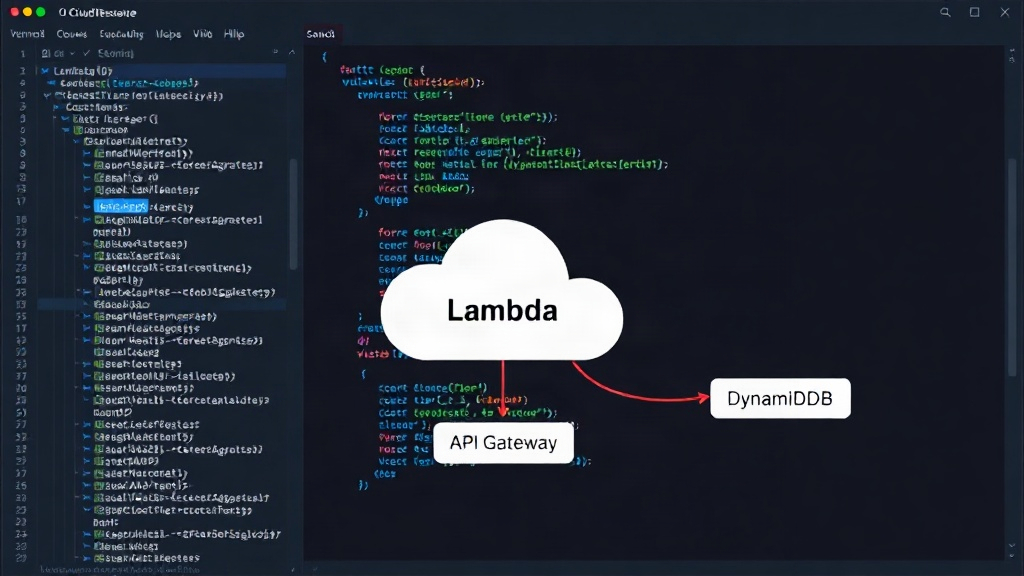
- Amazon API Gateway: This service acts as the front door for your Lambda function. It allows you to create, publish, maintain, monitor, and secure APIs at any scale. API Gateway translates incoming HTTP requests into the appropriate format for Lambda and then transforms the Lambda function's response back into an HTTP response. This effectively exposes your Lambda function as a RESTful API endpoint accessible over the internet.
- Frontend JavaScript: While not an AWS service, the JavaScript code running on your resume page is essential. It makes HTTP requests (e.g., GET requests) to the API Gateway endpoint. Upon receiving the visitor count, it updates the HTML on the page to display the number.
Implementing the Visitor Counter Logic
The process begins with setting up the DynamoDB table. A single item with a primary key, say 'viewCount', and an associated numerical value, initialized to 0, is all that's needed. Next, a Python Lambda function is written. This function will be triggered by API Gateway. Upon invocation, it needs to perform the following steps:
- Read the current count: Query the DynamoDB table for the item with the 'viewCount' key.
- Increment the count: Add 1 to the retrieved value.
- Update the count: Write the incremented value back to the DynamoDB table, overwriting the previous value. This step is critical and often requires careful handling of potential race conditions if not managed correctly by DynamoDB's atomic update operations.
- Return the new count: Format the updated count into a response object that API Gateway can understand and pass back to the frontend.
API Gateway is configured to trigger this Lambda function for a specific HTTP method (e.g., GET) and resource path (e.g., '/views'). The integration between API Gateway and Lambda is usually set up as a proxy integration, where API Gateway passes the request details directly to Lambda and expects a specific response format back.
Debugging Common Pitfalls
This phase of the challenge is notorious for unexpected bugs. One common issue arises from the interaction between Lambda, DynamoDB, and API Gateway. For instance, Lambda functions have a timeout limit. If the DynamoDB read/write operations take too long, the function might time out before completing its task. Ensuring efficient DynamoDB queries and potentially increasing the Lambda timeout (though keeping it minimal is best practice) can mitigate this.
Another frequent problem is related to permissions. The Lambda function needs explicit IAM permissions to perform `GetItem`, `UpdateItem`, and `PutItem` operations on the DynamoDB table. If these permissions are missing or incorrect, the function will fail silently or with permission-denied errors. Carefully reviewing the execution role assigned to the Lambda function is essential.
API Gateway configuration can also be a source of errors. Ensuring the correct HTTP method, path, and integration type is set up is vital. CORS (Cross-Origin Resource Sharing) issues are also common when the frontend JavaScript, hosted on a different domain, tries to call the API. API Gateway needs to be configured to allow requests from your resume's domain.
The structure of the response returned by the Lambda function to API Gateway is another critical point. API Gateway expects a specific JSON format, including `statusCode`, `headers`, and `body`. If the Lambda function returns data in an incorrect format, API Gateway will return an error to the client, often a `502 Bad Gateway` or `500 Internal Server Error`. A common mistake is returning the raw DynamoDB response instead of a JSON-serializable string in the `body` field.
Let's consider a specific debugging scenario: the count isn't updating, or it's updating erratically. This could be due to a race condition where multiple requests arrive almost simultaneously. While DynamoDB's `UpdateItem` operation with an atomic counter can handle this, incorrect implementation or reliance on separate `GetItem` and `PutItem` calls without atomic updates will lead to lost increments. The code must use the atomic counter feature of `UpdateItem` to guarantee correctness.
Another surprising detail can be how Lambda environments are managed. While Lambda instances are reused, there's no guarantee they persist indefinitely. Relying on global variables for state within the Lambda function itself is unreliable. All state must be stored in external services like DynamoDB. Furthermore, local testing of the Lambda function needs to accurately mock AWS services, or ideally, be tested directly within the AWS environment.
The final piece is ensuring the JavaScript on the resume page correctly parses the JSON response from the API Gateway and displays the number. Typos in the API endpoint URL or incorrect handling of the JSON response are common frontend bugs that can make it seem like the backend is broken.
Conclusion and Next Steps
Successfully building this serverless backend, despite the challenges, provides a solid foundation for the Cloud Resume Challenge. It demonstrates practical application of core AWS serverless services. For future iterations or more complex applications, consider implementing logging and monitoring for the Lambda function and API Gateway to gain deeper insights into performance and potential errors. CloudWatch Logs and Metrics are indispensable tools for this.