The Two Clio OAuth Systems: A Critical Distinction
If your Clio integration has begun returning 401 errors, the culprit is likely not your code, but a misunderstanding of Clio's two distinct OAuth systems. The internet is rife with advice, but most fails to specify which system it addresses. This ambiguity is the root cause of unexpected token expirations.
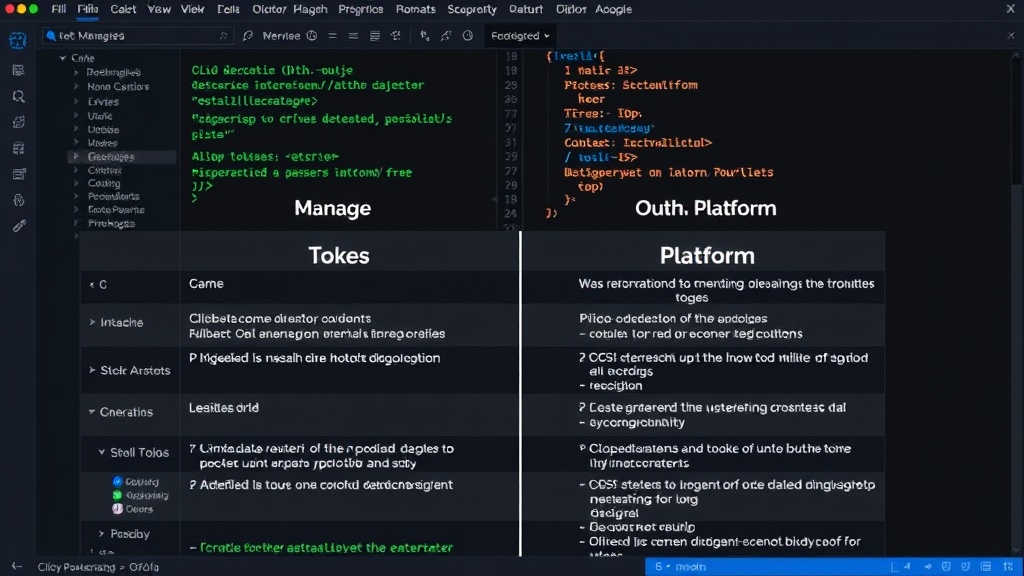
Clio operates two separate OAuth infrastructures: Clio Manage and Clio Platform. These are not interchangeable and have fundamentally different rules governing token lifecycles, refresh mechanisms, and API endpoints. Developers integrating with Clio must identify which system their application uses to avoid common pitfalls.
Clio Manage: The Legacy System
Clio Manage is the older of the two systems. Integrations built on this platform use OAuth endpoints at app.clio.com/oauth and interact with the API at app.clio.com/api/v4. The key characteristic of Clio Manage's token system is its significantly longer access token lifetime. Access tokens here are valid for 2,592,000 seconds, which equates to 30 days. This extended validity often leads developers to believe their tokens are robust and long-lasting. However, the refresh token expiry for Clio Manage is less clearly documented and appears to be non-expiring in practice, though this should not be relied upon. The critical point for Manage users is the 30-day access token expiration, which requires a refresh process.
Clio Platform: The Modern Approach
Clio Platform is the newer system, designed to support newer products like Clio Grow and the lead inbox. Its OAuth endpoints are located at auth.api.clio.com/oauth, and its API resides at api.clio.com. The most striking difference for developers is the drastically shorter access token lifetime: 86,400 seconds, or just 24 hours. This means that for every day your application needs to access Clio data, it must re-authenticate or refresh its token. Furthermore, Clio Platform's refresh tokens have a documented expiry of 90 days. This forces a more frequent, complete re-authorization process for users if the application relies solely on refresh tokens without a robust re-authentication flow.
Why Tokens Are Failing: The Mismatch
The primary reason for unexpected token failures stems from this divergence. Many integration guides, forum posts, and even older documentation refer to the Clio Manage system due to its longer history. Developers might follow outdated advice assuming it applies universally. When their integration, built against the Clio Platform's more frequent token expiry, starts failing after 24 hours, they are left confused.
Consider an application that successfully obtains a token on Monday. If it's using Clio Platform, that token is only valid until Tuesday. If the application expects it to last for weeks, as might be the case if it previously integrated with Clio Manage or followed general OAuth advice, it will start encountering 401 unauthorized errors after the first day. The application's code, designed to work with a longer-lived token, fails to initiate a refresh or re-authentication cycle within the required 24-hour window.
The complexity is compounded by the fact that Clio does not explicitly inform users or developers which system they are on. Discovering this often requires digging into application settings or, more commonly, through trial and error when integrations break. This lack of clear demarcation forces developers to become detectives, tracing API calls and analyzing authentication headers to deduce their system.
Resolving the 401 Errors: A Step-by-Step Approach
To fix your Clio integration's 401 errors, follow these steps:
- Identify Your System: The first and most crucial step is determining whether your integration uses Clio Manage or Clio Platform. Check your application's configuration or the base URLs used for API calls. If you use
app.clio.com/api/v4, you are on Manage. If you useapi.clio.com, you are on Platform. - Implement a Robust Refresh Strategy: For Clio Platform users, implement automatic token refreshing. Your application should check the expiry of the access token before each API call or on a scheduled basis (e.g., every few hours) and use the refresh token to obtain a new access token if it's nearing expiration.
- Handle Refresh Token Expiry (Platform): For Clio Platform, remember that refresh tokens expire after 90 days. Your application must include a mechanism to prompt the user for re-authorization after this period. This typically involves redirecting the user to the Clio login page to grant new permissions.
- Update API Endpoints: Ensure your integration is using the correct API endpoints for the identified system. Mixing endpoints will lead to further authentication and authorization issues.
- Review Documentation Carefully: When consulting external resources, pay close attention to the specific OAuth endpoints and API base URLs mentioned. Prioritize official Clio developer documentation, which is increasingly differentiating between the two systems.
- Error Monitoring: Implement comprehensive error logging and monitoring. Specifically, watch for 401 errors and use them as triggers to investigate token status and initiate refresh or re-authentication flows.
The Unanswered Question: Why the Dual System?
What remains unclear is Clio's long-term strategy regarding these two distinct OAuth systems. Migrating users and applications from the older Manage system to the newer Platform is a significant undertaking. Without a clear migration path or a unified authentication framework, developers are left managing two sets of rules. This fragmentation increases development overhead and the likelihood of integration failures. The lack of a clear, unified future roadmap for Clio's authentication infrastructure leaves many developers in a state of uncertainty, balancing current integration needs with potential future platform shifts.
Implications for Developers and Users
For developers, this means diligently verifying which OAuth system they are using and adapting their refresh token management accordingly. Overlooking this detail will lead to persistent integration issues and frustrated end-users. The 24-hour token expiry of Clio Platform demands a more active and stateful integration approach compared to the more passive 30-day cycle of Clio Manage.
End-users might experience intermittent service disruptions if their integrated applications are not correctly handling token refreshes. This can manifest as the application suddenly being unable to access Clio data, requiring the user to re-authenticate or reconnect the integration. The onus is on the application developer to ensure a seamless experience by correctly implementing Clio's authentication protocols for the specific system in use.