Chimlo Integrates AI Code Assistants into macOS Notch
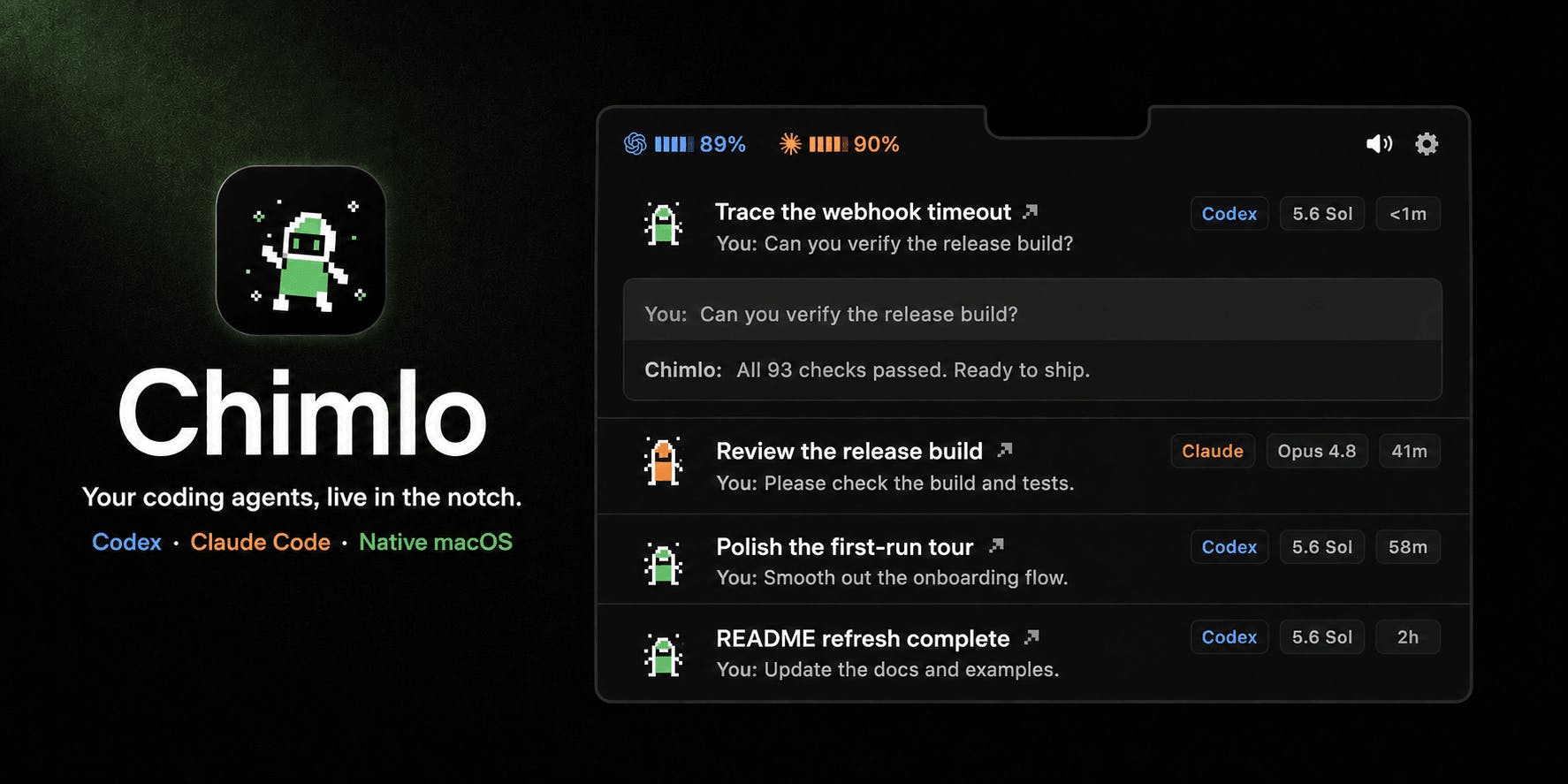
Chimlo, a new application for macOS, introduces an innovative way to interact with AI code assistants by embedding them directly into the notch of your MacBook display. This allows users to track the progress of tasks handled by AI models like Codex and Claude, and receive responses, all without leaving their primary workflow or switching applications. The app aims to streamline the development process by making AI assistance more accessible and contextually relevant.
The core concept behind Chimlo is to leverage the often underutilized space of the MacBook notch as a dedicated, unobtrusive display for AI-driven information. Instead of interrupting your coding session to check on an AI's progress or to read its output, Chimlo presents this information directly within your field of view. This persistent, glanceable interface is designed for developers who rely heavily on AI tools for tasks such as code generation, debugging, and documentation.
Currently, Chimlo supports integration with two prominent AI models: OpenAI's Codex and Anthropic's Claude. Codex, known for its proficiency in understanding and generating code, can be monitored for its progress in tasks like writing scripts or refactoring existing code. Similarly, Claude, Anthropic's conversational AI, can be tracked when used for generating explanations, drafting documentation, or even engaging in collaborative brainstorming sessions related to code. The app pulls information directly from these models, displaying relevant updates and outputs in the notch.
The user experience is designed to be as seamless as possible. Once Chimlo is installed and configured, it runs in the background. When an AI task is initiated through a supported integration (details on which integrations are supported are still emerging), Chimlo activates. It then displays a progress bar or status update for the task. Upon completion, or if the AI generates a response, the information is presented in the notch. Users can then interact with this information, perhaps by clicking to expand a response or dismiss a notification.

Bridging the Gap Between AI and Workflow
The motivation behind Chimlo stems from a growing need to integrate AI tools more fluidly into professional workflows. As AI becomes more capable of performing complex tasks, the friction of switching between tools and contexts becomes a bottleneck. Developers, in particular, spend significant time interacting with code, and any tool that can reduce context switching stands to improve productivity. Chimlo’s approach of using the notch as a dedicated AI status indicator is a novel solution to this problem.
Consider the process of asking an AI to generate a complex code snippet or explain a piece of logic. Traditionally, this involves opening a separate AI interface, typing the prompt, waiting for the response, and then copying and pasting the result back into your IDE. This entire sequence requires shifting focus away from the code editor. Chimlo aims to minimize this by showing you the AI's progress directly on your screen and, upon completion, presenting the output in a readily accessible, albeit small, format. This is akin to having a tiny, dedicated assistant sitting on your shoulder, quietly working on your request and only nudging you when the work is done or if it needs clarification.
The technical implementation likely involves deep integration with macOS, potentially using accessibility features or specific APIs to draw on top of other applications and interact with system notifications. For AI model integration, Chimlo would need to establish API connections with services like OpenAI and Anthropic, managing authentication and data transfer to display the relevant information. The choice to focus on the notch is a clever design decision, turning a feature that some users find distracting into a functional UI element for AI feedback.
Potential and Future Directions
While Chimlo currently focuses on tracking code-related AI assistants, the potential applications are broad. Future iterations could support other AI models or even different types of background tasks. Imagine monitoring a video rendering process, a large data analysis job, or even the status of a CI/CD pipeline, all from the convenience of your MacBook's notch. The success of Chimlo will depend on its ability to reliably integrate with a wider range of AI services and to offer meaningful, actionable information within the limited display real estate of the notch.
The app’s current stage suggests it is a nascent product, likely targeting early adopters and developers keen on experimenting with new productivity tools. The community discussion on Product Hunt indicates interest in its unique approach. However, questions remain about the breadth of supported AI models, the depth of interaction possible (beyond viewing status and responses), and the overall stability and performance of the application. As AI assistants become more integral to daily tasks, tools like Chimlo that aim to reduce friction will become increasingly valuable.
What remains to be seen is whether this novel use of the notch will become a widespread pattern or a niche solution. The physical design of laptops varies, and not all modern MacBooks have a notch. Furthermore, the long-term viability of such a focused tool hinges on the evolving capabilities and interfaces of the AI models themselves. If AI assistants become even more integrated directly into IDEs or operating systems, the need for a separate notch-based indicator might diminish.