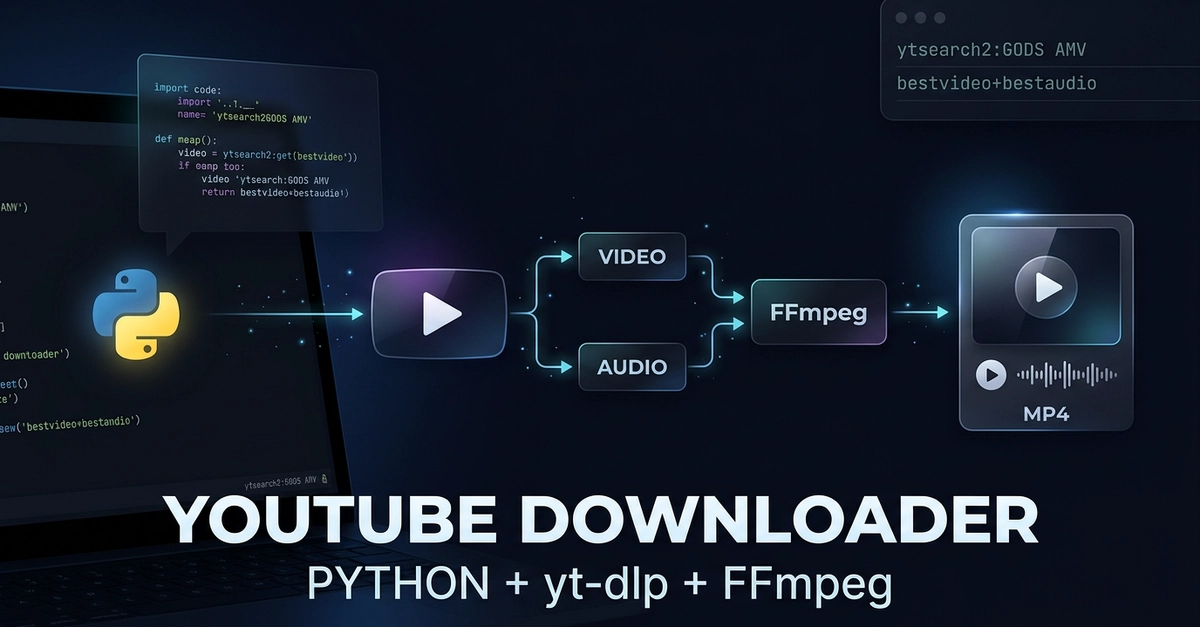
Introduction: Your Python-Powered YouTube Downloader
Downloading YouTube videos directly from your Python applications is now within reach. This guide details how to build a robust YouTube video search and downloader using Python and the powerful yt-dlp library. This project offers a practical way to understand the interplay between command-line tools like yt-dlp and FFmpeg, Python's file system management with the Path object, and the general workflow of command-line based downloading.
Important Note: Always ensure you have the necessary permissions before downloading content. Adhere to YouTube's Terms of Service and all applicable copyright laws. This tool is for educational purposes and responsible use.
Core Functionality: Search and Download
The downloader script is designed with several key capabilities:
- YouTube Search: Input a text query to search for videos on YouTube.
- Multiple Results: Download not just one, but several videos from the search results.
- Best Quality Video: Automatically selects and downloads the highest available video quality.
- Separate Audio Download: When necessary, audio streams are downloaded independently.
- Audio-Video Merging: Utilizes FFmpeg to seamlessly merge downloaded video and audio streams into a single file.
- File Saving: Downloads are saved to a specified directory, keeping your downloads organized.
Setting Up Your Environment
Before you can start coding, you need to prepare your development environment. This involves installing Python and the necessary libraries, as well as the external tools that yt-dlp relies on.
Installing Python
If you don't have Python installed, download the latest version from the official Python website. It's recommended to use Python 3.6 or newer. Ensure that Python is added to your system's PATH during installation for easier command-line access.
Installing yt-dlp
yt-dlp is a fork of the popular youtube-dl project, offering more features and faster updates. Install it using pip:
pip install -U yt-dlp
Installing FFmpeg
FFmpeg is crucial for merging video and audio streams, especially when YouTube serves them separately in higher resolutions. Download FFmpeg from the official FFmpeg website and ensure the executable is in your system's PATH. Alternatively, on Linux systems, you can often install it via your package manager:
sudo apt update && sudo apt install ffmpeg  # For Debian/Ubuntu
sudo yum install ffmpeg  # For Fedora/CentOS
Python Libraries
The project primarily uses Python's built-in libraries, but for handling file paths, the pathlib module is recommended for its object-oriented approach. If you plan to build a more complex interface or handle network requests more intricately, you might consider libraries like requests or subprocess for executing external commands.
The Python Script: Step-by-Step
Let's break down the Python script that brings this functionality to life. The core logic involves taking user input, constructing the appropriate yt-dlp command, and executing it.
User Input and Search Query
The script begins by prompting the user for a search query. This query is then used to construct a YouTube search URL that yt-dlp can process. For example, a search for "Python tutorial" might be translated into a URL like https://www.youtube.com/results?search_query=Python+tutorial.

Executing yt-dlp Commands
The power of yt-dlp lies in its extensive command-line options. We can leverage these directly from Python using the subprocess module. A typical command to download the best available format (video and audio combined) might look like this:
yt-dlp "[VIDEO_URL]" -o "%(title)s.%(ext)s" --merge-output-format mp4
To handle search results, yt-dlp can directly process search URLs. The script will need to parse the output of a search to select specific videos for download. A more advanced version might allow specifying the number of search results to consider.
For downloading only audio, you would use an option like:
yt-dlp -x --audio-format mp3 "[VIDEO_URL]" -o "%(title)s.%(ext)s"
The -x flag extracts audio, and --audio-format specifies the desired audio codec. When YouTube serves high-quality video and audio separately (e.g., WebM streams for video and separate Opus streams for audio), yt-dlp can download these and then use FFmpeg to merge them. The --merge-output-format mp4 option tells yt-dlp to use FFmpeg to combine the best video and audio into an MP4 container.
Handling File Paths with pathlib
The pathlib module simplifies file system operations. Instead of string manipulation, you can work with Path objects. This makes it easy to specify download directories, create them if they don't exist, and construct full file paths for saving downloads.
from pathlib import Path

download_dir = Path("downloads")
download_dir.mkdir(exist_ok=True)

# Example of constructing a full path
output_template = download_dir / "%(title)s.%(ext)s"
This approach is more readable and less error-prone than traditional string-based path concatenation.
Advanced Features and Considerations
While the basic script covers search and download, several advanced features can enhance its utility:
- Format Selection:
yt-dlpallows fine-grained control over format selection. You can specify video codecs, resolutions, audio bitrates, and more using options like-f. For instance, to get the best 1080p video and best audio, you might use-f "bestvideo[height<=1080]+bestaudio/best". - Playlist Downloads: Easily download entire playlists by providing the playlist URL.
- Subtitle Downloads:
yt-dlpcan download subtitles in various formats and languages. - Error Handling: Implement robust error handling to gracefully manage network issues, unavailable videos, or
yt-dlpexecution errors. Use try-except blocks aroundsubprocess.runcalls. - Configuration Files: For complex or frequently used settings,
yt-dlpsupports configuration files (e.g.,yt-dlp.conf) which can be specified using the-cflag.
Conclusion: A Powerful Tool for Developers
Building a YouTube downloader with Python and yt-dlp is a practical project that sharpens your skills in Python scripting, command-line tool integration, and file management. It provides a foundation for various applications, from personal media archiving to building more complex content processing pipelines. Remember to use this tool responsibly and ethically.