Understanding the Need for MCP
The landscape of AI development is rapidly evolving, and with it comes the need for more sophisticated ways for AI models to interact with the world. While large language models (LLMs) excel at generating text and understanding complex queries, their inherent limitations prevent them from directly accessing real-time information or performing actions. This is where protocols like the Model Context Protocol (MCP) become crucial. MCP provides a standardized way for AI agents to communicate with external tools and services, enabling them to fetch data, execute commands, and provide more accurate, context-aware responses.
Imagine asking an AI assistant a question like, "What's the weather in Toronto today?" Without a protocol like MCP, the AI would have to guess or rely on outdated, pre-trained knowledge. With MCP, the agent can intelligently query a weather service, retrieve the current conditions, and then formulate a precise answer. This guide focuses on the practical application of MCP, moving from theoretical understanding to building a functional AI agent.
This isn't just about understanding the concepts; it's about building something tangible. By the end of this guide, you will have a working AI agent that can communicate with an MCP server, leverage external tools, and deliver useful responses. More importantly, you'll grasp the underlying architecture and the purpose of each component, providing a solid foundation for developing more advanced AI applications.
What You Will Build
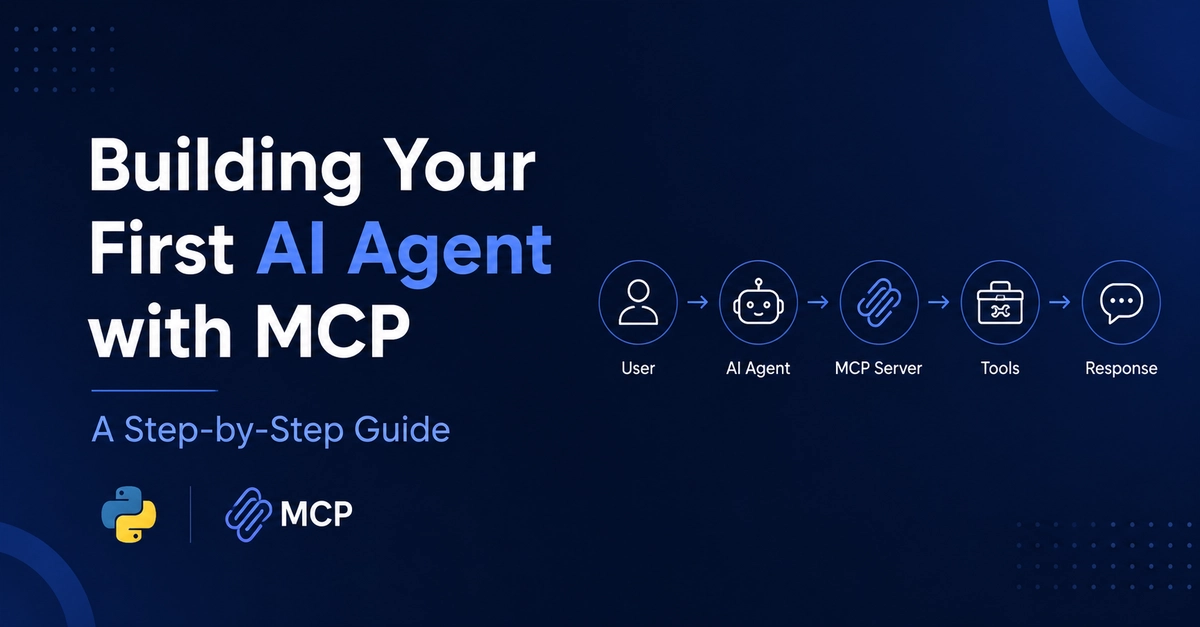
The AI agent we will construct is designed to handle queries that require external data retrieval. A prime example is asking for real-time information, such as the weather in a specific location. The process will involve the AI agent receiving a user's request, determining that it needs external data, formulating a query for an appropriate tool (like a weather API), sending this query through the MCP server, receiving the tool's response, and finally, synthesizing this information into a coherent answer for the user.
This example illustrates a core capability of MCP-enabled agents: the ability to bridge the gap between an LLM's reasoning power and the dynamic, information-rich external world. It moves AI agents from being passive information providers to active information gatherers and task executors.
Core Components of an MCP Agent
Building an MCP agent involves several key components working in concert. At its heart is the AI model itself, responsible for understanding natural language prompts and generating responses. However, the model alone is insufficient. We need mechanisms to manage the interaction flow, access external tools, and interpret their outputs.
The MCP Server
The MCP server acts as the central hub for communication. It defines the protocol for how AI agents should request information or actions from tools. Think of it as a smart switchboard operator that directs incoming requests from the AI to the correct destination (the tool) and relays the tool's response back to the AI. The server ensures that the communication adheres to the MCP standard, making it easier to integrate various tools and agents.
External Tools
These are the external services or functions that the AI agent can call upon. In our weather example, the "weather tool" would be an external service that, when given a location, returns current weather data. These tools can range from simple calculators and search engines to complex databases or APIs. The MCP standard allows these tools to be registered with the MCP server, making them discoverable and usable by any connected AI agent.
The AI Agent Logic
This is the custom code that orchestrates the entire process. It includes:
- Prompt Engineering: Crafting effective prompts for the LLM to understand user requests and decide when and how to use external tools.
- Tool Selection: Determining which external tool is best suited to fulfill a request.
- Request Formatting: Structuring the request according to the MCP protocol before sending it to the server.
- Response Parsing: Interpreting the data received back from the tool via the MCP server.
- Final Response Generation: Using the retrieved information to formulate a natural language response for the user.
Step-by-Step Implementation (Conceptual)
While the specific code will depend on the chosen programming language and libraries, the general steps for building an MCP agent are as follows:
1. Set Up the MCP Server
This involves deploying or running an MCP-compliant server. Many frameworks provide basic MCP server implementations that can be extended. The server needs to be configured to know about the available tools.
2. Register External Tools
Each external tool needs to be described in a way that the MCP server and the AI agent can understand. This typically involves defining the tool's name, its purpose, the parameters it accepts, and the format of its output. For our weather tool, this would include specifying that it takes a "location" parameter and returns "temperature," "conditions," etc.
3. Develop the Agent's Core Logic
This is where you write the code that interacts with the AI model and the MCP server.
- Initialize the AI model.
- Create a function that takes a user's query.
- Inside this function, send the query to the AI model, perhaps with a meta-prompt instructing it to identify if an external tool is needed.
- If the AI model indicates a tool is required, parse its suggested tool call and parameters.
- Format this request according to the MCP protocol.
- Send the MCP request to the MCP server.
- Wait for the response from the MCP server, which will contain the output from the external tool.
- Parse the tool's output.
- Send this output back to the AI model, along with the original query, asking it to formulate a final answer.
- Return the AI model's final answer to the user.
4. Testing and Iteration
Thoroughly test the agent with various queries, including those that require tool use and those that do not. Monitor the communication flow, tool selection, and response accuracy. Iterate on prompt engineering and agent logic to improve performance.
The Power of MCP
MCP is more than just a technical specification; it's an enabler for more capable and versatile AI agents. By standardizing the interaction between AI models and external resources, MCP simplifies the development of complex AI systems. It allows developers to focus on the intelligence of the agent and the utility of the tools, rather than on the intricate details of inter-process communication.
This structured approach to tool use is what differentiates sophisticated AI agents from simple chatbots. It's akin to giving a brilliant but bookish scholar access to a well-equipped laboratory and a team of research assistants. The scholar (the LLM) has the knowledge and reasoning, but the lab and assistants (the tools via MCP) provide the means to perform experiments, gather new data, and arrive at empirically validated conclusions. This combination unlocks a new level of AI functionality, making agents truly useful in a wide array of real-world applications.
Looking Ahead
Building your first AI agent with MCP is a significant step towards creating more powerful AI applications. The principles learned here can be extended to agents that perform complex multi-step tasks, interact with multiple tools sequentially or in parallel, and adapt their behavior based on dynamic environmental feedback. As the MCP standard matures and more tools become available, we can expect to see increasingly sophisticated AI agents that push the boundaries of what's possible.