Introduction
Multiplayer gaming remains a cornerstone of modern game development, enabling players to compete, cooperate, and connect in dynamic virtual environments. However, building such experiences from the ground up presents significant challenges, primarily due to networking complexities like latency, synchronization issues, and the overall difficulty of managing real-time data exchange between multiple clients and a server.
This guide focuses on constructing a basic, real-time multiplayer game using the Limn Engine, a lightweight JavaScript game engine, and WebSockets, a communication protocol providing full-duplex communication channels over a single TCP connection. We will walk through the essential steps, from establishing a WebSocket server to implementing player movement synchronization and basic latency compensation strategies. It is important to note that this implementation is intended for educational purposes. Production-ready games would necessitate additional features such as robust authentication, matchmaking systems, and more sophisticated error handling and security measures.
What We're Building
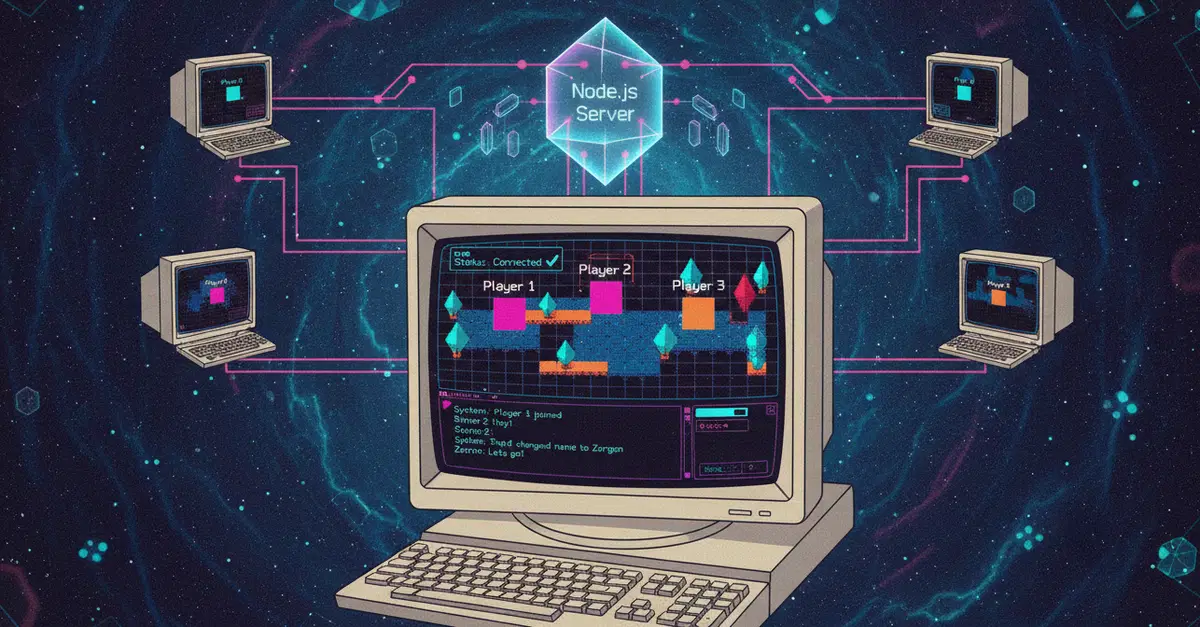
Our project will be a simple top-down multiplayer game. In this game:
- Multiple players can join the same game session.
- Each player controls a character represented by a sprite.
- Player movements (up, down, left, right) are synchronized across all connected clients in real-time.
- The game server acts as the authoritative source for game state, ensuring consistency.
This foundational setup will demonstrate the core principles of real-time multiplayer game development with WebSockets and a game engine.
Setting Up the WebSocket Server
A robust WebSocket server is the backbone of any real-time multiplayer game. It manages connections from all clients, broadcasts game state updates, and processes incoming player inputs. For this guide, we will use Node.js with the `ws` library, a popular and efficient WebSocket implementation for Node.js.
Server-Side Logic
The server needs to:
- Listen for incoming WebSocket connections.
- Store connected clients.
- Receive player input messages from clients.
- Broadcast these inputs or the resulting game state changes to all other connected clients.
- Handle disconnections gracefully.
Here’s a conceptual overview of the server code:
const WebSocket = require('ws');

const wss = new WebSocket.Server({ port: 8080 });

let clients = [];

wss.on('connection', (ws) => {
  clients.push(ws);
  console.log('Client connected');

  ws.on('message', (message) => {
    // Parse message, determine type (e.g., player input, game state update)
    const data = JSON.parse(message);
    console.log('Received:', data);

    // Broadcast to all other clients
    clients.forEach((client) => {
      if (client !== ws && client.readyState === WebSocket.OPEN) {
        client.send(JSON.stringify(data));
      }
    });
  });

  ws.on('close', () => {
    clients = clients.filter(client => client !== ws);
    console.log('Client disconnected');
  });

  ws.on('error', (error) => {
    console.error('WebSocket error:', error);
    clients = clients.filter(client => client !== ws);
  });
});

console.log('WebSocket server started on port 8080');
This basic server accepts connections, logs received messages, and broadcasts them to all other connected clients. For a real game, you would parse the `data` object to understand what action the player took (e.g., moving left) and then update the game state on the server before broadcasting.
Integrating Limn Engine on the Client-Side
Limn Engine provides a straightforward way to build 2D games in JavaScript. We'll use it to render the game world, player sprites, and handle user input.
Client-Side Connection and Input Handling
On the client, we need to establish a WebSocket connection to our server and then use Limn Engine to manage the game loop and rendering.
// Assume Limn Engine is initialized and 'game' object is available
const socket = new WebSocket('ws://localhost:8080');

socket.onopen = () => {
  console.log('WebSocket connection established');
};

socket.onmessage = (event) => {
  const data = JSON.parse(event.data);
  // Process incoming game state updates or player actions
  // Update local game objects based on received data
  console.log('Server message:', data);
};

socket.onerror = (error) => {
  console.error('WebSocket error:', error);
};

socket.onclose = () => {
  console.log('WebSocket connection closed');
};

// Example: Sending player input
function sendPlayerInput(input) {
  if (socket.readyState === WebSocket.OPEN) {
    socket.send(JSON.stringify({ type: 'player_input', payload: input }));
  }
}

// In Limn Engine's update loop or input handler:
// if (Limn.Input.isKeyDown('ArrowUp')) {
//   sendPlayerInput('up');
// }
When a player moves, the client captures the input, sends it to the server via WebSocket, and ideally, predicts the movement locally for immediate feedback. The server then validates the move and broadcasts the confirmed state change to all clients.
Synchronization and Latency Compensation
This is where multiplayer gets tricky. Network latency means that a player's action takes time to reach the server, and the server's response takes time to reach other players. This can lead to players seeing each other in slightly different positions or actions appearing out of sync.
Server Authority
The most common approach is to make the server authoritative. Clients send their intended actions, but the server is the ultimate decider of what happens. It receives inputs, updates its own game state, and then broadcasts the new, authoritative state to all clients. Clients then adjust their local game state to match the server’s state. This prevents cheating and ensures consistency but can feel laggy if not handled well.
Client-Side Prediction
To combat the perceived lag, clients can implement client-side prediction. When a player presses a movement key, the client immediately moves their character on their screen before receiving confirmation from the server. If the server later sends a state update that contradicts the client’s prediction (e.g., the server says the player couldn’t move due to an obstacle), the client corrects its position. This makes the game feel responsive.
Entity Interpolation and Extrapolation
For other players, you can use interpolation or extrapolation. Interpolation involves smoothing the movement of other players' characters between known positions. If a client receives position updates for another player at time T1 and T2, it renders the player at intermediate positions smoothly between T1 and T2. Extrapolation attempts to predict where a player will be in the future based on their past movement, which can help when packets are lost or delayed, but can lead to more jarring corrections if predictions are wrong.
The combination of server authority, client-side prediction, and interpolation/extrapolation is key to creating a smooth multiplayer experience. While this guide covers the basic setup, these advanced techniques are crucial for production games.
Conclusion
Building real-time multiplayer games involves a careful balance between client-side responsiveness and server-side authority. By leveraging WebSockets for efficient, real-time communication and a game engine like Limn to manage the game loop and rendering, developers can create engaging interactive experiences. The core challenge lies in managing network latency and ensuring that all players perceive a consistent and fluid game state. Implementing techniques like client-side prediction and server-side validation is essential for overcoming these hurdles. This guide provides a fundamental blueprint, empowering you to explore more complex multiplayer mechanics and build sophisticated online games.