Beyond Basic Registration: The Production API Challenge
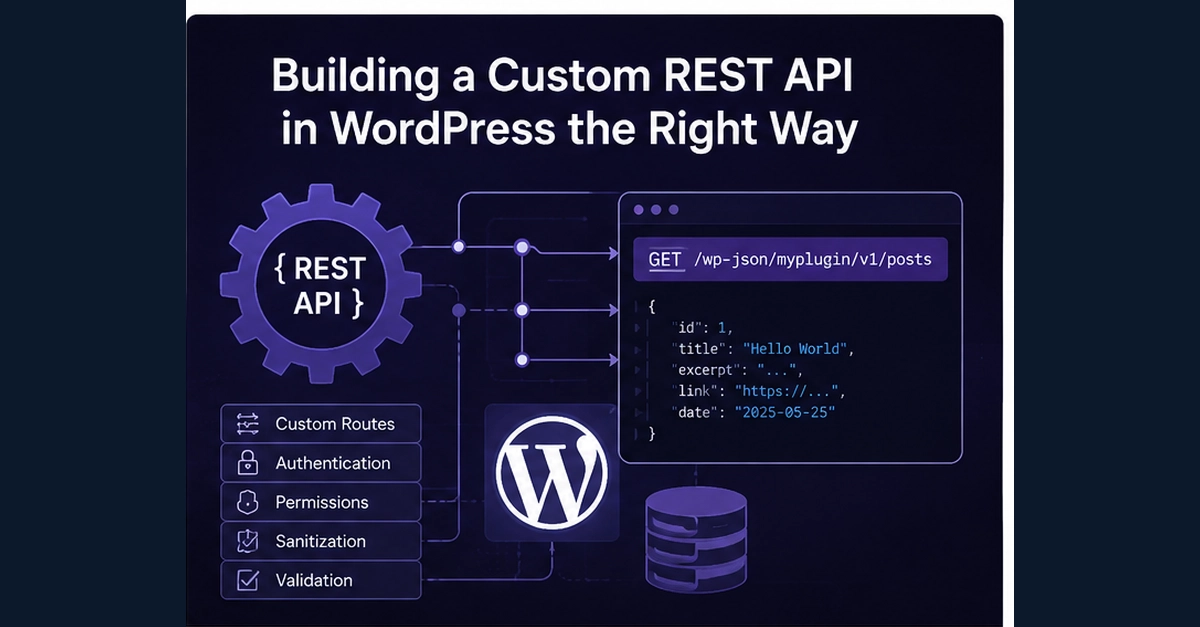
WordPress is often pigeonholed as a traditional Content Management System. However, its built-in REST API unlocks its potential as a robust backend for a wide array of applications. Mobile clients, external services, automation systems, and custom dashboards can all leverage WordPress's data and functionality. The real hurdle isn't merely registering a new endpoint; it's designing that endpoint to meet the rigorous demands of production environments. A production-grade API requires a clearly defined contract, specifying who can access it, what data they can retrieve, what input is acceptable, what output to expect, and how failures are handled.
This isn't about simply echoing data. It's about building a reliable, secure, and predictable interface. Think of it less like a simple data dump and more like a well-trained concierge who understands your exact needs and limitations before even asking.
Registering Custom REST API Routes in WordPress
The foundational step involves using WordPress's native function, register_rest_route(). This function allows developers to define new endpoints within the WordPress REST API. It takes several arguments, including the namespace, the route itself, and a callback function that will execute when the endpoint is hit. A typical implementation involves hooking into the rest_api_init action, ensuring the route is registered when the REST API is initialized.
For example, to create an endpoint under the namespace 'myplugin/v1' that retrieves a list of posts, you might write:
add_action( 'rest_api_init', function () {
    register_rest_route( 'myplugin/v1', '/posts/', array(
        'methods' => 'GET',
        'callback' => 'myplugin_get_posts_callback'
    ) );
});

function myplugin_get_posts_callback( WP_REST_Request $request ) {
    // Logic to fetch and return posts
    $posts = get_posts( array('posts_per_page' => -1) );
    return rest_ensure_response( $posts );
}
This basic structure gets an endpoint live. However, it lacks the critical components of a production API.
Designing for Security: Authentication and Authorization
A core tenet of any production API is robust security. For WordPress REST API endpoints, this means carefully considering authentication and authorization. WordPress has built-in mechanisms for handling this, particularly when integrated with applications that can manage user logins.
Authentication determines who the user is. This can be handled via:
- Cookie Authentication: Standard for logged-in users within the WordPress admin or frontend.
- OAuth: For third-party applications needing to access user data on their behalf.
- Application Passwords: A more modern approach allowing applications to authenticate as a specific user without needing their actual password.
- JWT (JSON Web Tokens): Often implemented via plugins, providing stateless authentication.
Authorization determines what an authenticated user is allowed to do. Even if a user is logged in, they might not have permission to access or modify certain data. This requires custom logic within your callback function. You must check user capabilities and roles before proceeding with data retrieval or manipulation. For instance, if your endpoint is meant to allow administrators to create new posts, you'd verify if the current user has the edit_posts capability.
The surprising detail here is that WordPress's REST API, by default, exposes a lot of data. Building a secure API means actively restricting access, not just relying on defaults. You must explicitly define permissions for each endpoint and each action (GET, POST, PUT, DELETE).
Input Validation and Data Sanitization
APIs are susceptible to malicious input. Just as you sanitize user input in traditional WordPress forms, you must rigorously validate and sanitize any data passed to your custom REST API endpoints, especially for POST, PUT, and DELETE requests. The WP_REST_Request object provides methods for accessing parameters, and you should use WordPress's built-in sanitization functions (e.g., sanitize_text_field(), sanitize_email(), absint() for integers) and validation checks.
For example, if your endpoint accepts a 'search_term' parameter and a 'per_page' integer:
function myplugin_search_posts_callback( WP_REST_Request $request ) {
    $search_term = $request->get_param( 'search_term' );
    $per_page = $request->get_param( 'per_page' );

    // Validate and sanitize input
    if ( ! empty( $search_term ) ) {
        $search_term = sanitize_text_field( $search_term );
    } else {
        // Handle missing required parameter
        return new WP_Error( 'missing_param', 'Search term is required.', array( 'status' => 400 ) );
    }

    $per_page = absint( $per_page );
    if ( $per_page <= 0 || $per_page > 100 ) { // Example limit
        $per_page = 10;
    }

    // Proceed with fetching posts using validated/sanitized data
    $args = array(
        's' => $search_term,
        'posts_per_page' => $per_page
    );
    $posts = get_posts( $args );

    return rest_ensure_response( $posts );
}
Failing to validate and sanitize can open your site to cross-site scripting (XSS) attacks, SQL injection, and other vulnerabilities.
Effective Error Handling and Response Formatting
A production API must communicate clearly when things go wrong. Instead of generic server errors, your custom endpoints should return meaningful error messages with appropriate HTTP status codes. WordPress's REST API provides the WP_Error class for this purpose.
Use specific error codes and descriptive messages. For instance, a 404 Not Found error should be returned if a requested resource doesn't exist, a 403 Forbidden if the user lacks permissions, and a 400 Bad Request if the input is invalid.
Furthermore, the data returned should be consistent and predictable. Use rest_ensure_response() to ensure your data is formatted correctly as JSON. Define a clear structure for both successful responses and error payloads. This contract helps consumers of your API understand how to interact with it and how to handle potential issues gracefully.
Structuring Your API: Namespaces and Versions
As your API grows, maintaining organization is crucial. Use namespaces to group related endpoints and prevent conflicts with other plugins or WordPress core. A common pattern is plugin-name/v1, where 'v1' indicates the version.
Versioning is essential for managing changes. When you need to make breaking changes to an endpoint, introduce a new version (e.g., /v2/posts/) rather than altering the existing one. This allows applications to continue using the older version while you roll out updates and give consumers time to migrate.
The Unanswered Question: Long-Term Maintenance and Deprecation
While designing and implementing a custom REST API is well-documented, what remains less clear is the long-term strategy for maintenance and deprecation. For developers building applications that rely on these custom WordPress endpoints, understanding the lifecycle of an API version is critical. How will developers be notified of upcoming deprecations? What is the expected support period for older versions? Without clear guidelines from the API provider, consumers are left to guess, potentially leading to sudden breakages when an API they depend on is modified or removed without adequate warning.
Conclusion: Building for Scale and Reliability
Leveraging WordPress as an API backend offers immense flexibility. However, moving beyond basic route registration to build production-ready APIs requires a disciplined approach. Prioritizing security through robust authentication and authorization, implementing strict input validation and sanitization, providing clear error handling, and planning for versioning and maintenance are not optional extras – they are fundamental requirements. By adhering to these principles, developers can transform WordPress into a powerful, reliable, and scalable API foundation.