Introduction to Antigravity CLI for AI Applications
Developing AI-powered applications, especially those leveraging advanced models like Google's Gemini, often involves complex infrastructure and integration challenges. The Antigravity CLI emerges as a powerful tool to streamline this process, particularly for developers working within the Firebase ecosystem. This article details how to build a practical image analysis demo application using Angular, Firebase, and Gemini models, showcasing both on-device and cloud-based inference capabilities.
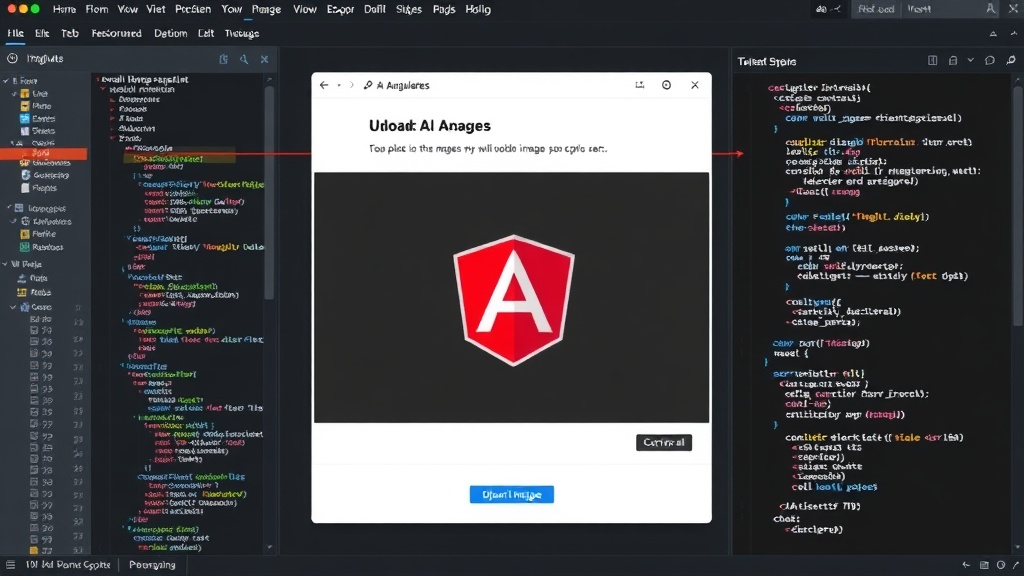
The core of the demo involves users uploading an image. Once uploaded, a Gemini model analyzes the image to generate several outputs: alternative text descriptions, relevant tags, personalized recommendations, and CSS tips to enhance the image's visual quality. This multifaceted analysis demonstrates the versatility of modern AI models in understanding and interacting with visual content.
A key feature of this implementation is its adaptive inference strategy. When the demo runs on modern browsers like Chrome 148+, it utilizes the Hybrid & On-device Inference Web SDK. This SDK leverages the Prompt API of the on-device Gemini Nano model. The significant advantage here is that token usage is effectively zero, making the analysis cost-free and extremely fast for the user. This approach is ideal for real-time, user-facing applications where latency and cost are critical factors.
Hybrid and Cloud Inference Strategies
The Antigravity CLI facilitates the seamless integration of different AI inference strategies. For browsers that do not support the on-device SDK, such as Safari or Firefox, the application gracefully falls back to a cloud-based inference mechanism. In this scenario, the SDK utilizes the Gemini 3.5 Flash model hosted on Google Cloud. While this offers broad compatibility, it incurs token usage, meaning there are associated costs for each analysis performed. This fallback strategy ensures that the application remains functional across a wide range of user environments, balancing performance and cost.
The setup involves installing specific 'skills' within an Angular project. These skills are pre-built functionalities that Antigravity CLI can manage. Subsequently, a Stitch MCP (Micro-service Communication Protocol) server is registered within the Antigravity CLI. This registration is crucial for developing the underlying infrastructure, defining services, and managing the communication between different components of the application, including the Angular frontend, Firebase backend, and the AI models.
Development Workflow with Antigravity CLI
The Antigravity CLI simplifies the development lifecycle for AI applications. It abstracts away much of the boilerplate code and configuration required for integrating cloud services and on-device models. Developers can focus more on the application logic and user experience rather than the intricacies of model deployment and API management.
The installation of 'skills' is akin to adding modular components to your project. These skills can encapsulate specific AI tasks, data processing pipelines, or backend integrations. By managing these skills through the CLI, developers ensure consistency and reproducibility across different development and deployment environments. Registering the Stitch MCP server establishes the communication backbone. This server acts as a central hub, routing requests and responses between the frontend, backend services, and the AI inference engines. This architectural pattern is essential for building scalable and maintainable applications.
The overall architecture combines the real-time capabilities of Angular with the robust backend services of Firebase. Firebase provides essential services such as authentication, database (Firestore or Realtime Database), and cloud functions, which can be used to orchestrate more complex AI workflows or manage user data. The integration with Gemini models, whether on-device or cloud-based, brings powerful generative AI capabilities directly into the application. This hybrid approach allows for flexibility, enabling developers to choose the most appropriate inference method based on performance requirements, cost constraints, and target user devices.
Use Cases and Future Directions
This image analysis demo serves as a foundational example. The principles demonstrated can be extended to a wide array of applications. For instance, e-commerce platforms could use this to automatically generate product descriptions or suggest styling options. Content creators could leverage it for generating alt text for images, improving accessibility and SEO. Educational tools might employ it for analyzing student-submitted images or providing visual feedback.
The ability to perform on-device inference with Gemini Nano is particularly exciting. It opens doors for privacy-preserving AI applications, as sensitive data doesn't need to leave the user's device. It also enables offline functionality and significantly reduces operational costs for businesses. As AI models continue to evolve and become more efficient, tools like Antigravity CLI will play an increasingly vital role in democratizing access to these advanced capabilities for developers across various platforms and frameworks.
The project highlights a forward-thinking approach to AI development, emphasizing efficiency, adaptability, and developer productivity. By abstracting complex integrations and providing modular components, Antigravity CLI empowers developers to build sophisticated AI applications more rapidly. The combination of Angular's dynamic frontend, Firebase's scalable backend, and Gemini's advanced AI capabilities creates a potent stack for innovation.