
The Problem with Static Diagrams
Architecture diagrams are essential communication tools. They map out complex systems, clarify relationships between components, and guide development efforts. However, the common practice of exporting these diagrams as static images (like PNGs or JPEGs) creates significant friction. These images quickly become outdated, are difficult for developers to edit or update without access to the original drawing tool, and lack any interactivity.
Consider the typical workflow: a diagram is created in a tool like Lucidchart, Draw.io, or even PowerPoint. When an update is needed, someone must open the tool, make the changes, and then re-export the image. This process is often slow, requires specific software, and is frequently neglected, leading to diagrams that no longer reflect the actual system architecture. By the next sprint, the 'source of truth' is already a historical artifact.
A Better Approach: Single-File HTML Diagrams
The alternative is to build diagrams directly as self-contained HTML files. This approach leverages the browser's native capabilities to create diagrams that are not only portable but also interactive and easily editable by developers. The core idea is to treat the diagram as a web page, using standard web technologies.
The technique involves three key components:
- Data Representation: The actual data defining the diagram's elements (nodes, their properties, and relationships) is stored in a plain JavaScript array. This makes the data easily accessible and modifiable.
- Layout Engine: CSS Grid is employed for positioning and arranging the diagram elements. This powerful layout module allows for flexible and responsive arrangement of components, mimicking the visual structure of an architecture diagram.
- Connectors and Overlays: SVG (Scalable Vector Graphics) is used to draw the connectors between elements. Critically, the SVG overlay is measured and rendered at runtime. This means the connectors dynamically adjust their paths based on the actual positions of the elements determined by the CSS Grid layout, ensuring accuracy even if element positions change.
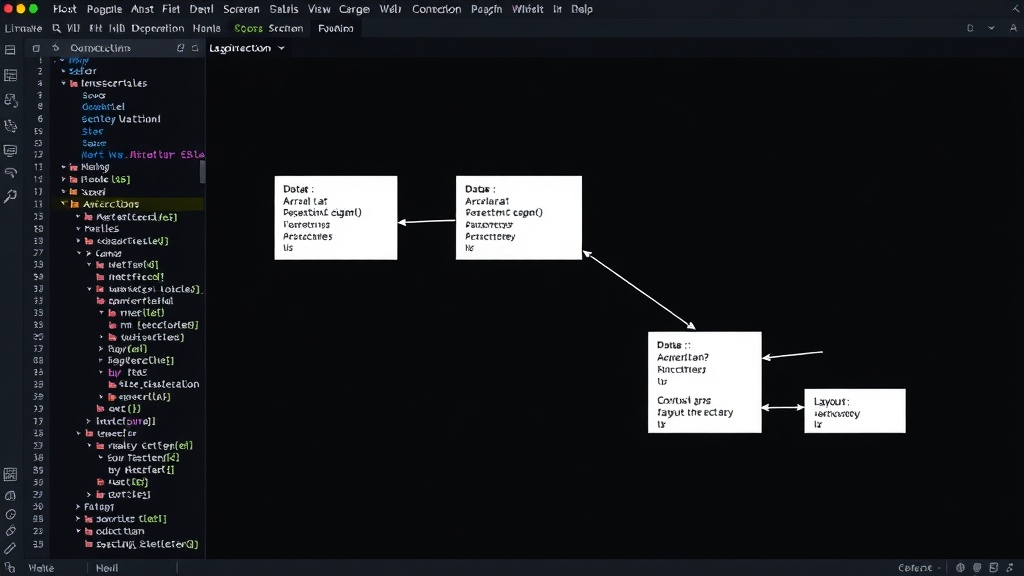
This combination allows for a dynamic rendering process. When the HTML file is opened in a browser, the JavaScript reads the data, CSS Grid arranges the visual elements, and the SVG layer draws the connections between them. The result is a single HTML file that can be opened offline, shared easily, and viewed in any modern web browser.
Benefits Over Static Images
The advantages of this single-file HTML approach are numerous:
- Editability: Developers can open the HTML file directly in a text editor or IDE. Modifying the JavaScript array that holds the data or tweaking the CSS for layout changes is straightforward. This drastically reduces the barrier to keeping diagrams up-to-date.
- Interactivity: Unlike static images, these HTML diagrams can be made interactive. Elements can be clickable, revealing more details on hover or click. This is invaluable for complex architectures where a single diagram might need to serve as a high-level overview with drill-down capabilities. Imagine clicking on a microservice to see its API documentation link or its current deployment status.
- Portability: A single HTML file is inherently portable. It requires no special software to view, no build step, and no external dependencies. It can be emailed, hosted on a simple web server, or even embedded in documentation. This contrasts sharply with proprietary drawing tool files or even formats like Mermaid, which require a specific renderer to be displayed correctly.
- Offline Access: Because the entire diagram is contained within one file, it works perfectly offline. This is a significant advantage for developers working in environments with limited connectivity or for sharing diagrams internally without relying on cloud-based tools.
Inspiration from Live Demos
The concept of creating rich, interactive experiences within a single HTML file is not entirely new. Projects like the 3D live weather world demonstrate the power of working with raw browser materials. These examples, often built without frameworks or complex build processes, showcase what's possible when developers focus on the core web technologies. They prove that sophisticated, visually engaging, and functional outputs can be achieved with minimal overhead.
While the weather demo uses more advanced techniques like WebGL for its 3D visuals, the underlying principle of self-contained, framework-agnostic HTML is directly applicable to architecture diagrams. The goal is not necessarily high-fidelity 3D rendering, but rather creating a robust, maintainable, and accessible representation of system architecture.
Implementation Details: Beyond the Basics
To implement such diagrams, one would typically:
- Define Data Structure: Create a JavaScript array of objects, where each object represents a node (e.g., a service, a database, a user) and contains properties like `id`, `label`, `type`, and potentially links to documentation or other resources. Another array could define the connections between these nodes, referencing node IDs.
- Style with CSS: Use CSS Grid or Flexbox to lay out the nodes. Assign classes to different node types for distinct styling (e.g., different colors, icons). The SVG overlay for connectors would be positioned absolutely over the main content.
- Render Connectors: JavaScript would be responsible for calculating the start and end points of each connector based on the rendered positions of the connected nodes and then drawing the SVG path. Libraries or custom functions can handle this path calculation, often using Bezier curves for smoother lines.
The surprising detail here is how little tooling is actually required. By embracing the browser's native capabilities, developers can bypass the need for specialized diagramming software, complex build pipelines, and the maintenance overhead associated with them. This approach democratizes diagram creation and maintenance, making it a core part of the development workflow rather than an afterthought.
What This Means for Teams
For development teams, adopting this single-file HTML approach for architecture diagrams offers a clear path to more accurate, accessible, and maintainable system documentation. It shifts the responsibility for diagram upkeep from a dedicated role or a neglected task to the developers themselves, who are closest to the code and its evolution. If you manage a team responsible for system architecture, consider how much time is lost each quarter updating outdated diagrams. This method offers a tangible way to reclaim that time and improve clarity.