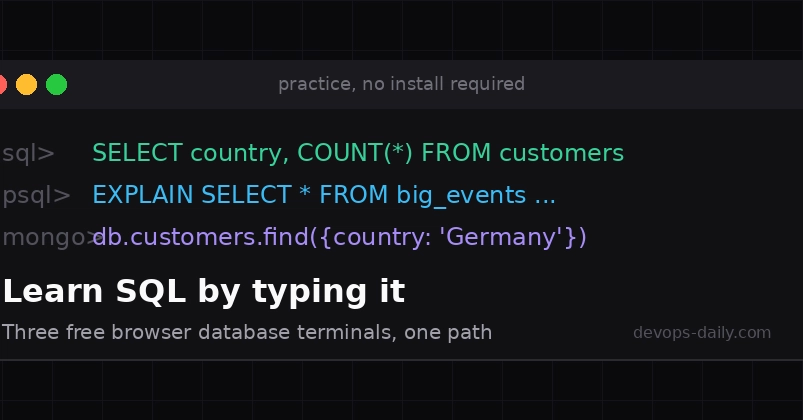
The SQL Learning Curve: From Recognition to Recall
SQL is not a theoretical subject. True mastery comes from interacting with data, making mistakes, and learning from them. While reading tutorials can build recognition – you might identify a LEFT JOIN when you see it – it's the act of typing and executing queries that builds recall. This recall is what's truly tested in job interviews and critical production environments. The primary hurdle for aspiring SQL users is often the initial setup: installing a database system like PostgreSQL. This step alone can derail many learning journeys before they truly begin.
Browser-based database terminals offer a compelling solution. They eliminate the installation barrier entirely, allowing learners to jump directly into practice. These tools provide immediate, hands-on experience with SQL, mimicking the environments developers will encounter in their professional lives. This article explores three such terminals, each offering a distinct layer of learning, all accessible for free and without requiring any sign-up.
Layer 1: Mastering the SQL Language with a Simulator
The first step in learning SQL is grasping the language itself. The SQL Terminal Simulator is designed precisely for this. It presents a guided path through 13 lessons, utilizing a small, curated e-commerce dataset. This dataset includes tables like `customer`, `orders`, and `products`, providing a realistic context for learning fundamental SQL commands. The simulator guides users through common operations such as selecting data, filtering with WHERE clauses, joining tables, and performing aggregations.
The core principle here is active learning. Instead of passively reading about SQL syntax, users are prompted to type commands directly into a simulated terminal. The simulator provides immediate feedback, highlighting errors and guiding users toward the correct syntax. This iterative process of trying, failing, and correcting is crucial for developing muscle memory and a deep understanding of how SQL queries are constructed. The limited scope of the dataset ensures that beginners can focus on the syntax and logic of SQL without being overwhelmed by complex data structures.
Layer 2: Interacting with `psql` in a Realistic Terminal
Once the fundamentals of SQL syntax are understood, the next logical step is to become familiar with the tools used in professional settings. The `psql` command-line client is the de facto standard for interacting with PostgreSQL databases. Many developers will encounter `psql` on their first day at a new job. The challenge is that `psql` requires a live database connection, which again presents an installation or access hurdle for beginners.
A browser-based terminal that simulates `psql` bridges this gap effectively. These tools provide an environment that looks and feels like a real `psql` session. Users can practice commands like ` ` to connect to a database, ` ` to view table schemas, and execute SQL queries directly. The advantage is the ability to experiment with more complex queries, practice data manipulation (INSERT, UPDATE, DELETE), and even explore database administration tasks in a safe, sandboxed environment. This layer focuses on the practical application of SQL within a common professional tool, building confidence and familiarity with the command-line interface.
Layer 3: Exploring Document Databases with a Terminal Alternative
While relational databases and SQL remain dominant, the tech landscape also includes document databases, which use different query paradigms. For contrast and a broader understanding, exploring a browser-based terminal for a document database is invaluable. These terminals often interact with systems like MongoDB, which uses a JSON-like document structure and its own query language.
Practicing with a document database terminal reveals key differences in data modeling and querying. Instead of rigid schemas and JOINs, users work with flexible documents and nested data. This provides a valuable perspective on the strengths and weaknesses of different database types. Understanding when to use a relational database versus a document database, and how to query each effectively, is a critical skill for modern developers. These terminals allow for hands-on comparison, highlighting the trade-offs involved in choosing the right data store for a given application.
Why Browser-Based Terminals Are Essential for Learning
The common thread across these browser-based terminals is their ability to lower the barrier to entry for learning SQL and database interaction. They provide immediate, practical experience without the overhead of installation, configuration, or account creation. This allows learners to focus entirely on the core skills: writing correct SQL, understanding database structures, and interacting with data efficiently.
For developers aiming to improve their data skills, these tools are indispensable. They offer a low-friction path to building the recall necessary for real-world scenarios. Whether the goal is to prepare for a technical interview, confidently manage production databases, or simply broaden one's understanding of data technologies, practicing directly in a simulated terminal environment is the most effective approach. The accessibility and focus on practical application make these browser-based solutions a critical resource for anyone looking to master SQL and beyond.