BrassCoders' Unified AI Instruction Format
BrassCoders, a tool designed to enhance code quality through static analysis, has introduced a new output format that promises broader compatibility with popular AI coding assistants. After each code scan, BrassCoders generates a file named .brass/ai_instructions.yaml. This file is crucial because it contains the findings from its integrated static analysis tools in a plain YAML structure. This approach bypasses the need for proprietary encoding or specific plugins, making the output universally accessible.
The core innovation lies in the simplicity and universality of the YAML format. Unlike previous methods that might have required custom parsers or specific integrations, this new format allows any AI assistant capable of reading local files to leverage the data. The structure prioritizes findings by severity, includes the specific file path and line number where the issue occurs, and provides a remediation note. This structured data allows AI coding assistants to understand and act upon the analysis results effectively.
The workflow is designed to be straightforward: scan the codebase, then open the editor. The AI assistant within the editor can then access the .brass/ai_instructions.yaml file as a context source. This means developers can get AI-driven suggestions for fixing issues identified by BrassCoders without any complex setup. The AI assistant reads the severity order, the precise locations, and the recommended fixes, enabling it to offer targeted advice.
Cross-Editor Compatibility
The YAML-first pattern is engineered for maximum interoperability. Claude Code, for instance, automatically recognizes and utilizes the .brass/ai_instructions.yaml file when it's present in the project directory. For users of Cursor and Continue, the process is similarly streamlined. These assistants can reference the YAML file directly as a context source, allowing developers to integrate BrassCoders' findings into their AI-assisted coding sessions.
This unified approach means developers can perform one scan with BrassCoders and then feed the resulting analysis into their preferred AI coding environment, regardless of the specific editor. The consistency in the output format across different tools simplifies the developer experience, reducing friction and improving the efficiency of code quality workflows. The YAML file acts as a single source of truth for code quality issues, interpreted consistently by various AI assistants.
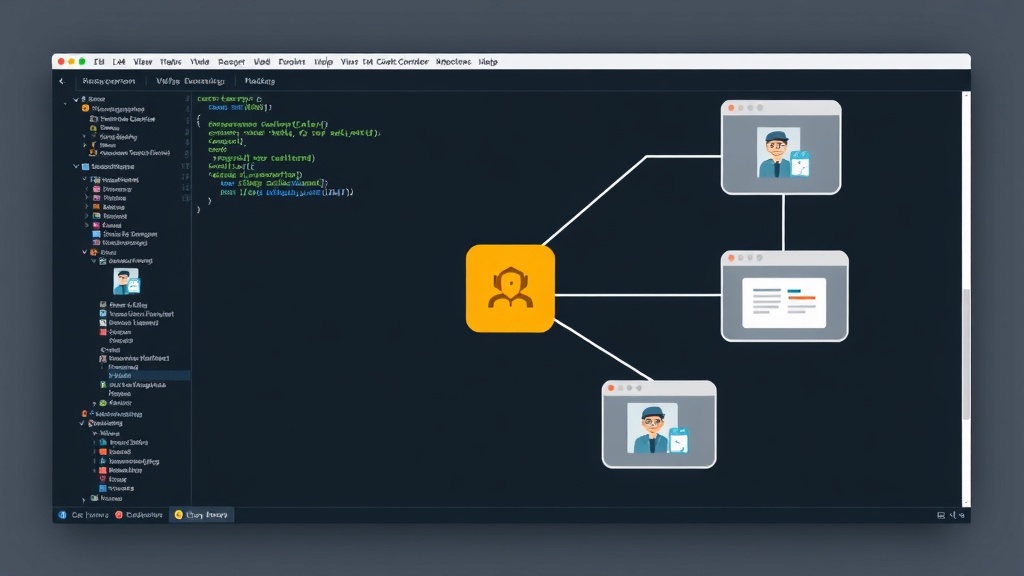
The YAML-First Pattern in Detail
BrassCoders performs a comprehensive scan of Python codebases. It integrates approximately 12 different static-analysis scanners to identify a wide range of potential issues, from style violations to security vulnerabilities. The aggregated findings are then processed and sorted by severity. This sorted list is written to .brass/ai_instructions.yaml. The use of plain YAML is a deliberate choice, ensuring that the data is human-readable and machine-parseable without requiring specialized libraries or custom parsers. This open format is key to its broad applicability.
The pattern BrassCoders promotes is a proactive approach to code quality. Developers are encouraged to run BrassCoders scans before diving deep into coding or reviewing code in their editor. Once the scan is complete and the YAML file is generated, the developer opens their editor. The AI assistant is then pointed to this file. The AI can then prioritize the issues based on the severity order provided, pinpoint the exact lines of code, and offer specific remediation advice drawn from the notes in the YAML file. This structured input allows the AI to provide more accurate and actionable suggestions than it might with unstructured or less detailed context.
Benefits for Developers and Teams
For individual developers, this integration means a more efficient way to address code quality issues. Instead of manually reviewing static analysis reports and then trying to explain them to an AI assistant, the findings are directly consumable. This can lead to faster bug fixing and a reduction in the time spent on code reviews. Teams can establish a consistent process for identifying and remediating code quality problems, ensuring that best practices are followed across the project.
The simplicity of the YAML format also lowers the barrier to entry for adopting this workflow. Developers do not need to install specific plugins or learn proprietary systems. As long as their AI coding assistant can read local files and interpret YAML, they can benefit from BrassCoders' analysis. This makes it a practical solution for diverse development environments and toolchains. The ability to feed one scan's output into multiple editors also reduces redundant work and ensures a consistent understanding of code quality across different tools and team members.
The underlying structure of the YAML file is designed for clarity. Each finding typically includes:
- Severity: A label indicating the criticality of the issue (e.g., CRITICAL, WARNING, INFO).
- File Path: The relative path to the file containing the issue.
- Line Number: The specific line of code where the issue is located.
- Remediation Note: A brief explanation of the problem and how to fix it.
This structured information allows AI assistants to go beyond simple code suggestions. They can understand the context of the issue, its impact, and the recommended solution, leading to more intelligent and context-aware assistance. The fact that Claude Code picks this up automatically, and Cursor/Continue can reference it easily, highlights the deliberate design choice to make this a frictionless experience.
What remains to be seen is how AI assistants will further leverage this structured data. While direct remediation suggestions are the immediate benefit, future integrations could involve automated code refactoring based on these findings, or even predictive analysis of potential future issues based on patterns identified in the YAML reports.