The Limits of Manual Azure Deployments
While the Azure Portal is an excellent environment for learning and exploring cloud services, it quickly becomes a bottleneck for real-world deployments. Manually creating resources, configuring settings, and linking services is time-consuming, repetitive, and, more critically, prone to human error. Each click, each configuration choice, introduces a potential deviation from the desired state. This inconsistency is unacceptable in production environments where reliability and repeatability are paramount. Imagine deploying a complex application stack with dozens of interconnected resources – a single missed setting could lead to hours of debugging. This is where Infrastructure as Code (IaC) becomes not just a convenience, but a necessity.
Infrastructure as Code fundamentally shifts how we manage cloud resources. Instead of interacting with a graphical interface, we define our infrastructure using declarative code. This code acts as a blueprint, detailing every resource, its properties, and its relationships. The benefits are profound: environments can be reproduced with absolute consistency, reducing the dreaded "it works on my machine" syndrome. Automation becomes a core tenet, allowing for rapid, reliable deployments. Crucially, IaC integrates seamlessly with version control systems like Git. This means every change to your infrastructure is tracked, auditable, and can be rolled back if issues arise. This versioning capability is akin to having a complete history book for your cloud environment, detailing every modification and who made it.
Introducing Azure Resource Manager (ARM) Templates
Microsoft's solution for Infrastructure as Code on Azure is Azure Resource Manager (ARM) Templates. These JSON-formatted files define the infrastructure and deployment configurations for Azure solutions. An ARM template allows you to specify:
- The resources you want to deploy (e.g., virtual machines, storage accounts, virtual networks).
- The properties of each resource (e.g., size of a VM, SKU of a storage account, IP address of a network interface).
- The relationships between resources (e.g., a virtual machine needs to be deployed within a virtual network).
The declarative nature of ARM templates means you describe the desired end state of your infrastructure, and Azure Resource Manager handles the process of creating and configuring those resources to match that state. It's like telling a chef exactly what dish you want, and they have the expertise to gather ingredients and prepare it, rather than you having to go to the market, select each item, and assemble the meal yourself.
Key Components of an ARM Template
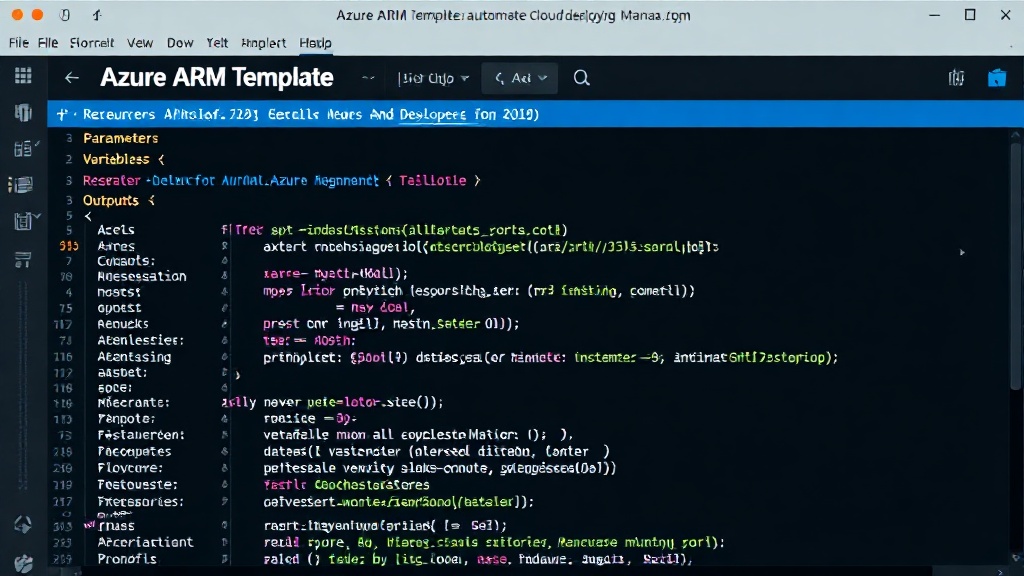
ARM templates have a structured JSON format, comprising several key sections:
$schema: Specifies the version of the ARM template schema. This is crucial for validation and IntelliSense within editors.contentVersion: A placeholder for the template version, typically "1.0.0.0".parameters: Define input values that you can provide when deploying the template. This makes templates reusable across different environments (e.g., development, staging, production) by allowing you to specify different database names, VM sizes, or region locations.variables: Define reusable values within the template. This helps in reducing redundancy and improving readability by centralizing common strings, calculations, or resource names.resources: This is the core of the template, where you declare the Azure resources to be deployed. Each resource block specifies the API version, type, name, and properties of the resource. Dependencies between resources can also be defined here.outputs: Specify values that are returned after the deployment is complete. This is useful for retrieving information about the deployed resources, such as the public IP address of a virtual machine or the connection string for a database.
The power of ARM templates lies in their ability to define complex, multi-resource deployments. For instance, you could define a web application that includes a web app service, an app service plan, a SQL database, and a storage account, all within a single template. Dependencies ensure that resources are created in the correct order – the database must exist before the web app can connect to it.
Deploying ARM Templates with Azure CLI
While ARM templates define your infrastructure, you need a tool to deploy them. The Azure Command-Line Interface (CLI) is a powerful, cross-platform tool that integrates seamlessly with ARM templates. The primary command for deploying templates is az deployment group create.
A typical deployment command might look like this:
az deployment group create \
  --resource-group myResourceGroup \
  --template-file azuredeploy.json \
  --parameters azuredeploy.parameters.json
--resource-group: Specifies the target resource group for the deployment.--template-file: Points to the ARM template JSON file.--parameters: Specifies a parameter file, which contains the values for the parameters defined in the template. Alternatively, parameters can be passed directly on the command line.
The Azure CLI handles the communication with Azure Resource Manager, sending the template and parameter values, and then reporting the status of the deployment. It provides feedback on whether the deployment succeeded, failed, or completed with warnings. This command-line approach is essential for scripting deployments, integrating them into CI/CD pipelines, and automating the entire infrastructure provisioning process.
The Advantage of Version Control
Storing ARM templates in a version control system like Git is a critical best practice. It provides:
- History and Auditing: Track every change made to your infrastructure definition, who made it, and when.
- Collaboration: Teams can work on infrastructure definitions concurrently, using branches and pull requests to manage changes.
- Rollback Capabilities: If a deployment introduces an issue, you can easily revert to a previous, known-good version of your infrastructure template.
- Traceability: Link infrastructure changes directly to application releases or feature development.
This practice transforms infrastructure management from a reactive, manual process into a proactive, code-driven discipline. It aligns infrastructure deployment with application development workflows, fostering a more agile and resilient cloud operation.
Looking Ahead
Moving from manual Azure portal deployments to Infrastructure as Code with ARM templates and Azure CLI represents a significant leap in efficiency, reliability, and manageability. This approach lays the groundwork for more advanced cloud automation, enabling faster iteration cycles and more robust production environments. The discipline of defining infrastructure as code is fundamental for any team serious about operating at scale in the cloud.