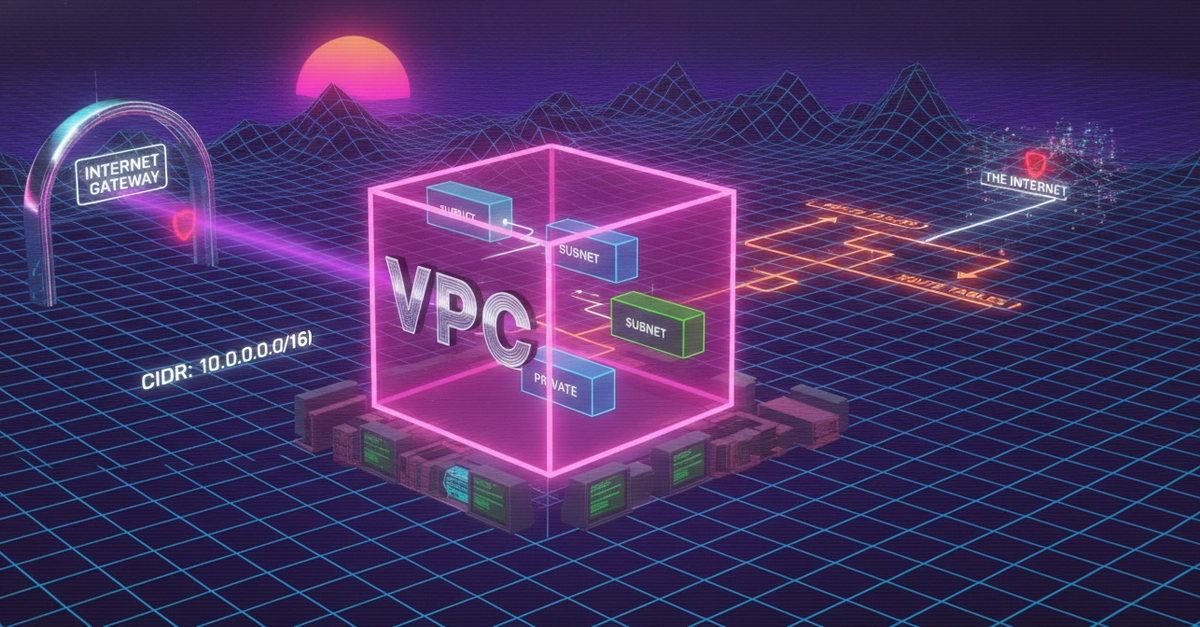
Understanding the Core of AWS Networking: VPCs
Provisioning an AWS Virtual Private Cloud (VPC) without a firm grasp of its components can lead to significant operational headaches. Instances become unreachable, package updates fail, and troubleshooting devolves into guesswork. This guide builds that essential mental model from the ground up, focusing on the why behind each element: VPCs, subnets, CIDR notation, route tables, Internet Gateways (IGW), and NAT Gateways.
A VPC is your logically isolated section of the AWS cloud. Think of it as your private data center within AWS, where you have complete control over your network environment. You define its IP address range, subnets, route tables, and network gateways. This isolation is crucial for security and compliance, allowing you to segment resources and control inbound and outbound traffic.
CIDR Math You Actually Need
Understanding CIDR (Classless Inter-Domain Routing) is fundamental to defining your VPC and subnet IP address ranges. A CIDR block is expressed as an IP address followed by a slash and a prefix length (e.g., 10.0.0.0/16). The prefix length determines the size of the network. The smaller the prefix length (e.g., /16), the larger the network and the more IP addresses it contains. The formula 2^(32 - prefix length) calculates the total number of IP addresses available within that block.
AWS reserves five IP addresses within each subnet for its own use: the network address, the VPC router, DNS, and two reserved addresses. Therefore, the number of usable IP addresses is the total addresses minus five.
| CIDR Block | Total Addresses | Usable Addresses |
|---|---|---|
10.0.0.0/16 |
65,536 | 65,531 |
10.0.0.0/24 |
256 | 251 |
192.168.1.0/27 |
32 | 27 |
Choosing the right CIDR block for your VPC is a critical early decision. A common private IP address range is 10.0.0.0/8. For a small to medium-sized VPC, a /16 block (like 10.0.0.0/16) provides over 65,000 IP addresses, which is usually ample. For larger, more complex networks, you might need multiple VPCs or more granular CIDR blocks.
Subnets: Dividing Your VPC
Subnets are divisions of your VPC's IP address range into smaller segments. Each subnet must reside entirely within a single Availability Zone (AZ). This AZ-specific nature is key to high availability; if one AZ fails, resources in other AZs remain unaffected. Subnets are designated as either public or private.
- Public Subnets: Resources in a public subnet can have a direct route to the internet via an Internet Gateway. For an EC2 instance in a public subnet to be accessible from the internet, it must also have a public IP address or an Elastic IP address.
- Private Subnets: Resources in a private subnet do not have a direct route to the internet. They can only access the internet indirectly, typically through a NAT Gateway or a NAT Instance residing in a public subnet. This is ideal for databases, backend application servers, and other resources that should not be directly exposed to the public internet.
The size of your subnets, defined by their CIDR blocks, should be sufficient to accommodate your anticipated resources, remembering AWS's reservation of five IPs per subnet. A /24 block is often a good starting point for subnets, offering 251 usable IPs.
Route Tables: Directing Traffic
Route tables are the core of VPC networking, controlling where network traffic from your subnets is directed. Each subnet is associated with a route table. A route table contains a set of rules, called routes, that specify the destination IP address range and the target for traffic matching that destination. The VPC's implicit router handles traffic within the VPC.
Key routes include:
- Local Route: This is an automatically created route that enables communication between all subnets within the VPC. It targets traffic destined for the VPC's CIDR block.
- Internet Gateway (IGW) Route: To allow outbound internet access from resources in a public subnet, you add a route with a destination of
0.0.0.0/0(representing all internet IP addresses) and a target of the Internet Gateway. - NAT Gateway/Instance Route: For resources in private subnets to access the internet, you add a route with a destination of
0.0.0.0/0and a target of your NAT Gateway or NAT Instance.
You can create custom route tables to apply different routing rules to different subnets. For instance, you might have one route table for public subnets and another for private subnets.
Internet Gateway (IGW): The Door to the Internet
An Internet Gateway (IGW) is a horizontally scaled, redundant, and highly available VPC component that allows communication between your VPC and the internet. You attach an IGW to your VPC. Once attached, you must add a route to your public subnet's route table that directs traffic destined for the internet (0.0.0.0/0) to the IGW. Instances in public subnets can then communicate with the internet, and the internet can reach instances in these subnets if they have public IP addresses.
NAT Gateways: Enabling Private Subnet Internet Access
A NAT (Network Address Translation) Gateway is a managed AWS service that enables instances in private subnets to connect to the internet or other AWS services, but prevents the internet from initiating a connection with those instances. NAT Gateways are deployed within a specific Availability Zone and require an Elastic IP address.
To use a NAT Gateway:
- Create a NAT Gateway in a public subnet.
- Associate an Elastic IP address with the NAT Gateway.
- Create or modify a route table associated with your private subnets. Add a route for
0.0.0.0/0that points to the NAT Gateway.
This setup ensures that your private instances can pull software updates, access external APIs, or send logs to remote services without being directly exposed to the internet. The NAT Gateway translates the private IP addresses of your instances to its own public IP address (the Elastic IP) for outbound traffic. For inbound traffic, it only allows established connections initiated from within the VPC.
Understanding the interplay between VPCs, subnets (public vs. private), CIDR blocks, route tables, IGWs, and NAT Gateways is not merely an academic exercise. It is the bedrock upon which secure, scalable, and resilient cloud architectures are built. If you've ever provisioned a VPC from a module without truly understanding the function of each component, you've likely experienced the frustration of troubleshooting broken connectivity. By internalizing these fundamentals, you transform troubleshooting from a painful mystery into a logical deduction process.