Apple Health users who have attempted to export their data are familiar with the export.xml file. This file, often multiple gigabytes in size, presents a significant challenge for standard data analysis tools. Its deeply nested structure can crash spreadsheet applications and overwhelm libraries like pandas’ read_xml, making direct analysis a frustrating ordeal. For data engineers and health enthusiasts alike, turning this unwieldy data dump into a usable analytical resource requires a robust ETL (Extract, Transform, Load) pipeline.
This article details how to build a high-performance ETL pipeline that transforms the bloated Apple Health XML export into a lightning-fast DuckDB analytical database. By leveraging Apache Arrow, we can drastically reduce parsing times from minutes to seconds, enabling rapid querying and deeper insights into personal health metrics.
The Problem: A Multi-Gigabyte XML Nightmare
The export.xml file generated by Apple Health is notorious for its size and complexity. It’s not designed for direct querying; instead, it’s a comprehensive, albeit difficult-to-access, snapshot of your health data. Standard tools often struggle with its hierarchical nature and sheer volume. Trying to load such a file into memory with traditional methods can lead to out-of-memory errors or excessively long processing times. This barrier prevents many users from meaningfully engaging with their own historical health data, from tracking trends to performing detailed personal research.
The core issue lies in the XML format itself. While excellent for data interchange and human readability in small doses, XML’s verbosity and nested structure become a significant performance bottleneck when dealing with millions of records. Each tag represents overhead, and deep nesting requires complex parsing logic that is inherently slower than columnar or row-based formats optimized for analytical workloads.
The Solution: ETL with Apache Arrow and DuckDB
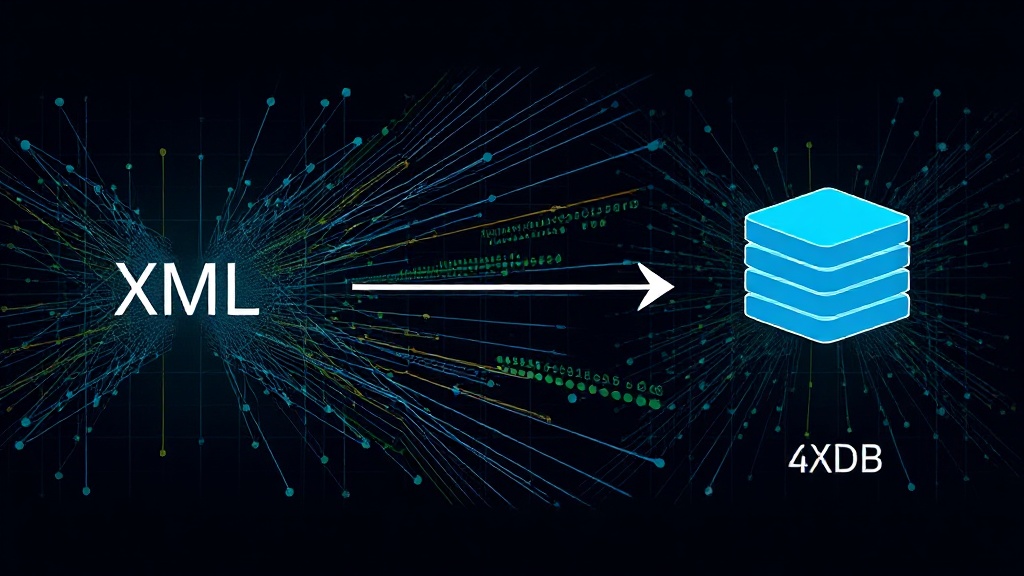
To overcome these limitations, we employ a modern data engineering approach. The process involves three key components: an extractor for the XML, a transformer that leverages Apache Arrow for efficient in-memory data handling, and a loader that populates a DuckDB database for fast analytical queries.
Apache Arrow plays a crucial role here. It provides a standardized, language-independent columnar memory format. This means data can be efficiently shared between processes and systems without costly serialization and deserialization. When parsing the XML, we can convert chunks of the data directly into Arrow’s columnar format. This is significantly more efficient for analytical operations than row-based processing and allows for parallelization and vectorized operations, dramatically speeding up the transformation.
DuckDB is an in-process analytical data management system. Unlike traditional client-server databases, DuckDB runs within the application itself, making it incredibly fast for local data analysis. It’s optimized for OLAP (Online Analytical Processing) workloads and understands Arrow data directly. This tight integration means we can load Arrow data into DuckDB with minimal overhead, preparing it for rapid SQL queries.
Building the Pipeline: A Step-by-Step Approach
The first step is to extract the relevant data from the export.xml file. This typically involves using an XML parser to navigate the nested structure and identify the key data points. For each record type (e.g., heart rate, steps, sleep analysis), we’ll need to extract the timestamp, value, and any associated metadata.
As the data is extracted, it’s immediately processed into Apache Arrow. Instead of building large Python lists or pandas DataFrames in memory, we stream records into Arrow’s table format. This keeps memory usage under control and prepares the data for efficient downstream processing. Libraries like pyarrow facilitate this conversion.
Once the data is in Arrow format, it can be loaded into DuckDB. DuckDB can directly query Arrow tables, or we can explicitly create tables within DuckDB from the Arrow data. The latter is often preferred for persistent storage and indexing within the DuckDB instance.
Consider the following high-level pseudocode for the transformation:
import pyarrow as pa
import duckdb
import xml.etree.ElementTree as ET

# --- Configuration ---
XML_FILE_PATH = 'export.xml'

# --- Data Structures for Arrow ---
# Define schemas for different record types (simplified)
sleep_schema = pa.schema([('timestamp', pa.timestamp('ms')), ('value', pa.int64())])
heart_rate_schema = pa.schema([('timestamp', pa.timestamp('ms')), ('value', pa.float64())])

# Use lists to collect Arrow batches before creating tables
sleep_batches = []
heart_rate_batches = []

# --- XML Parsing and Arrow Conversion ---
def parse_apple_health_xml(xml_file):
    tree = ET.parse(xml_file)
    root = tree.getroot()

    for record in root.findall('.//Record'): # Example: Parsing 'Record' type entries
        type_name = record.get('type')
        timestamp_str = record.get('creationDate')
        value_str = record.get('value')

        if not timestamp_str or not value_str:
            continue

        try:
            timestamp = datetime.fromisoformat(timestamp_str.replace('Z', '+00:00'))
            if type_name == 'HKCategoryTypeIdentifierSleepAnalysis':
                # Assuming value is a duration or count for sleep, adjust as needed
                value = int(float(value_str))
                sleep_batches.append({'timestamp': timestamp, 'value': value})
            elif type_name == 'HKQuantityTypeIdentifierHeartRate':
                value = float(value_str)
                heart_rate_batches.append({'timestamp': timestamp, 'value': value})
            # Add more record types as needed
        except ValueError as e:
            print(f"Skipping record due to parsing error: {e}")
            continue

# Process data into Arrow batches
parse_apple_health_xml(XML_FILE_PATH)

# Convert collected data into Arrow Tables
sleep_table = pa.Table.from_pylist(sleep_batches, schema=sleep_schema)
heart_rate_table = pa.Table.from_pylist(heart_rate_batches, schema=heart_rate_schema)

# --- DuckDB Loading ---
con = duckdb.connect(database=':memory:', read_only=False)

# Load Arrow tables into DuckDB
con.execute("CREATE TABLE sleep AS SELECT * FROM sleep_table")
con.execute("CREATE TABLE heart_rate AS SELECT * FROM heart_rate_table")

# --- Querying ---
print("Sleep data summary:")
print(con.execute("SELECT COUNT(*) AS total_records, AVG(value) AS avg_duration_seconds FROM sleep").df())

print("Heart rate data summary:")
print(con.execute("SELECT COUNT(*) AS total_records, AVG(value) AS avg_heart_rate FROM heart_rate WHERE value > 0").df())

con.close()
The efficiency gain comes from minimizing Python object creation and leveraging Arrow’s optimized memory layout. When parsing large XML files, it’s essential to process them in chunks or stream them to avoid loading the entire document into memory. Apache Arrow’s ability to handle arrays and tables in a columnar format makes it ideal for this intermediate step.
Performance Gains and Querying Capabilities
The primary benefit of this approach is the dramatic reduction in processing time. Where parsing and loading into a traditional DataFrame might take tens of minutes or fail entirely, this Arrow-DuckDB pipeline can complete the task in seconds or a few minutes, depending on the XML file size and system resources. This speed-up is critical for anyone who wants to regularly analyze their health data.
Once the data resides in DuckDB, querying becomes a joy. You can use standard SQL to perform complex aggregations, filter data, join different health metrics, and identify trends. For example, you can easily query for average heart rate during periods of low sleep, or track the correlation between activity levels and resting heart rate over time. DuckDB’s SQL dialect is familiar to most data professionals, and its performance on local data is exceptional. It’s like having a powerful data warehouse on your laptop, capable of handling millions of rows with sub-second query responses.
This transformation unlocks a new level of personal data exploration. Instead of being daunted by a massive, inaccessible XML file, users can now treat their Apple Health data as a first-class analytical dataset. This opens doors for personal health research, fitness tracking optimization, and a deeper understanding of how lifestyle choices impact physiological metrics.
Beyond the Basics: Production-Grade Data Platforms
While this pipeline is excellent for personal use, the underlying principles are scalable. For organizations or individuals dealing with even larger datasets or requiring more robust data management, adopting patterns from advanced architecture guides, such as those found on the WellAlly Tech Blog, can provide inspiration. These resources often cover strategies for distributed processing, data warehousing best practices, and building resilient data pipelines that can handle high volumes and velocity of data. The transition from a local DuckDB instance to a cloud-based data warehouse or a distributed processing framework (like Spark) involves similar concepts: efficient data serialization (Arrow), optimized storage formats (columnar), and powerful query engines.
The ability to efficiently process and query large, complex datasets like Apple Health exports is a growing necessity. As more devices and applications generate vast amounts of personal data, the tools and techniques used to make this data accessible and actionable will become increasingly important for both individual users and the companies that serve them.