Annotate: Bridging the Gap in AI Prompt Engineering
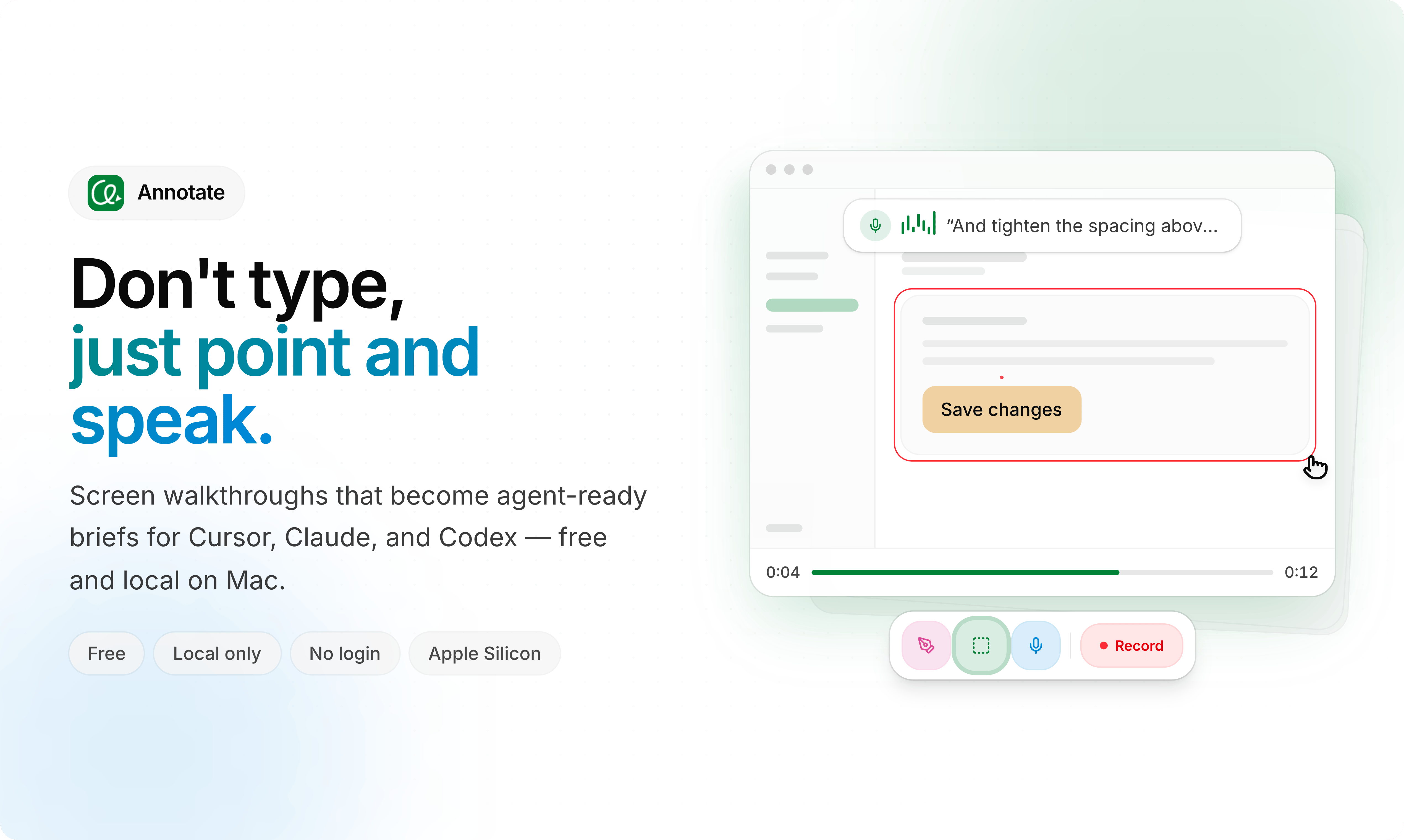
Annotate has launched a new product aimed at streamlining the process of creating effective prompts for AI models. The core innovation lies in its ability to transform screen recordings into directly usable prompts. This approach tackles a significant bottleneck in AI development: the often time-consuming and iterative process of crafting precise instructions for machine learning models.
Traditionally, prompt engineering involves a significant amount of trial and error. Developers, data scientists, and even content creators spend hours tweaking text-based instructions to elicit desired outputs from AI systems like large language models (LLMs) or image generation models. This process can be particularly challenging when the desired outcome is complex or requires a specific user interface interaction. Annotate’s screen recording feature allows users to simply perform the desired action on their screen, and the tool automatically translates that visual workflow into a structured, machine-readable prompt.
This method is akin to showing someone how to do a task rather than just describing it. For instance, if a user wants an AI to generate a specific type of chart in a data visualization tool, they can simply record themselves creating that chart. Annotate captures each click, input, and parameter change, converting this sequence into a prompt that can then be fed back into an AI model. This drastically reduces the ambiguity inherent in purely textual descriptions and accelerates the development cycle for AI applications that involve user interface interactions or multi-step processes.
How Annotate Transforms Screen Recordings into Prompts
The underlying technology of Annotate works by analyzing the visual and interactive elements captured during a screen recording. When a user initiates a recording, Annotate captures the sequence of actions: mouse clicks, keyboard inputs, scrolling, and even the visual changes on the screen. It then parses these events, identifying key UI elements, their properties, and the user's intent behind each action. For example, if a user clicks a button labeled “Submit,” Annotate registers this as an action targeting a specific UI element with a known label and state. If the user then types text into a field, Annotate captures both the input and the target field.
This captured data is then translated into a structured format, often resembling a command sequence or a declarative description of the desired state. For LLMs, this might translate into a detailed instruction set that includes specific examples of input-output pairs derived from the recording. For image generation models, it could mean translating visual cues and interactions into descriptive text prompts that capture the essence of what was performed on screen. The output prompt can be customized, allowing users to refine the generated instructions, add context, or parameterize parts of the sequence for greater flexibility.
The benefit here is multifaceted. Firstly, it democratizes prompt engineering. Users who are not expert prompt engineers can now create sophisticated prompts by simply demonstrating the desired outcome. Secondly, it significantly reduces the time spent on manual prompt creation, especially for complex tasks. This efficiency gain is critical as the demand for AI-powered applications continues to grow, requiring faster iteration and deployment cycles.
Applications and Use Cases
The potential applications for Annotate are broad, spanning various industries and roles. For AI researchers and developers, it offers a faster way to create datasets for training models that need to understand or replicate user interactions with software. This is particularly relevant for developing AI agents that can perform tasks on behalf of users, automate workflows, or provide intelligent assistance within applications.
In the realm of customer support and training, Annotate can be used to generate clear, step-by-step guides or tutorials. Instead of writing lengthy documentation, a support agent can record themselves resolving a common issue, and Annotate can produce a prompt that explains the process. This can then be used to train AI chatbots to handle similar queries or to create interactive training modules for human agents.
For content creators and marketers, the tool could help in generating prompts for AI-powered design tools or marketing automation platforms. For instance, a marketer could record themselves setting up a social media campaign, and Annotate could translate this into a prompt for an AI to replicate or suggest variations of the campaign. This streamlines the process of creating visually appealing content or executing complex marketing strategies.
The ability to capture and translate user interface interactions also has implications for accessibility. By recording how a user with specific needs navigates an application, developers can generate prompts that help AI models understand and cater to those unique interaction patterns, potentially leading to more inclusive software design.
The Future of Prompt Engineering with Visual Input
Annotate’s approach signals a potential shift in how we interact with and train AI. While text-based prompts have been the standard, incorporating visual and interactive data streams offers a richer, more intuitive way to communicate complex instructions to AI. This could lead to AI models that are more nuanced, context-aware, and capable of performing a wider range of tasks with greater accuracy.
The tool’s success will likely depend on its ability to accurately interpret a wide variety of UI elements and interactions across different platforms and applications, as well as its integration capabilities with existing AI development workflows and platforms. As AI systems become more sophisticated, the methods for instructing them must evolve. Annotate’s screen-recording-to-prompt conversion appears to be a significant step in that evolution, moving towards a more visual and direct form of human-AI collaboration.
The underlying question remains: as AI models become better at understanding visual workflows, will the need for human prompt engineers diminish, or will their roles evolve to focus on curating and refining these visually generated prompts? Annotate’s innovation suggests a future where the barrier to entry for advanced AI interaction is significantly lowered, allowing a broader range of users to leverage the power of artificial intelligence effectively.