The Core Problem: Focus is a Cursor
Accessibility checklists often lump focus management into a single item, but it's a complex discipline. For keyboard and screen reader users, focus is their cursor—their current position within your application. Unlike mouse users who can visually track their pointer and use their eyes independently, these users have a single point of interaction. Every time your UI changes, you must decide where that focus cursor goes next. Failing to do so often teleports the user to an unhelpful location, usually the top of the page, forcing them to tab through your entire application to reorient themselves. Automated tools miss this because they can't understand user intent or the context of a state change.
Think of focus management like a diligent tour guide for a visually impaired visitor. The guide must always tell the visitor exactly where they are, where they are going next, and ensure they don't wander off into a dangerous or irrelevant area. If the guide suddenly disappears or points vaguely, the visitor is lost. In web applications, this guide is the focus cursor. When a dialog opens, a drawer slides out, or a route changes, the application's focus management system must provide a clear path forward.
Dialogs: The Most Common Focus Trap
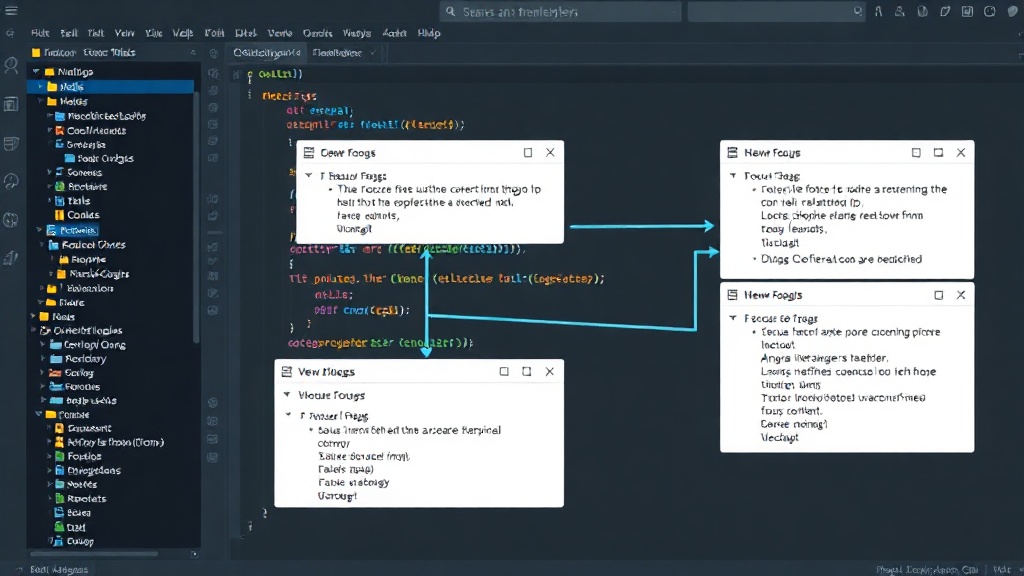
Dialogs are a frequent source of focus management issues. When a modal dialog appears, focus should move inside the dialog. The most intuitive behavior is to move focus to the first interactive element within the dialog, such as a primary button or an input field. When the dialog closes, focus should return to the element that triggered the dialog. This creates a clear, predictable flow. For example, if a user clicks a button to edit their profile and a dialog appears, focus should go to the first input field in that dialog. When they save or cancel, focus should return to the original edit button.
Angular Material's `MatDialog` module provides tools to help with this. By default, it attempts to manage focus, but developers must ensure their dialog content is structured logically and that interactive elements are correctly tab-ordered. Consider the common pattern of a confirmation dialog. The dialog opens, focus lands on the 'Cancel' button. If the user hits Enter, it should confirm. But if focus lands on 'OK' and they hit Enter, it confirms. You need to be explicit about where focus lands and what actions are bound to keyboard events.
Drawers and Side Panels: Navigating Hidden Spaces
Drawers, often used for navigation or supplementary content, present a similar challenge. When a drawer opens, focus should move into the drawer, typically to its first navigational link or interactive element. When it closes, focus should return to the element that triggered its opening. This is crucial for users who rely on keyboard navigation to access site menus or controls hidden within these panels. Without proper management, a user might open a drawer, start tabbing, and find themselves tabbing through the main content of the page, completely missing the drawer's interactive elements.
Implementing this often involves capturing the DOM element that triggered the drawer and storing it. When the drawer opens, set focus to its first focusable child. When it closes, restore focus to the stored element. This creates a contained experience within the drawer, preventing users from getting lost in the main application content while the drawer is active.
Route Changes: Reorienting the User
Route changes in single-page applications (SPAs) like those built with Angular are another critical point for focus management. When a user navigates from one route to another, focus often resets to the top of the page by default. This is rarely ideal. Instead, focus should move to a logical element within the new view, typically the main heading or the first interactive element of the new content. This provides immediate context and allows keyboard users to begin interacting with the new page content directly.
Angular's Router provides hooks that can be leveraged for this. By listening to route activation events, you can programmatically manage focus. A common pattern is to use a `Router` outlet and ensure that elements within the routed components have appropriate `tabindex` attributes and that JavaScript is used to shift focus upon route entry. For instance, after navigating to a product detail page, focus should land on the product title or the 'Add to Cart' button, not the browser's address bar.
Best Practices and Angular Implementation
The key to effective focus management is a consistent mental model: focus is a cursor, and its position must always be managed intentionally. This involves:
- Identifying Focusable Elements: Know what elements can receive focus (links, buttons, form controls, and elements with `tabindex`).
- Capturing and Restoring Focus: When a component or modal appears, capture the element that triggered it. When it disappears, return focus there.
- Setting Initial Focus: When a new component or modal appears, move focus to the most relevant element within it.
- Handling Tab Trapping: For modals, ensure the Tab key only cycles through elements within the modal, preventing users from tabbing outside.
- ARIA Attributes: Use `aria-modal="true"` for dialogs to inform screen readers that they are modal and that focus should be trapped.
Angular provides tools that can simplify this. Libraries like Angular Material offer built-in solutions for dialogs and other components that handle much of the focus management automatically. However, understanding the underlying principles is crucial for custom components or when integrating third-party libraries. For custom dialogs or drawers, you might create a directive that handles focus trapping and restoration, or use Angular's lifecycle hooks (`OnInit`, `OnDestroy`) to manage focus changes tied to component visibility.
The surprising detail here is not the complexity of the problem, but how often it's overlooked. Developers often assume default browser behavior or basic accessibility library features are sufficient. They are not. A user being unable to navigate your app is a functional failure, not just an accessibility tick-box miss. If you're building a complex, interactive Angular application, dedicating time to robust focus management is not optional; it's fundamental to usability.
The Unanswered Question: Long-Term Focus State Persistence
While managing focus for transient UI elements like dialogs and drawers, and even for route changes, is well-documented, what nobody has addressed yet is how to maintain a coherent focus state across complex, multi-tab or multi-window application scenarios. If a user opens a large application in two browser tabs, interacts with both, and then closes one, how should focus be managed if they return to the remaining tab? Or what about applications that use Web Workers or Service Workers to update content in the background? The current models are largely designed for single-view, single-tab interactions. Extending these principles to persistent, multi-context application states without overwhelming the user remains an open challenge.