The Problem: Android's Unyielding Volume Floor
Android's default volume slider operates with a significant limitation: a fixed floor above absolute silence. This means that for many devices, the first step above mute is still too loud for quiet listening environments. The issue stems from the fact that this initial step is a fixed fraction of the device's maximum output, not a fixed decibel level. Consequently, devices with higher maximum output volumes inherently have a louder minimum setting, leaving users with only two practical options: "off" and "too loud." This is a widespread frustration, spawning a niche of apps that promise a solution.
However, most of these apps fail to deliver. The reason is rooted in a specific, often overlooked, aspect of Android's audio API. This article explores the technique that actually works, why popular alternatives falter, and a separate challenge encountered while developing a reproducible build process for the open-source app Granular Volume on F-Droid.
As the author of Granular Volume, a small open-source Android application designed to address this exact problem, I've navigated these complexities firsthand. The insights below are derived directly from the experience of shipping this application.
Why Common Solutions Fail: The Limitations of Volume Shims
Many applications attempting to solve the low-volume problem implement a strategy that can be described as "volume shimming." This approach typically involves intercepting audio streams and attempting to apply software-based gain reduction. The core idea is to digitally lower the volume of the audio signal after it has been processed by the Android system but before it reaches the Digital-to-Analog Converter (DAC).
The fundamental flaw in this method lies in the Android audio pipeline itself. Android's audio framework is designed with built-in safeguards and processing stages that often prevent simple software gain reduction from effectively lowering the volume below the hardware-defined floor. Once the audio signal is passed to the audio HAL (Hardware Abstraction Layer) and subsequently to the DAC, the system has already applied its minimum volume setting. Any software manipulation after this point, or that attempts to override the system's fundamental volume curve, is often met with limitations. Some apps might try to apply negative gain, but this can lead to distortion, clipping, or simply be ignored by the underlying hardware and driver stack. Essentially, they are trying to push a door that the system has already locked shut at a certain point.
The Working Solution: DynamicsProcessing and LoudnessEnhancer
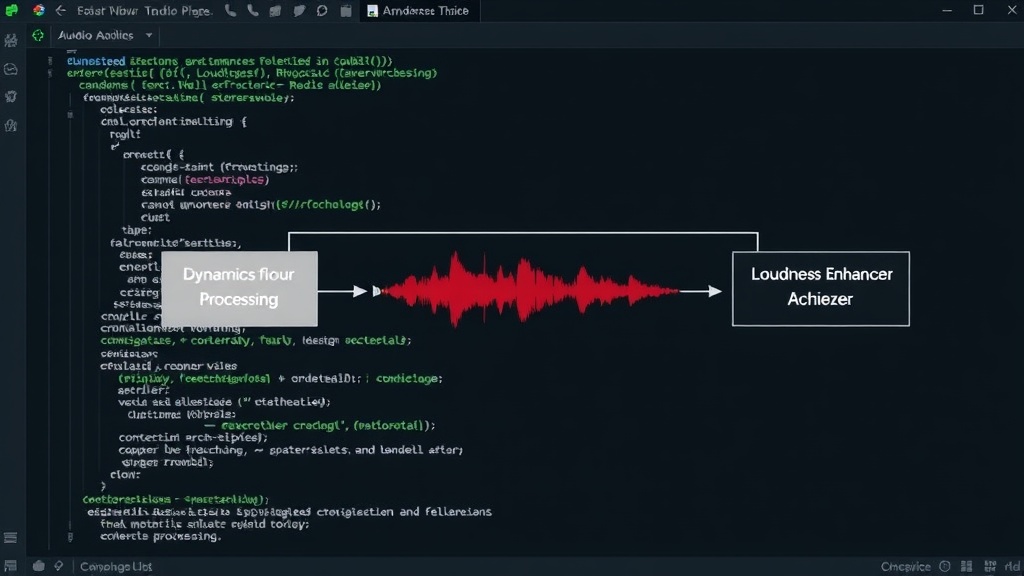
The effective approach leverages Android's AudioEffect API, specifically targeting DynamicsProcessing and LoudnessEnhancer. These are not mere software volume sliders; they are sophisticated audio processing modules that can manipulate the audio signal in more nuanced ways.
DynamicsProcessing is a powerful tool that allows for complex adjustments to the dynamic range of an audio signal. It includes components like a compressor, expander, and gate. For the purpose of reducing perceived loudness below the system floor, a carefully configured expander can be used. An expander, in simple terms, increases the dynamic range of a signal. When applied subtly, it can make quieter parts of the audio even quieter, effectively extending the usable range downwards. It's less about directly lowering the absolute volume and more about shaping the signal to make quieter passages more discernible at lower overall levels.
LoudnessEnhancer, as the name suggests, aims to boost perceived loudness. However, its true utility in this context is its ability to work in conjunction with other effects and potentially influence the signal before it hits the hardware's hard volume floor. By carefully tuning the parameters of both DynamicsProcessing (specifically the expander) and LoudnessEnhancer, it's possible to create an effect where the perceived quietness is significantly improved. The key is that these are system-level audio effects that can be applied earlier in the processing chain, or in a way that is more harmoniously integrated with Android's audio stack, rather than fighting against it.
Think of it like trying to lower the water level in a complex plumbing system. Shimming is like trying to siphon water out after it's already passed through a narrow pipe. It's inefficient and often ineffective. Using DynamicsProcessing and LoudnessEnhancer is more akin to adjusting the valves and flow regulators upstream, allowing for a more controlled and effective reduction in the overall output, reaching levels that software shims simply cannot.
Reproducible Builds for F-Droid: A Separate Engineering Hurdle
Beyond the audio API intricacies, developing an open-source application like Granular Volume for distribution via F-Droid presented a distinct engineering challenge: achieving reproducible builds. F-Droid, a non-profit repository for free and open-source Android applications, mandates that all apps be built from source code in a verifiable and reproducible manner. This ensures that the app distributed on their platform is precisely what the developer intended and hasn't been tampered with.
Reproducible builds mean that compiling the same source code, using the same build tools and environment, should always result in identical binary outputs (APKs or AABs). This can be surprisingly difficult to achieve in practice due to various factors:
- Build Tool Versions: Inconsistent versions of Gradle, Android SDK, or build tools can lead to subtle differences in the compiled output.
- Environment Variables: Differences in environment variables during the build process (e.g., timestamps, file paths, user information) can embed unique data into the build artifacts.
- Timestamping: The timestamps embedded within compiled files or archives can vary, making the final output non-identical.
- Unpredictable Dependencies: Network fetches for dependencies during the build process, if not carefully managed, can introduce variations.
To ensure reproducibility for Granular Volume, several steps were necessary:
- Standardized Build Environment: Utilizing Docker or similar containerization to create a consistent build environment with fixed versions of all necessary tools and SDKs.
- Dependency Management: Pinning all library versions and ensuring that dependencies are fetched from reliable, static sources.
- Timestamp Normalization: Configuring the build process to use a fixed, arbitrary timestamp for all generated files, overriding the actual build time.
- Source Code Verification: Ensuring all source files are included and that no external resources are fetched during the build that could alter the output.
This process required meticulous attention to detail, often involving deep dives into Gradle build scripts and Android build system configurations. The goal was to eliminate any non-determinism, making the build process a reliable function of the source code alone.
The Future of Fine-Grained Audio Control
The success of Granular Volume demonstrates that overcoming Android's volume floor is technically feasible. It relies on understanding and effectively utilizing the platform's audio processing capabilities rather than fighting against them. As users increasingly demand more control over their device experience, particularly in audio, techniques leveraging AudioEffect will likely become more prevalent.
What remains an open question is whether Google will ever address this limitation at the system level. A system update that allows for truly granular volume control from zero to maximum, without a hard-coded floor, would render custom solutions unnecessary. Until then, developers like those contributing to F-Droid will continue to provide these essential enhancements, ensuring a better audio experience for users who need that perfect quiet volume.