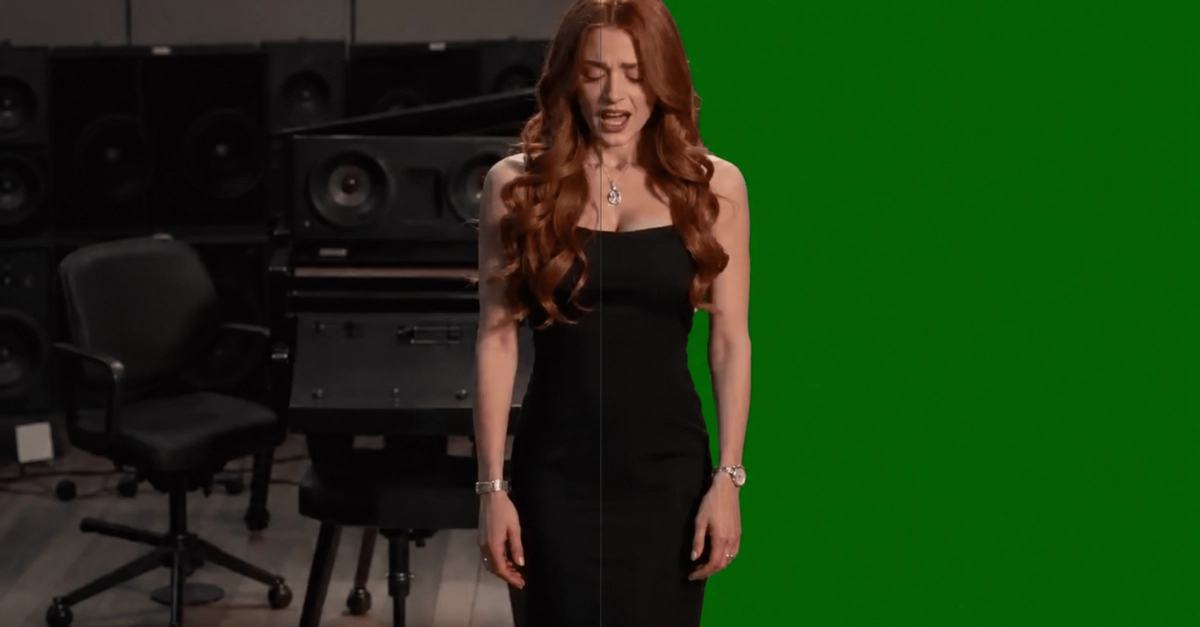
The Rise of In-Browser AI Video Editing
The demand for polished video content is at an all-time high, yet traditional video editing software can present a steep learning curve and significant processing overhead. For many creators, marketers, and indie hackers, the need for quick, clean video backgrounds without the complexity of professional tools is a persistent challenge. This gap is precisely what Andy Tu aimed to fill with the launch of bgchanger.video, a new AI-powered tool that performs background removal and replacement directly within the user's web browser.
The core idea behind bgchanger.video is to democratize video background manipulation, making it accessible to anyone with a web browser and a video file. Unlike desktop applications that require powerful hardware and lengthy render times, this tool leverages browser-based AI processing. This approach not only simplifies the user experience but also significantly speeds up the workflow for common tasks like creating product demos, social media clips, or enhancing presentation videos.

Key Features and Workflow Integration
bgchanger.video offers a straightforward yet powerful feature set designed for efficiency. Users can upload their video files and, with the aid of AI, remove the original background. This removed background can then be replaced with a solid color, or the video can be exported with a transparent background, ready for further compositing in other applications. The tool supports a range of export formats including MP4, WebM, MOV, MKV, and GIF, ensuring compatibility with most platforms and workflows. Crucially, the original audio is preserved when needed, maintaining the integrity of the video's sound design.
The application is tailored for several key use cases:
- Product Demo Videos: Easily create clean, professional-looking product demonstrations without distracting backgrounds.
- Social Media Clips: Quickly generate eye-catching short videos for platforms like Instagram, TikTok, or Twitter, with custom backgrounds or transparent elements.
- Creator Videos: Streamline the process of creating vlogs, tutorials, or commentary videos, ensuring a consistent visual brand.
- Ad Creatives: Develop marketing videos with focused subject matter, free from environmental clutter.
- Profile and Presentation Videos: Enhance personal branding or corporate presentation videos with a polished, professional look.
- Pre-Editing Cleanup: Use the tool as a first step to remove complex backgrounds before more intricate editing in other software.
The Technical Underpinnings: Browser-Based AI
Building an AI video background changer that runs entirely in the browser presents unique technical challenges. Traditional background removal often relies on server-side processing, where large AI models can be deployed on powerful GPUs. For an in-browser solution, the AI models must be optimized to run efficiently on the user's local machine, often leveraging WebAssembly and WebGL for performance. This requires careful model selection, quantization, and efficient inference engines that can work within the constraints of browser JavaScript environments.
The process typically involves:
- Video Frame Extraction: The uploaded video is broken down into individual frames.
- AI Model Inference: Each frame is passed through a segmentation model (often a variant of U-Net or similar architectures trained for foreground-background separation). This model outputs a mask, identifying pixels belonging to the foreground subject versus the background.
- Mask Application: The generated mask is applied to the frame, effectively making the background transparent or replacing it based on user selection.
- Frame Reassembly: The processed frames are reassembled into a new video stream.
- Encoding: The final video is encoded into the desired output format.
The surprising detail here is not just that this can be done in the browser, but the level of detail and accuracy achievable without server-side processing. Early attempts at in-browser AI video manipulation often suffered from noticeable artifacts or required extremely long processing times. bgchanger.video appears to have navigated these challenges, offering a solution that balances speed, accuracy, and accessibility. The choice of supporting multiple output formats further indicates a deep understanding of creator workflows, where flexibility is paramount.
Implications for Creators and Developers
For content creators, bgchanger.video represents a significant simplification of a previously complex and time-consuming task. The ability to achieve professional-looking results without investing in expensive software or powerful hardware, and without leaving the browser, lowers the barrier to entry for high-quality video production. This is particularly impactful for individuals and small teams who need to iterate quickly on video content for marketing or social media engagement.
From a developer's perspective, this project highlights the growing maturity of browser-based AI frameworks and the potential for complex machine learning tasks to be performed client-side. Libraries like TensorFlow.js, ONNX Runtime Web, and WebAssembly-compiled deep learning frameworks are enabling developers to build sophisticated applications that were once confined to server environments. The success of bgchanger.video could inspire further innovation in this space, leading to more powerful, privacy-preserving, and accessible AI tools delivered directly through the web.
What remains to be seen is how the tool scales with longer videos or higher resolutions, and how its AI model will be updated to keep pace with the rapid advancements in video segmentation technology. Nevertheless, bgchanger.video marks a practical and accessible step forward in bringing AI video editing capabilities to a broader audience.