Adobe has finally brought its popular Premiere Rush video editing software to Android devices, marking a significant expansion of its mobile editing capabilities. Previously exclusive to iOS and desktop platforms, the Android version offers a robust suite of tools designed for creators who need to edit and share video content quickly and efficiently, directly from their smartphones or tablets.

Core Editing Features on Android

The Android version of Premiere Rush delivers a streamlined yet powerful editing experience. Users can easily trim, cut, and arrange video clips, apply transitions, and add titles and graphics. The application supports multiple video and audio tracks, allowing for more complex edits than basic mobile editors. Color correction tools are also included, enabling users to adjust exposure, contrast, saturation, and tint to give their videos a professional look. For audio, Premiere Rush offers tools to adjust volume, pan, and apply basic audio effects, alongside the ability to add background music or voiceovers. One of the standout features is the inclusion of customizable motion graphics templates, which can be easily applied to video clips to add dynamic text and animated elements. This feature is particularly useful for social media content creators looking to enhance their videos with polished graphics without needing advanced design skills.
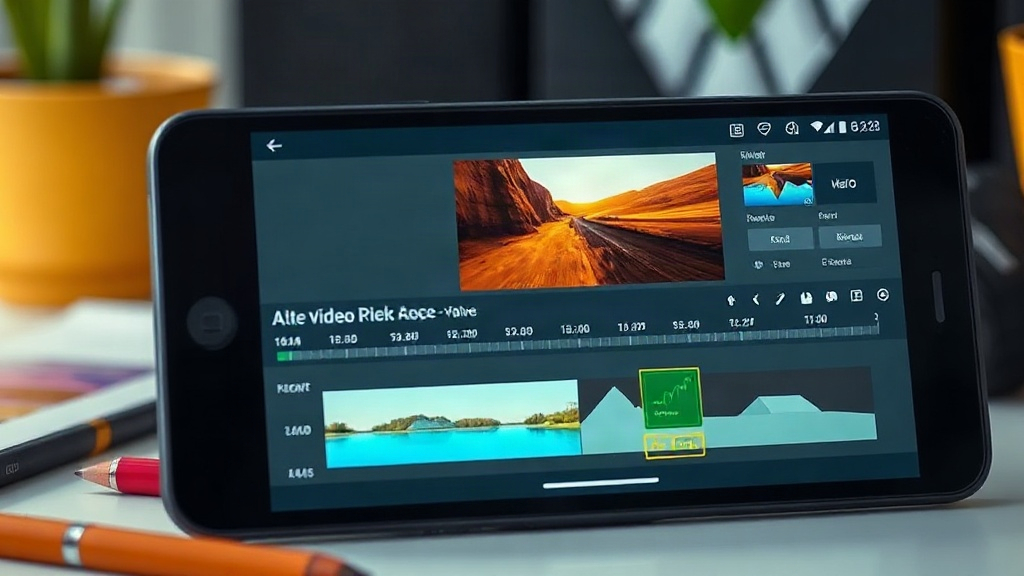
Adobe Premiere Rush interface on an Android device showcasing timeline and editing tools

AI-Powered Enhancements

While the core editing features are free, Adobe has integrated several AI-powered tools that require a subscription or a Creative Cloud login. These include Auto Reframe, which intelligently adjusts video aspect ratios for different platforms like Instagram Stories, TikTok, and YouTube, and Speech to Text, which automatically generates transcripts for video clips. These AI features are designed to save creators significant time by automating complex or tedious tasks. The integration of these AI capabilities positions Premiere Rush as a more advanced option compared to many other free mobile video editors available on the market. ## Accessibility and User Experience A key aspect of Premiere Rush's appeal is its accessibility. Unlike its professional desktop counterpart, Premiere Pro, Rush is designed with a simpler interface that is intuitive for users of all skill levels. The ability to edit clips without even needing a Creative Cloud login for basic functions further lowers the barrier to entry. This means users can download the app and start editing immediately, making it ideal for quick edits on the go or for those new to video editing. The app also syncs projects across devices via Creative Cloud, allowing users to start editing on their Android device and seamlessly continue on a tablet, desktop, or another mobile device. This cross-platform compatibility is a major advantage for creators who work across multiple devices and operating systems. ## Pricing and Subscription Model Adobe Premiere Rush is available as a free download on the Google Play Store. The basic editing functionalities are completely free to use. However, advanced features, including the AI-powered tools like Auto Reframe and Speech to Text, as well as access to premium content like additional templates and stock video, require a subscription. Adobe offers a free starter plan that includes unlimited exports, but advanced features and cloud storage are locked behind paid tiers. A standalone Premiere Rush subscription is available, and it is also included with existing Creative Cloud subscriptions, such as the All Apps plan or the Premiere Pro single-app plan. This tiered approach allows users to experience the core functionality without financial commitment while offering scalable options for power users who need more advanced capabilities. The free tier's unlimited exports are a significant draw, ensuring that even free users can share their creations without restriction, a common limitation in many other free video editing apps. ## Market Impact and Competition The arrival of Adobe Premiere Rush on Android directly challenges existing mobile video editing apps like KineMaster, PowerDirector, and CapCut. By offering a combination of powerful core features, AI enhancements, and a familiar brand name, Adobe aims to capture a significant share of the mobile video editing market. For content creators, particularly those already invested in the Adobe ecosystem, this release provides a unified workflow. The free tier, with unlimited exports, is particularly competitive, directly addressing a pain point for many users of free mobile editing software who are often limited by watermarks or export restrictions. What remains to be seen is how Adobe will balance the free versus paid features over time. The current model offers substantial utility for free users, but the long-term strategy for feature gating will be crucial in determining Premiere Rush's sustained appeal against free, feature-rich competitors and its ability to drive Creative Cloud adoption. This move underscores Adobe's commitment to providing creative tools across all platforms and user needs, from professional desktop applications to accessible mobile solutions. For Android users, it means a powerful new option has just landed in their app stores, promising to elevate mobile video production.