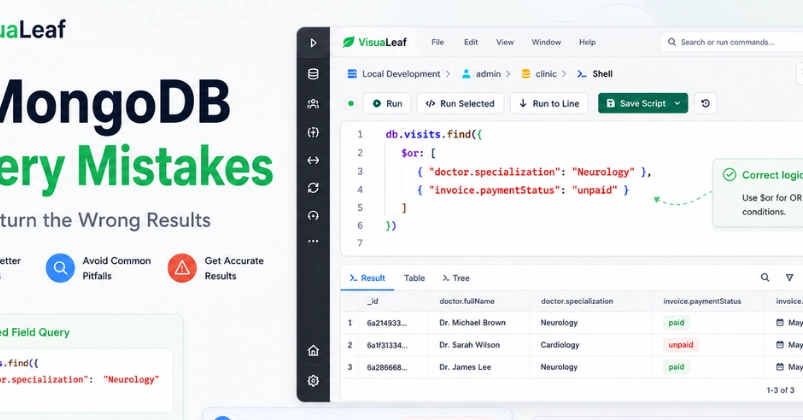
The Illusion of Simplicity in MongoDB Queries
MongoDB's flexible, document-oriented nature often leads developers to believe querying is straightforward. You specify a field, assign a value, and expect your data. However, a query running without error doesn't guarantee accuracy. The results might be empty, excessively broad, or subtly incorrect, all because the query structure doesn't align with how the data is actually stored.
These discrepancies usually stem from a misunderstanding of how MongoDB handles different data types and structures within its documents. This article will dissect seven common mistakes that lead to incorrect query results, using a sample clinic database and its visits collection to illustrate.
Consider a typical document from our visits collection:
{
  "_id": "6871b6f9c3f1d1a4c2a10001",
  "status": "completed",
  "visitDate": "2026-07-01T09:30:00.000Z",
  "patient": { "name": "Anna Keller", "age": 34 },
  "doctor": { "name": "Dr. James Carter", "specialty": "Cardiology" }
}
Mistake 1: Incorrectly Querying Nested Fields
A frequent error involves trying to query fields that are nested within other objects without using the correct dot notation. For instance, if you want to find visits by a specific doctor's specialty, you cannot simply query { "specialty": "Cardiology" }. The specialty field is inside the doctor object.
The correct way to access nested fields is by using dot notation: { "doctor.specialty": "Cardiology" }. This tells MongoDB to look inside the doctor object for the specialty field. Failing to do so will result in no documents being returned, even if they exist.
Mistake 2: Misunderstanding Date and Time Queries
Dates in MongoDB are typically stored as BSON Date objects, not simple strings. Querying them as strings, for example, { "visitDate": "2026-07-01" }, will likely yield no results because the string representation doesn't match the BSON Date object's format. Similarly, time zone differences can cause unexpected results if not handled carefully.
To query dates correctly, you must use the ISODate() function or a JavaScript Date object constructor to ensure you're comparing like types. For instance, to find visits on July 1st, 2026, you would use { "visitDate": { "$gte": new ISODate("2026-07-01T00:00:00Z"), "$lt": new ISODate("2026-07-02T00:00:00Z") } }. This range query accurately captures all visits within that 24-hour period, regardless of the exact time of day.
Mistake 3: Overlooking Case Sensitivity in Text Searches
By default, MongoDB's text search is case-sensitive. If you perform a search for "anna keller", it will not match a document where the patient's name is stored as "Anna Keller". This can lead to missing relevant records.
To perform case-insensitive searches, you need to use regular expressions with the case-insensitive flag (i). The query would look like this: { "patient.name": { "$regex": "anna keller", "$options": "i" } }. This ensures that variations in capitalization do not prevent you from finding the desired data.
Mistake 4: Improper Use of $or and $and Operators
While MongoDB implicitly uses an AND operator when multiple conditions are provided in a query object (e.g., { field1: value1, field2: value2 }), developers sometimes mistakenly use the $or operator when they intend an AND relationship, or vice-versa. The $or operator requires at least one of the conditions to be true, whereas the implicit AND requires all conditions to be met.
For example, a query like { "$or": [ {"status": "completed"}, {"doctor.specialty": "Cardiology"} ] } would return documents that are either completed OR have a Cardiology specialist, which might be a much larger dataset than intended. If you need both conditions to be true, you should omit the $or operator or use $and explicitly for clarity in complex queries.
Mistake 5: Confusing $in with $all
The $in and $all operators are often confused, leading to incorrect filtering. $in returns documents where a field's value matches any value in the specified array. For example, { "doctor.specialty": { "$in": ["Cardiology", "Neurology"] } } will return visits from either cardiologists OR neurologists.
On the other hand, $all returns documents where the field's array value contains ALL the specified elements. This is typically used for array fields. If you were querying a field that contained an array of diagnoses, { "diagnoses": { "$all": ["Hypertension", "Diabetes"] } } would only return documents with BOTH "Hypertension" AND "Diabetes" in the diagnoses array.
Mistake 6: Ignoring Data Types in Comparisons
Similar to date issues, comparing values of different data types will almost always result in no matches or unexpected behavior. If a numeric field, like patient age, is sometimes stored as a number (e.g., 34) and sometimes as a string (e.g., "34"), a query like { "patient.age": 34 } might miss documents where age is stored as a string. MongoDB generally attempts type coercion, but it's not always reliable or predictable across all operators and scenarios.
The solution is to ensure data consistency during insertion and to be explicit in your queries. If you must query across potential type differences, you might need to query for both types or convert the field to a consistent type using aggregation pipelines, though this is less efficient for simple find operations.
Mistake 7: Using Incorrect Syntax for Array Element Queries
When dealing with arrays, querying for a specific element requires careful syntax. If a document has an array field, say tags: ["urgent", "follow-up"], querying for { "tags": "urgent" } works as expected, finding documents where "urgent" is one of the elements. However, issues can arise with more complex array queries or when the array contains sub-documents.
For instance, if you have an array of objects, like { "medications": [ { "name": "Lisinopril", "dosage": "10mg" }, { "name": "Metformin", "dosage": "500mg" } ] }, querying for a specific medication and dosage requires dot notation within the array context: { "medications": { "name": "Lisinopril", "dosage": "10mg" } }. This syntax correctly targets the embedded document.
Conclusion
While MongoDB's query language is powerful, its flexibility can mask subtle errors. By understanding how nested fields, date types, case sensitivity, logical operators, array structures, and data types interact, developers can write more robust and accurate queries. Always validate your query results against expected outcomes and consider the underlying data structure to avoid common pitfalls.