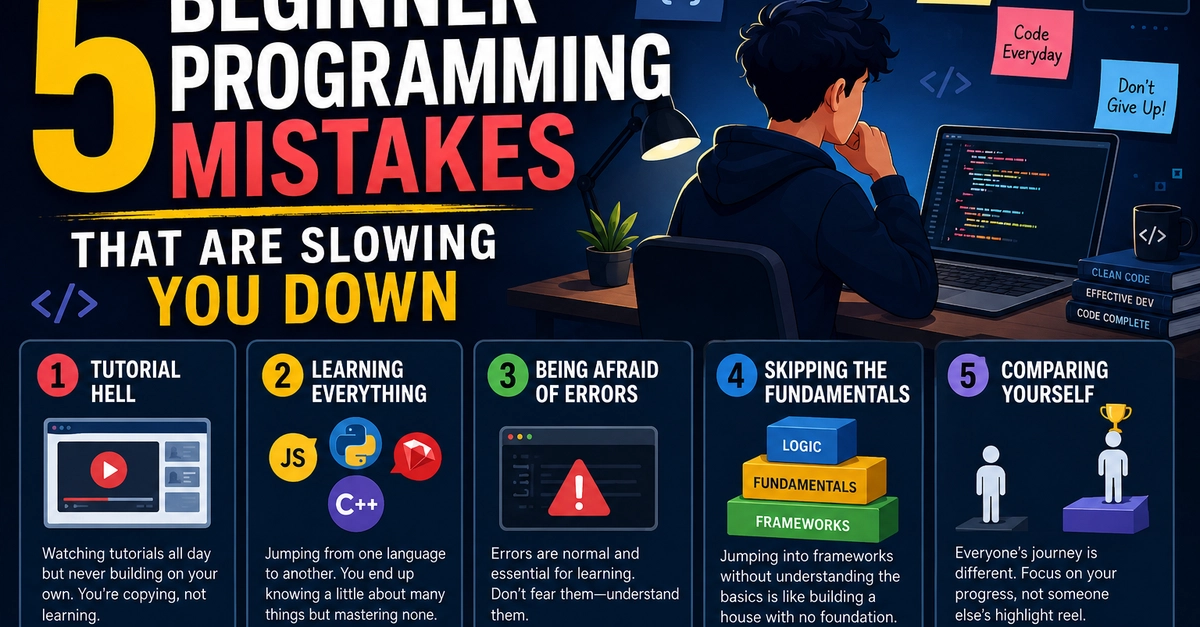
Living in Tutorial Hell
Many aspiring programmers get stuck in what's known as "Tutorial Hell." This phenomenon occurs when you watch a tutorial, build the project successfully, but then find yourself lost when faced with a blank editor. The core issue is that tutorials often spoon-feed solutions, removing the most challenging and crucial part of programming: problem-solving. You learn to follow steps, not to think critically about how to achieve a goal from scratch.
To escape Tutorial Hell, actively engage with the material. Pause tutorials and try to implement features yourself before looking at the solution. Once a tutorial is complete, try to modify the project or build a similar one with a different twist. This forces you to apply the concepts learned in a new context, building your problem-solving muscles. Think of it less like following a recipe and more like learning to cook: you need to understand the ingredients and techniques to create your own dishes, not just replicate one meal perfectly.
Ignoring the Fundamentals
A common mistake is jumping into complex frameworks or advanced topics without a solid grasp of fundamental programming concepts. This is akin to trying to build a skyscraper without a strong foundation. Concepts like data structures, algorithms, basic control flow (loops, conditionals), and variable scope are the building blocks of all software. Without them, you'll struggle to understand how more advanced tools actually work, leading to a superficial understanding and frequent roadblocks.
Prioritize understanding the "why" behind the code. When learning a new language or framework, dedicate time to mastering its core principles. Practice writing simple programs that focus on these fundamentals. Resources like free online courses on data structures and algorithms, or even revisiting introductory programming textbooks, can reinforce this essential knowledge. A strong foundation makes learning advanced topics much smoother and more intuitive.
Premature Optimization
Beginner programmers often fall into the trap of premature optimization. This means spending excessive time trying to make code run as fast as possible, even when performance is not yet a bottleneck. While efficiency is important, focusing on it too early can lead to overly complex, hard-to-read, and difficult-to-maintain code. It's often more productive to write clear, functional code first, and then optimize specific sections that are proven to be performance issues through profiling.
The rule of thumb is "Make it work, make it right, make it fast." First, get the program functioning correctly. Then, refactor it for clarity and maintainability. Finally, if performance becomes an issue, use profiling tools to identify the actual bottlenecks and optimize those specific areas. This approach saves time and results in more robust, understandable software.
Not Asking for Help (or Asking Ineffectively)
Many beginners are hesitant to ask for help, fearing they'll appear incompetent. However, getting stuck for hours or days on a problem that could be solved with a quick question is a significant impediment to learning. Conversely, asking for help without doing your due diligence can also be unproductive. Simply posting "it doesn't work" with no context is unhelpful to those trying to assist.
Develop a habit of seeking help after you've genuinely tried to solve the problem yourself. When you do ask, be specific. Provide clear descriptions of the problem, what you've tried, the expected outcome, and the actual outcome. Include relevant code snippets and error messages. Online communities, mentors, or colleagues are invaluable resources, but they can only help effectively if you present your problem clearly and concisely. Remember, asking for help is a sign of strength and a crucial part of the learning process.
Ignoring Version Control (Git)
Another critical mistake is neglecting to use version control systems like Git from the outset. Git allows you to track changes to your code, revert to previous versions if something breaks, and collaborate effectively with others. Without it, managing project history becomes a chaotic mess of manually saved files with names like `project_final.js`, `project_final_really.js`, and `project_final_final_v2.js`. This makes it incredibly difficult to manage complexity and recover from errors.
Integrate Git into your workflow from your very first project. Learn the basic commands: `init`, `add`, `commit`, `push`, `pull`, and `branch`. Even for solo projects, committing frequently with descriptive messages provides a safety net and a clear history of your development process. This practice is non-negotiable in professional software development and will save you immense frustration as your projects grow in complexity.