
Privacy-First Development Tools
Many developers rely on a suite of small, specialized utilities for daily tasks. These range from formatting JSON and decoding JWTs to generating UUIDs and testing regular expressions. For years, the common approach involved a quick Google search and pasting sensitive data into the first available online tool. This practice carries significant security risks, as demonstrated when a developer inadvertently pasted a production JWT into a random online parser that uploaded the data to its server.
To address this, a new set of browser-based developer tools has emerged, prioritizing privacy and security. These tools are designed to run entirely within the browser, meaning no data ever leaves the user's machine. This eliminates the risk of exposing sensitive information like API keys, production tokens, or proprietary code snippets to third-party servers. The core principle is simple: if the tool doesn't send data anywhere, it can't be compromised or misused.
One such initiative is WeTool, a free, no-login platform offering a collection of these in-browser utilities. Developers can verify the privacy claims by opening their browser's DevTools and observing the Network tab; no requests should be made while using the tools. This approach ensures that sensitive operations remain local, providing peace of mind and enhanced security for developers working with critical data.
Essential Everyday Utilities
The most frequently used tools cover a range of common developer needs. These are the utilities that developers reach for multiple times a day, making their efficiency and accessibility paramount. The primary categories include:
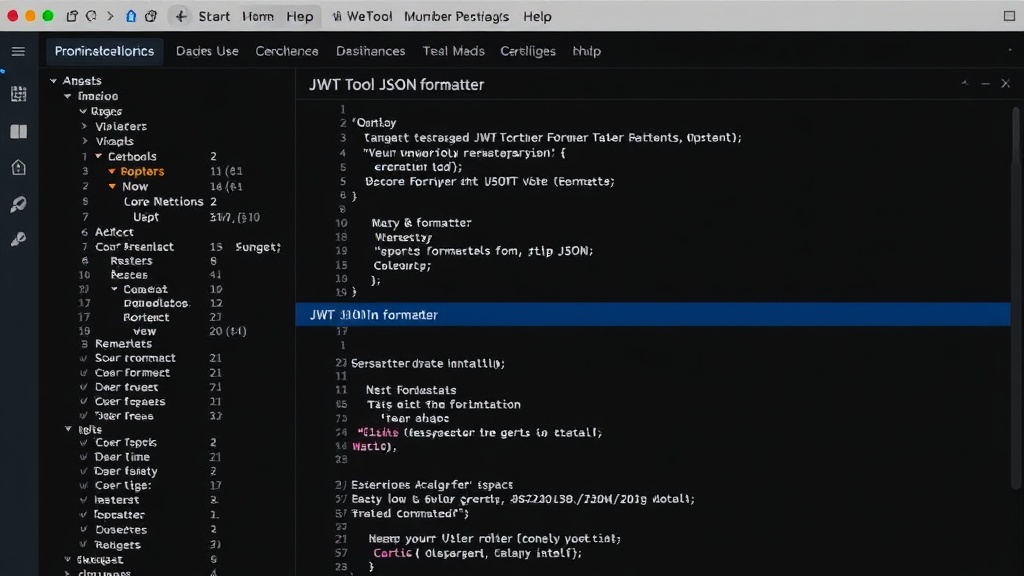
- JSON Formatter/Validator: Essential for working with APIs and configuration files, this tool prettifies messy JSON and validates its structure, immediately highlighting syntax errors.
- URL Encode/Decode: Crucial for web development, this utility handles the conversion of characters in URLs to a format that can be safely transmitted over the internet and back again.
- Base64 Encode/Decode: Widely used for transmitting data over mediums that are not text-safe, such as in email or as part of a URL, Base64 encoding is a fundamental tool.
- Timestamp ↔ Date Converter: Developers frequently work with timestamps (e.g., Unix epoch time) and need to convert them to human-readable dates and vice-versa for logging, debugging, and data analysis.
Security and Encryption Tools
Beyond everyday utilities, a significant portion of browser-based tools focuses on security, encryption, and authentication mechanisms. These are critical for developers handling sensitive data or working with secure communication protocols.
- JWT (JSON Web Token) Decode: JWTs are commonly used for authentication and information exchange. This tool allows developers to inspect the payload and header of a JWT without sending it to an external service, revealing details like the user ID, roles, and expiration time. The surprising detail here is how many developers previously overlooked the risk of pasting production JWTs into unverified online tools.
- Password Generator: Creating strong, unique passwords is a cornerstone of security. These generators can create passwords of specified lengths and complexity, incorporating uppercase letters, lowercase letters, numbers, and symbols.
- Hash Generator (MD5, SHA1, SHA256, etc.): Hashing is used for data integrity checks and password storage. Generating hashes locally ensures that the input data remains private.
- HMAC Generator: Hash-based Message Authentication Code (HMAC) provides both data integrity and authenticity. Generating HMACs in the browser is vital when dealing with API signatures or secure message protocols.
- AES Encrypt/Decrypt: Advanced Encryption Standard (AES) is a symmetric encryption algorithm widely used for securing data. In-browser AES tools allow for local encryption and decryption, keeping sensitive data confidential.
- RSA Encrypt/Decrypt: RSA is an asymmetric encryption algorithm commonly used for secure data transmission. Performing RSA operations client-side is essential when the private key must remain on the user's machine.
Other Useful Browser Utilities
The utility of browser-based tools extends to various other specialized tasks that streamline development workflows:
- Regular Expression Tester: Testing and debugging complex regular expressions can be a time-consuming process. An in-browser tester allows developers to input patterns and test strings immediately, seeing results in real-time without data exfiltration.
- UUID Generator: Universally Unique Identifiers (UUIDs) are used to create unique keys for database records, distributed systems, and various other applications. Generating them client-side is a simple yet crucial function.
- Color Picker: For frontend developers, a precise color picker that samples colors directly from the screen or allows manual input is invaluable for design consistency.
- Lorem Ipsum Generator: Placeholder text is a standard part of web and UI design. Generating it locally ensures that design mockups don't inadvertently send content to external servers.
- Cron Expression Parser: Understanding and generating cron expressions for scheduling tasks is a common requirement. A client-side parser simplifies this process.
The growing availability and adoption of these privacy-focused, in-browser tools represent a significant shift in how developers approach common utility tasks. By keeping all operations local, developers can significantly reduce their exposure to data breaches and ensure compliance with privacy regulations. If you run a development team, encouraging the use of such tools can be a simple yet effective way to bolster your overall security posture.
The Future of Localized Development Tools
The trend towards client-side, privacy-preserving utilities is more than a niche preference; it's a response to increasing awareness of data security and privacy risks. As more sensitive data flows through development pipelines, the demand for tools that operate without uploading information will only grow. This ecosystem of browser-based utilities is crucial for developers who need to perform quick, essential tasks without compromising their data or their users' data.
What nobody has addressed yet is the potential for these localized tools to evolve into more complex, integrated development environments that still operate entirely client-side. Imagine a full-stack IDE that runs in the browser, compiles code, manages databases, and deploys applications, all without ever sending source code or credentials to a remote server. This would fundamentally change the landscape of cloud-based development tools and offer a compelling alternative for security-conscious organizations.