Introducing the PasteDB VS Code Extension
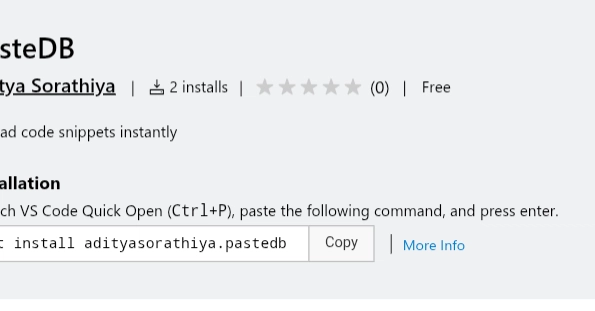
Developers now have a direct path to share their code snippets from the comfort of their IDE. Aditya Sorathiya, a developer contributing to the PasteDB project, has released an official VS Code extension that allows users to upload code directly to PasteDB with a single click. This tool aims to simplify the process of sharing and documenting code fragments, whether for personal reference, team collaboration, or public sharing.
The extension integrates seamlessly into the Visual Studio Code environment, offering a streamlined workflow that bypasses the need to switch to a web browser and manually copy-paste. This is particularly useful for developers who frequently work with code snippets and need an efficient way to store, organize, and share them. The goal is to reduce friction in the development process, making it easier to maintain a knowledge base of reusable code.
Key Features and Functionality
The PasteDB VS Code extension is packed with features designed for developer productivity:
- One-Click Upload: The core functionality allows users to select a block of code or the entire active file and upload it to PasteDB with a single action.
- Secure API Key Storage: The extension handles API key management securely, ensuring that credentials are not exposed and are stored locally on the user's machine. This is critical for maintaining security when interacting with external services.
- Customizable Upload Settings: Users can configure various aspects of their uploads, such as setting a title, description, and expiration time for the paste. This allows for fine-grained control over how snippets are shared and managed.
- Recent Paste History: The extension keeps a local history of recent pastes, enabling users to quickly access and re-share previously uploaded snippets without needing to go back to the PasteDB website.
- Automatic Language Detection: PasteDB automatically detects the programming language of the uploaded code snippet. This ensures that syntax highlighting and language-specific formatting are correctly applied on the PasteDB platform, improving readability.
- Instant Shareable Links: Upon successful upload, the extension provides an immediate, shareable link to the created paste, facilitating quick distribution to colleagues or inclusion in documentation.
Under the Hood: Development and Challenges
Building a VS Code extension involves understanding the VS Code API and the nuances of creating user interfaces and command integrations within the editor. Sorathiya detailed some of the challenges faced during development. One significant aspect was ensuring robust error handling and providing clear feedback to the user for various scenarios, such as network issues or invalid API keys. Another challenge is managing the state and user preferences within the extension, ensuring a smooth and persistent user experience.
The extension leverages the PasteDB API to perform the actual upload and management of snippets. The choice of VS Code as the platform is strategic, given its widespread adoption among developers. The ability to perform these actions directly within the coding environment minimizes context switching, a common productivity drain. The development process also involved testing the extension across different operating systems and VS Code versions to ensure broad compatibility.
Installation and Usage
Installing the PasteDB VS Code extension is straightforward. Users can search for “PasteDB” in the Visual Studio Code Marketplace within the editor itself and click the install button. Once installed, users will need to configure their PasteDB API key, which can be obtained from the PasteDB website. The extension guides users through this process, emphasizing secure storage.
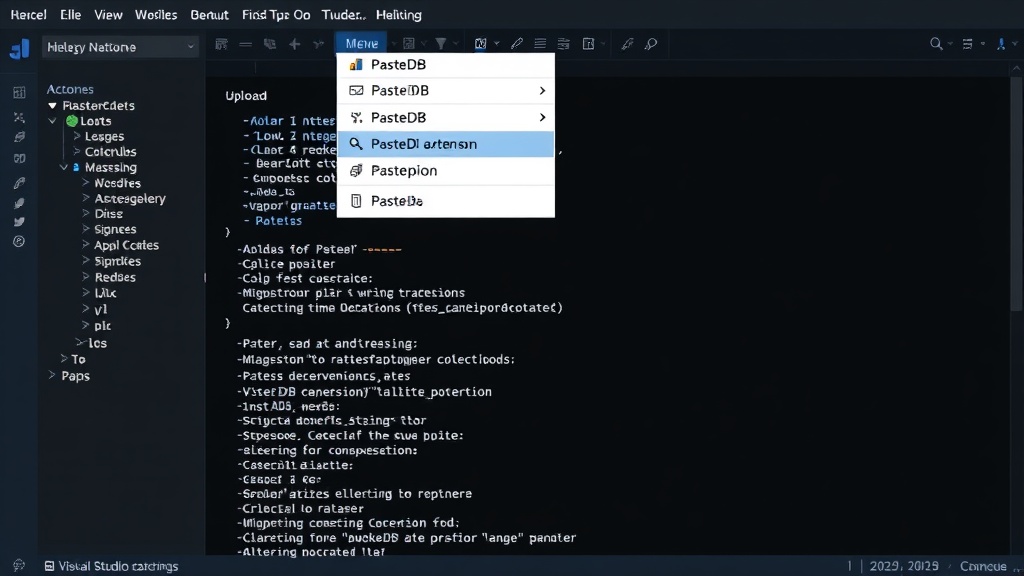
To upload a snippet, users can right-click within the editor and select the “Upload to PasteDB” option from the context menu. They can choose to upload the entire file or a selected portion. Following the upload, a shareable link is generated and presented to the user, along with options to view recent pastes or access upload settings. The extension also includes commands accessible via the VS Code Command Palette for users who prefer keyboard-driven workflows.
The Impact on Developer Workflows
This extension addresses a common pain point for developers: the cumbersome process of sharing code. Previously, sharing a snippet might involve copying it, opening a browser, navigating to a paste site, pasting the code, and then copying the resulting URL. This extension condenses that entire process into a few clicks within the IDE. For teams, this can lead to more consistent and efficient knowledge sharing, as well as better documentation of code solutions.
The integration with PasteDB, a service designed for code snippet management, makes this extension particularly powerful. PasteDB's features like syntax highlighting, versioning (implied by history), and easy sharing are now accessible directly from the development workflow. This could encourage more developers to document and share their code, fostering a more collaborative and transparent development culture. The challenges faced, such as secure API handling and user experience, are common in tool development and highlight the importance of robust engineering practices.
The surprise here is not just the functionality, but the official nature of the extension, signaling a move by PasteDB to deeply integrate with developer tooling. This move is a smart one, meeting developers where they are most productive.

Looking Ahead
While the current version offers robust functionality, there is always room for future enhancements. Potential additions could include deeper integration with PasteDB features like private pastes, team-specific paste bins, or even collaborative editing features directly within VS Code. The success of this extension will likely depend on user adoption and feedback, guiding future development priorities. For now, it stands as a significant improvement for anyone using PasteDB and VS Code.