Privacy-First Developer Toolkit Emerges
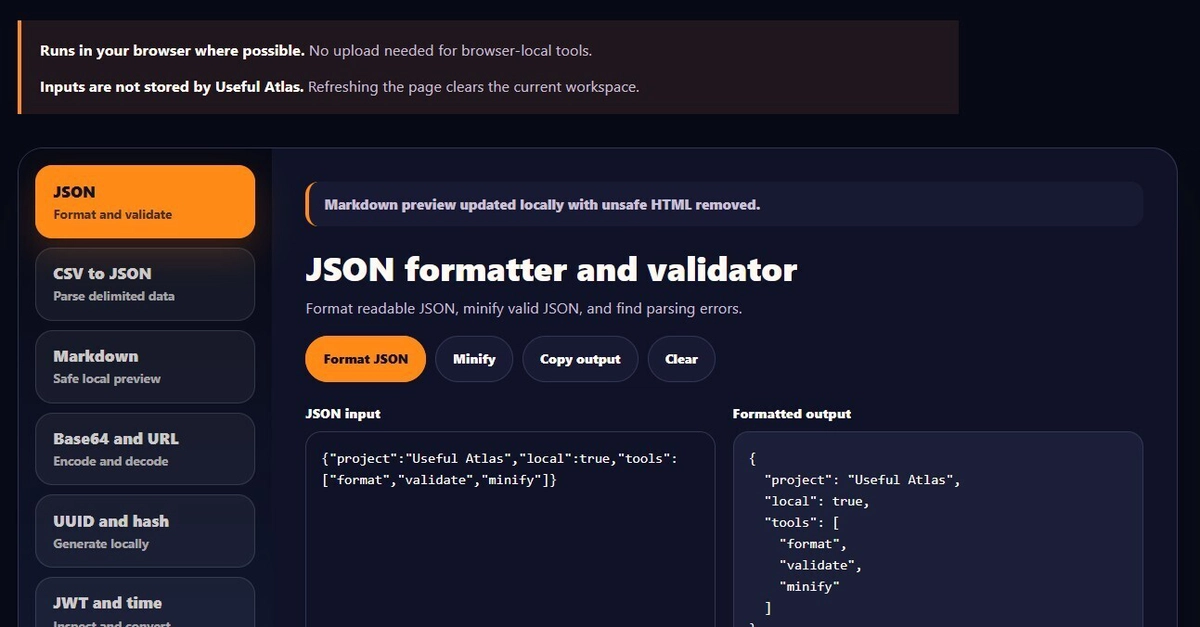
Frustration with online tools that harvest data or demand server-side processing for basic tasks has led to the creation of UsefulAtlas. This new suite of browser-based developer tools aims to provide essential utilities without compromising user privacy or requiring an internet connection for core functionality. The project, developed by Silver Stone, focuses on both everyday coding tasks and specialized AI hardware calculations, ensuring that sensitive information and processing remain on the user's machine.
Comprehensive Coder Box Functionality
The Coder Box component of UsefulAtlas consolidates a range of indispensable text manipulation and data formatting tools. Users can leverage its capabilities for tasks such as JSON formatting and minification, ensuring clean and readable data structures. Base64 encoding and decoding, essential for data transfer and handling, are also included. For developers working with unique identifiers, a UUID generator provides quick creation of universally unique identifiers. Cryptographic hashing utilities, including SHA-256 and MD5, are available for data integrity checks. The JWT inspector allows for the decoding and verification of JSON Web Tokens, a common authentication mechanism. Additionally, a text cleaner tool helps standardize and sanitize input, removing extraneous characters or whitespace. All these functions operate entirely within the browser, meaning no data leaves the user's device.
AI Hardware and Cost Calculators
A significant portion of UsefulAtlas is dedicated to assisting developers and enthusiasts working with local AI hardware, particularly Large Language Models (LLMs). The VRAM and hardware checker is a critical tool for anyone looking to run models locally. It helps users determine if their specific GPU and system RAM are sufficient to load and operate a given AI model, preventing frustrating download and setup failures. For those building or upgrading AI workstations, the PSU wattage calculator offers precise estimations for both single and multi-GPU configurations, crucial for ensuring stable power delivery and preventing hardware damage. The suite also includes calculators for comparing the Total Cost of Ownership (TCO) between running AI workloads locally versus utilizing cloud-based services. These tools aim to provide clarity on long-term expenses, API usage costs, and the potential ROI for AI automation projects, empowering informed decision-making regarding infrastructure and service choices.
Versatile Media and Document Tools
Beyond coding and AI hardware, UsefulAtlas integrates tools for common media and document manipulation tasks. Users can perform image resizing, compression, and format conversion directly in their browser. This is particularly useful for web developers preparing assets or creators optimizing images for various platforms without needing to install dedicated software. Furthermore, a PDF toolbox offers essential document handling capabilities, such as merging, splitting, or converting PDFs. Like all other features, these tools are designed to operate client-side, ensuring that personal documents and sensitive files are not uploaded to external servers. This commitment to local processing extends across the entire UsefulAtlas suite, reinforcing its privacy-centric design philosophy.
No Account, No Uploads: The UsefulAtlas Promise
A core principle behind UsefulAtlas is user privacy and accessibility. The developers explicitly state that no account is required to use any of the tools. This eliminates the friction of registration and the associated data collection practices common with many online services. The emphasis on client-side execution means that users can be confident that their code snippets, sensitive tokens, personal documents, and hardware configurations are not being stored or transmitted. This makes UsefulAtlas a compelling option for developers and AI practitioners who are increasingly wary of data privacy and seek reliable, offline-capable tools for their daily workflow. The project's availability as a browser-based application further enhances its accessibility, requiring no complex installation procedures.