From Scanning to Self-Assessment: Using ZoomEye to Inventory Your Own Attack Surface
Internet-wide scanners are a double-edged tool. Attackers use them to find exposed systems; defenders can use the same capability to discover what they have accidentally exposed. In 2026, government advisories have repeatedly pointed to scanning services as part of the attacker's workflow, which makes the defensive use of the same data both practical and urgent. This article explains how to turn ZoomEye measurement into a self-assessment routine.
The Problem: The Disconnect Between Known and Exposed Assets
Most organizations do not have a complete, current picture of what is reachable from the internet. Assets are added by different teams, exposed temporarily for a project, and forgotten. Attackers do not rely on the organization's inventory; they rely on the internet's actual state. The gap between the two is where breaches begin. In the August 2026 advisory on Siemens S7 PLCs, the US Cybersecurity and Infrastructure Security Agency (CISA) highlighted how attackers exploit unpatched industrial control systems (ICS) by first scanning the internet for vulnerable devices. This advisory underscored a critical reality: if you aren't looking at your assets from the outside-in, you are effectively blind to your own attack surface.
This disconnect is not unique to ICS. It spans web servers, databases, IoT devices, and any system that communicates over the network. Without a clear understanding of what is publicly visible, security teams operate on assumptions. These assumptions are often wrong, leaving critical vulnerabilities undiscovered until they are exploited. The urgency to bridge this gap is amplified by the increasing sophistication of threat actors and the expanding digital footprint of organizations.
Leveraging Internet-Wide Scanners for Defense
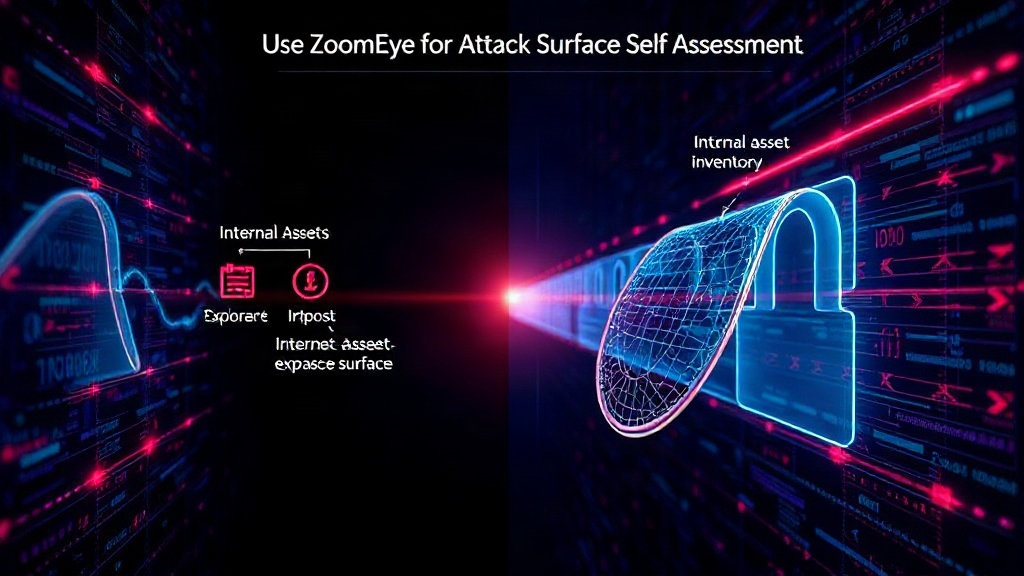
Internet-wide scanners, like Shodan, Censys, and ZoomEye, continuously probe the global network, collecting data on devices, services, and open ports. While often associated with offensive security, these tools offer an unparalleled defensive capability: a real-time, external view of an organization's internet presence. ZoomEye, in particular, offers comprehensive data and advanced search capabilities that make it suitable for systematic attack surface inventory.
The core idea is to use these scanners not just for ad-hoc reconnaissance but for establishing a continuous self-assessment process. By querying for your organization's known identifiers—such as IP address ranges, domain names, or even specific banner information—you can identify assets that are unintentionally exposed or misconfigured. This proactive approach allows security teams to discover shadow IT, orphaned services, and misconfigured cloud resources before attackers do.
How to Use ZoomEye for Attack Surface Inventory
Turning ZoomEye's raw data into actionable intelligence requires a structured approach. The process involves defining search queries, analyzing results, and integrating findings into existing security workflows.
1. Define Your Scope and Identifiers
Begin by identifying all known internet-facing assets. This includes:
- IP Address Ranges: Publicly assigned IP blocks owned by your organization.
- Domain Names: All registered domains, including subdomains.
- SSL Certificate Information: Common Name (CN) and Subject Alternative Name (SAN) fields from your certificates.
- Known Service Banners: Specific software versions or identifying strings that might be present in service responses.
The more comprehensive your list of identifiers, the more effective your ZoomEye search will be. Consider collaborating with network administrators, cloud engineers, and development teams to gather this information.
2. Craft Effective ZoomEye Queries
ZoomEye's search syntax is powerful. You can combine various parameters to pinpoint specific assets. For example:
- By IP:
ip:192.168.1.0/24(searches within a specific IP range) - By Domain:
domain:yourcompany.com(searches for assets associated with yourdomain.com) - By Certificate:
cert.cn:yourcompany.comorcert.san:yourcompany.com - By Service:
app:nginxorport:8080 - By Country/City:
country:USorcity:NewYork
To inventory your own attack surface, you would combine these with your organization's identifiers. For instance, to find all Nginx servers within your IP range, you might use: ip:YOUR_IP_RANGE AND app:nginx. Similarly, to find all assets using a specific certificate issuer that might be linked to your organization: cert.issuer:YourCertificateIssuer.
It's crucial to test and refine your queries. Start broad and then narrow down. Look for unexpected results—these often indicate forgotten or shadow IT assets. For instance, discovering a server running an outdated version of a critical application within your IP range is a high-priority finding.
3. Analyze and Prioritize Findings
Once you have a set of results, the next step is analysis. ZoomEye provides details on open ports, service versions, operating systems, and even geographic location. Not all findings represent an immediate threat, but each requires review.
Prioritize findings based on:
- Exposure of Sensitive Data: Services that handle personal identifiable information (PII), financial data, or intellectual property.
- Vulnerable Software: Systems running known exploitable versions of operating systems or applications. Referencing CVE databases alongside ZoomEye results is essential here.
- Unnecessary Services: Open ports or running services that are not required for business operations.
- Misconfigurations: Default credentials, weak encryption, or overly permissive access controls.
The surprising detail here is not the sheer volume of data an internet-wide scanner can uncover, but how much of it is often completely unknown to the organization responsible for it. This is akin to finding an unlocked back door to your house that you didn't even know existed.
4. Integrate into Security Workflows
The ultimate goal is to move from a one-time scan to a continuous improvement cycle. Integrate ZoomEye data into your existing security operations:
- Asset Management: Use findings to update and enrich your internal asset inventory. Discrepancies should trigger investigations.
- Vulnerability Management: Feed identified vulnerable assets directly into your vulnerability scanning and remediation processes.
- Incident Response: During an incident, ZoomEye can help quickly identify the scope of compromise and related exposed assets.
- Policy Enforcement: Use scan results to verify compliance with internal policies regarding internet exposure.
Automation is key. Consider using ZoomEye's API to regularly pull data and feed it into a Security Information and Event Management (SIEM) system or a dedicated attack surface management platform. This transforms a manual process into a dynamic, self-updating security posture.
The Unanswered Question: Long-Term Visibility and Ownership
While ZoomEye provides a powerful snapshot, the challenge remains in maintaining long-term visibility and clear ownership of every internet-facing asset. Organizations often struggle with ephemeral cloud resources, third-party integrations, and the sheer pace of digital transformation. What nobody has fully addressed yet is how to ensure continuous, automated reconciliation between an organization's dynamic cloud infrastructure and its external-facing attack surface in a way that permanently eliminates blind spots.
Conclusion: Proactive Defense Through External Visibility
By adopting internet-wide scanning tools like ZoomEye for self-assessment, organizations can gain critical external visibility. This proactive approach shifts the security paradigm from reactive incident response to continuous, informed defense. It allows teams to identify and remediate exposures that attackers would otherwise exploit, significantly reducing the attack surface and strengthening overall security posture. If you manage an internet-facing infrastructure, start scanning yourself before someone else does.