The Problem: A Fragmented Developer Workflow
Modern development work often involves a dizzying array of tools. Developers frequently find themselves switching between a terminal for command-line operations, an AI assistant for coding help or data analysis, a note-taking app for project details, and various other specialized CLI utilities. This constant context-switching, bouncing between separate applications and windows, creates friction and slows down productivity. Each tool might be excellent in isolation, but their disjointed nature when used together becomes a significant bottleneck.
Biplab Pokhrel, a developer who experienced this fragmentation firsthand, identified this issue as a major pain point in his own daily workflow. He noted that while individual tools like terminals, AI agents, file browsers, and note-taking applications are powerful, the act of moving between them disrupts focus and efficiency. The experience of constantly shifting windows and applications, each serving a specific but isolated purpose, led him to seek a more integrated solution.
This realization, inspired by attending local code-and-coffee meetups where participants shared solutions to their own daily problems, prompted Pokhrel to build something that would directly address his own workflow challenges. The goal was to create a single environment that could house the diverse set of tools and tasks he regularly employed, thereby reducing the cognitive load and time lost to application switching.
Introducing Termo: A Unified Environment
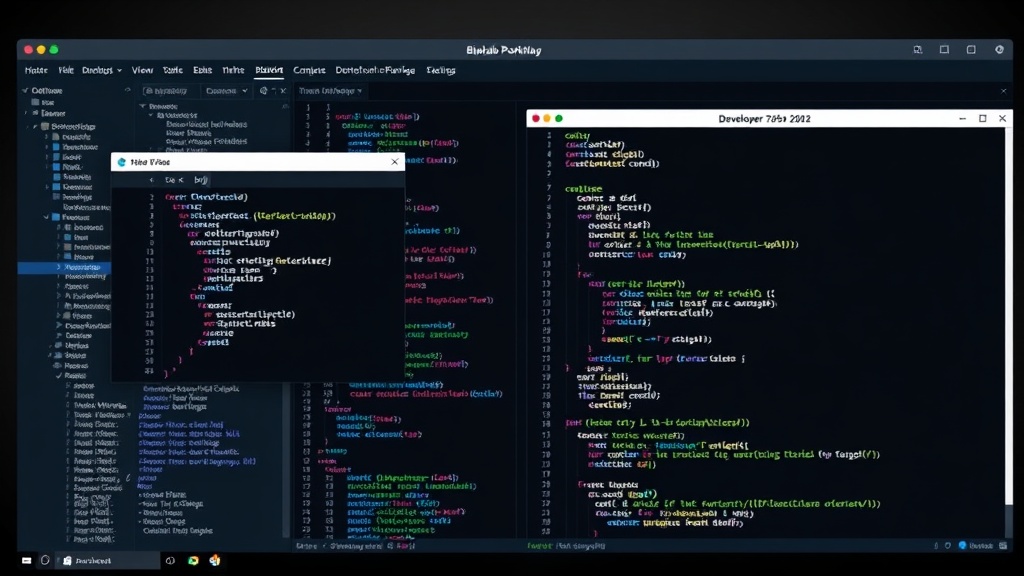
Termo is the result of this effort – an application designed to consolidate the essential tools and functions a developer needs into a single, cohesive interface. Instead of managing a mosaic of open windows, Termo aims to provide a centralized hub where users can manage their terminal sessions, interact with AI agents, jot down notes, and access other command-line utilities without leaving the application. This integrated approach is intended to streamline the developer's day-to-day operations, allowing for deeper focus and more efficient task completion.
The core philosophy behind Termo is to minimize context switching. By bringing together disparate functionalities, it allows developers to perform a wider range of tasks within a single application window. This includes running shell commands, querying AI models, organizing thoughts and project details, and potentially integrating with other development tools. The vision is to create an environment that feels less like a collection of separate utilities and more like a single, intelligent workspace tailored to the needs of coders, data scientists, and other technical professionals.
Key Features and Design Philosophy
While the specifics of Termo's feature set are still evolving, the foundational principle is integration. This means that Termo is not just another terminal emulator or note-taking app; it's an orchestration layer designed to bring together the functionalities that developers commonly use. The aim is to create a seamless experience where users can fluidly move between different tasks without the disruption of traditional application boundaries.
For instance, a developer might start by opening a terminal within Termo to run a build command. Immediately after, they could switch to an integrated AI chat interface, also within Termo, to debug an error message that appeared in the terminal output. Following that, they might access project notes or documentation stored within Termo’s note-taking feature, all without ever needing to alt-tab or switch virtual desktops. This unified approach aims to mimic the fluidity of thought and task progression that is often lost when working across multiple, disconnected applications.
The design prioritizes efficiency and focus. By reducing the need to juggle multiple applications, Termo allows developers to maintain a deeper level of concentration on the task at hand. This can lead to faster problem-solving, more efficient coding, and a generally less stressful development experience. The expectation is that by consolidating these tools, Termo will become an indispensable part of the developer's toolkit, much like a favorite IDE or a trusted command-line utility.
The Future of Integrated Development Workflows
Termo represents a growing trend towards integrated development environments and workflows. As software complexity increases and the demands on developers intensify, the need for tools that reduce cognitive overhead and streamline processes becomes paramount. Solutions that can consolidate essential functions into a single, intuitive interface are likely to gain traction.
Pokhrel's initiative with Termo highlights a common developer frustration and offers a potential solution. While the project is currently driven by individual need, its success could signal a broader market demand for such integrated tools. The challenge for Termo, and similar projects, will be to offer a compelling feature set that truly enhances productivity without sacrificing the power and flexibility of specialized, individual applications. The ultimate success will hinge on its ability to become a natural, indispensable part of a developer's daily routine, making the juggling act of multiple apps a relic of the past.