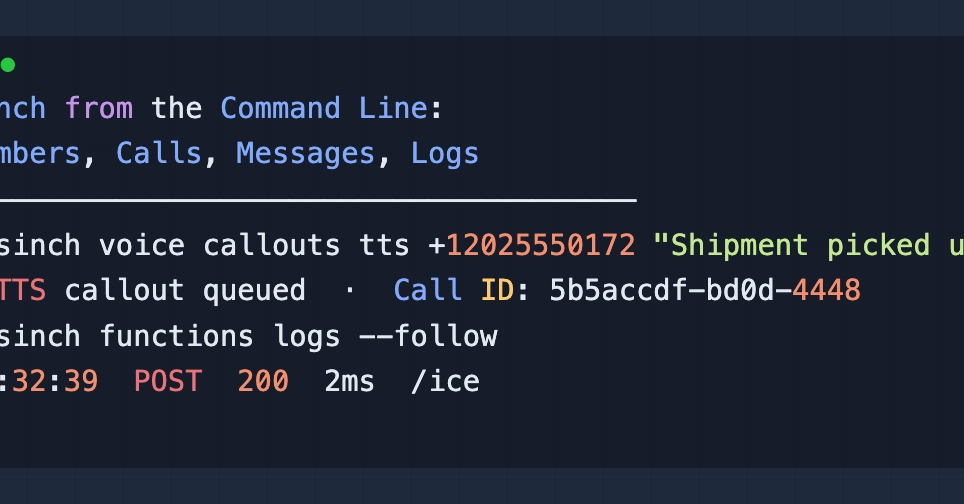
Sinch CLI: A Command-Line Powerhouse
Sinch's command-line interface, @sinch/cli, extends far beyond its initial perception as merely a tool for Sinch Functions. This CLI provides comprehensive control over the entire Sinch product suite, including phone numbers, voice calls, messaging, fax, SIP trunking, and number porting. Developers can leverage the CLI to manage these services without writing a single line of application code, eliminating the need for constant switching between the dashboard and tools like Postman for testing.
The utility of the Sinch CLI is immediately apparent. It allows for the management of core communication services directly from the terminal. This approach streamlines workflows, particularly for tasks that involve provisioning, configuration, and testing of communication endpoints. Each section covered by the CLI operates independently, meaning you can configure voice callouts, set up messaging channels, or test webhooks without needing to have the other services fully operational or configured.
To begin using the Sinch CLI, a Sinch account is essential. You will need your Project ID, Key ID, and Key Secret, which are readily available from the Sinch dashboard. Depending on the specific services you intend to manage, additional credentials might be required. For instance, initiating voice callouts necessitates a pre-configured Voice App, complete with its own Key and Secret. Similarly, for messaging functionalities, a Conversation App with at least one channel already set up is a prerequisite. The CLI also supports testing Sinch Functions via webhooks, requiring a configured Sinch Function project.
Managing Phone Numbers with the CLI
The Sinch CLI offers robust capabilities for managing your phone numbers. You can list all provisioned numbers associated with your account, view their details, and even search for available numbers within specific countries or regions. This is crucial for businesses that need to expand their reach or manage a large inventory of numbers for different geographical markets. The CLI simplifies the process of identifying which numbers are active, what capabilities they are configured for (e.g., voice, SMS), and their associated costs.
Furthermore, the CLI can be used to associate or disassociate numbers with specific Sinch applications. This allows for dynamic configuration changes without manual intervention in the dashboard. For example, you can assign a newly acquired number to an existing voice application or reassign an SMS-enabled number to a different messaging service. The CLI abstracts the underlying API calls, presenting a user-friendly interface for these complex operations.
Consider the scenario where you need to quickly find all numbers in the US capable of both voice and SMS. Instead of navigating through multiple pages in the Sinch dashboard, a simple CLI command can return this information instantly. This efficiency is invaluable for operations teams and developers alike.
Voice Call Management
For developers working with voice communications, the Sinch CLI provides direct access to voice callout functionalities. You can initiate outbound calls to any phone number, specifying the originating number (from the list of your provisioned numbers), the destination number, and the application to be used for the call. This is particularly useful for testing call flows, integration points, or for automating simple outbound calling tasks.
The CLI abstracts the complexity of Sinch's Voice API. Instead of crafting HTTP requests, you issue a command like sinch voice callout create --from . This command triggers an outbound call, and the CLI can also be used to retrieve call logs and details, helping in debugging and monitoring call quality and success rates.
Beyond initiating calls, the CLI can also be used to manage voice applications themselves. You can list existing voice applications, view their configurations, and retrieve their associated keys and secrets. This is essential for maintaining an organized overview of your voice infrastructure and ensuring that all components are correctly set up and accessible.
Messaging and Conversation Services
The Sinch CLI extends its reach to messaging services, enabling users to send SMS and MMS messages programmatically. Similar to voice calls, you can specify the sender ID or number, the recipient's number, and the message content. This allows for rapid testing of messaging integrations and the ability to send bulk messages if required, all from the comfort of your terminal.
The CLI supports the management of Conversation Apps, which are central to Sinch's omnichannel messaging strategy. You can list your conversation apps, view their configured channels (like SMS, WhatsApp, or Facebook Messenger), and manage channel credentials. For developers integrating with multiple messaging platforms, the CLI offers a unified way to interact with these diverse channels.
Debugging messaging issues is also simplified. The CLI can fetch message logs, providing details on message status (sent, delivered, failed), timestamps, and associated conversation IDs. This granular visibility is critical for troubleshooting delivery problems or understanding user interaction patterns within conversations.
Webhook Testing and Sinch Functions Integration
A key feature for developers building event-driven applications is the CLI's ability to test webhooks for Sinch Functions. Sinch Functions are serverless compute resources that execute code in response to events. When your Sinch services trigger an event (e.g., an incoming call, an incoming message), they send a webhook to your configured endpoint. The Sinch CLI allows you to simulate these incoming webhooks to test your function logic locally or in a staging environment without needing to deploy code or expose a public endpoint.
This webhook simulation capability is invaluable for the development lifecycle. It acts like a mock server, allowing you to send realistic payloads to your functions and observe their responses. You can define custom payloads that mimic real-world events, ensuring your functions handle various scenarios correctly. This significantly speeds up the development and testing cycle for applications built on Sinch Functions.
By treating the CLI as a primary interface for managing numbers, calls, and messages, developers can significantly reduce their reliance on manual dashboard interactions. This streamlined approach, akin to having a personal assistant for your communication infrastructure, allows for faster iteration and more robust testing of communication services.