The Problem with Static Learning Resources
Learning offensive security tools often involves sifting through dense PDFs, scattered GitHub gists, or static cheatsheets. These resources frequently assume a baseline knowledge of tool flags and functionalities, leaving learners to piece together commands across multiple tabs. This friction hinders effective skill acquisition, especially for those new to cybersecurity certifications like CEH or participating in Capture The Flag (CTF) exercises.
Shlok Kokk, a developer and cybersecurity enthusiast, identified this common pain point. He found himself repeatedly hitting a wall when trying to learn and apply offensive security tools. The existing learning materials lacked interactivity and contextual depth, making it difficult to build practical command-line proficiency.
Kokk envisioned a learning environment that mimicked an actual terminal experience. The goal was to provide a platform where users could browse tools, see commands with clear explanations, and construct necessary commands organically, without resorting to external documentation for every step.
Introducing ShellStack
To address this gap, Kokk developed ShellStack, a web-based application designed to offer an interactive learning experience for cybersecurity tools. ShellStack aims to bridge the divide between passive documentation and active, hands-on command-line practice.
The platform provides a curated collection of offensive security tools. For each tool, users can explore available commands and their corresponding flags. Crucially, ShellStack offers context for each command and flag, explaining its purpose and typical usage. This allows users to build commands incrementally, understanding the function of each component as they go.
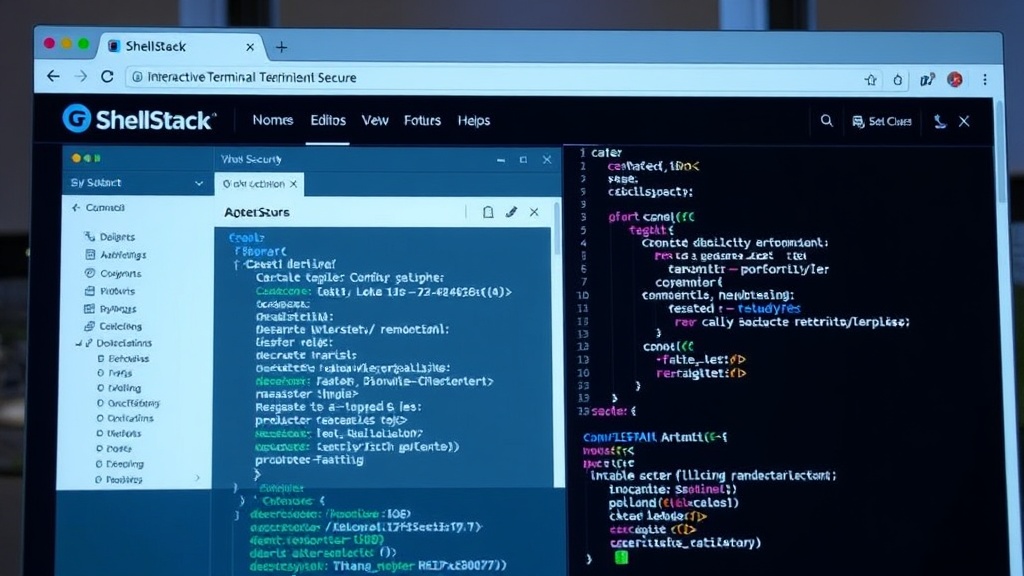
ShellStack is not just a repository of commands; it's an interactive builder. Users can select a tool, choose flags, and see the command being constructed in real-time. This direct manipulation and immediate feedback loop is designed to accelerate learning and retention. The interface is intended to feel familiar to anyone who has spent time in a Linux or macOS terminal.
Key Features and Functionality
ShellStack focuses on delivering a user-friendly and efficient learning experience through several key features:
- Interactive Command Building: Users select a tool, then choose from a list of available flags. As flags are selected, ShellStack dynamically builds the command string, displaying it clearly. This eliminates the need to manually type complex commands or copy-paste from disparate sources.
- Contextual Explanations: Each command and flag is accompanied by a concise explanation of its function and purpose. This provides immediate understanding, reducing the cognitive load associated with learning new tools.
- Tool Categorization: The platform organizes cybersecurity tools into logical categories, making it easier for users to discover and focus on specific areas of interest, such as enumeration, exploitation, or post-exploitation.
- Real-time Preview: The constructed command is visible at all times, allowing users to review their selections and make adjustments before executing or copying the command.
- Accessibility: As a web-based application, ShellStack is accessible from any device with a web browser, removing the barrier of software installation or specific operating system requirements.
The Developer's Motivation
Kokk's personal experience highlights a significant challenge in cybersecurity education. The transition from theoretical knowledge to practical application is often hampered by learning resources that are not designed for active engagement. Static cheatsheets, while useful for quick reference, fail to provide the necessary depth or interactive guidance for genuine understanding.
The motivation behind ShellStack is to democratize access to practical cybersecurity knowledge. By creating an interactive environment, Kokk aims to lower the barrier to entry for aspiring security professionals and provide a valuable supplementary tool for experienced practitioners looking to expand their arsenal.
The project is open-source, with the code available on GitHub. This transparency allows other developers to contribute, suggest improvements, or even fork the project for their own specific needs. The live version is hosted on Vercel, ensuring easy access for all users.
Implications for Cybersecurity Education
ShellStack represents a small but significant step forward in how cybersecurity skills can be taught and learned. Traditional methods often rely on rote memorization or trial-and-error in a live environment, which can be time-consuming and prone to errors. Interactive platforms like ShellStack offer a middle ground, providing guided practice in a safe, simulated environment.
For educators and training providers, tools like ShellStack could be integrated into curricula to supplement lectures and practical labs. They offer a way to ensure students are building commands correctly and understanding the purpose of each option before they encounter real-world scenarios or high-stakes exams.
The success of ShellStack could inspire similar initiatives, potentially leading to a broader ecosystem of interactive learning tools for various technical domains. The core idea – transforming static documentation into dynamic, context-aware learning experiences – has wide applicability beyond cybersecurity.
What remains to be seen is how quickly such tools can expand their coverage to encompass the vast and ever-growing landscape of cybersecurity tools. The challenge lies in maintaining the accuracy and relevance of the information as new tools and techniques emerge.