
Direct Terminal Access, Simplified
RemoteConsole emerges as a new solution aimed at simplifying secure access to remote terminals. In scenarios where traditional VPNs or reverse SSH tunnels are cumbersome or impossible, RemoteConsole offers a direct path to your servers and workstations. The core problem it addresses is the friction involved in connecting to machines that are behind restrictive firewalls, NAT devices, or simply not configured for inbound connections. This is particularly relevant for developers, IT professionals, and even advanced home users who need reliable access to their systems from anywhere.
The product positions itself as a way to bypass the complexities that often plague remote access. Instead of managing dynamic DNS, port forwarding, or setting up intricate VPN infrastructure, RemoteConsole leverages a centralized service to broker connections. This approach abstracts away much of the network configuration that typically acts as a barrier to entry for straightforward remote terminal access.
How RemoteConsole Works
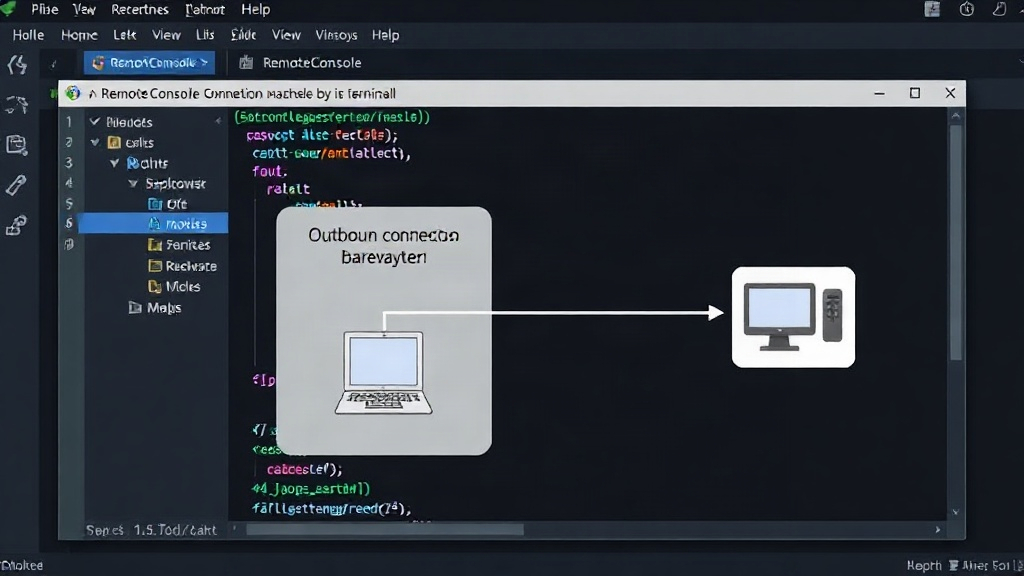
At its heart, RemoteConsole relies on a client-server architecture. A small agent is installed on the target machine (the one you want to access). This agent establishes an outbound connection to the RemoteConsole service. When you, the user, wish to connect to that machine, you use the RemoteConsole client application. This client connects to the same central service, which then brokers the secure tunnel between your client and the agent on the target machine.
This outbound-only connection model is key to its ability to bypass firewalls and NAT. Most network security policies permit outbound connections but heavily restrict or outright block inbound ones. By initiating the connection from the inside out, the agent on the target machine essentially punches a hole that the RemoteConsole service can use to route traffic. The connection is secured using industry-standard encryption, ensuring that the data transmitted between your client and the remote terminal remains confidential.
The setup process is designed to be minimal. Once the agent is installed, it typically requires minimal configuration beyond providing credentials for the central service. Users then authenticate through the RemoteConsole client to select and connect to their registered machines. This contrasts sharply with the manual configuration required for tools like ngrok for exposing local servers or setting up a WireGuard/OpenVPN server for full network access.
Use Cases and Target Audience
The primary audience for RemoteConsole includes:
- Developers: Accessing development servers, staging environments, or even their own workstations remotely for coding or debugging.
- IT Administrators: Managing servers, network devices, or end-user workstations that are not easily accessible via traditional remote management tools. This is especially useful for troubleshooting issues on machines in remote offices or client sites.
- Power Users: Individuals who run home servers (e.g., NAS, media servers, home automation hubs) and want secure, direct command-line access without exposing ports directly to the internet.
- Researchers: Accessing specialized computing hardware or data collection points in the field that may have limited network connectivity.
The product's value proposition hinges on its ability to provide a reliable, secure, and low-friction remote terminal experience. It aims to be the go-to solution when complex network setups are not feasible or desirable. The emphasis on direct SSH access means that users can leverage their existing command-line tools and workflows without needing to learn new interfaces or protocols, provided the target machine runs an SSH server.
Security Considerations
While RemoteConsole simplifies access, it also introduces its own set of security considerations. The central service acts as a gatekeeper. Any compromise of this service could potentially expose all connected machines. Therefore, the security posture of the RemoteConsole provider itself is paramount. Users must trust the provider to secure their infrastructure and protect the integrity of the connection brokering process.
Furthermore, the security of the connection ultimately relies on the security of the SSH server running on the target machine and the authentication mechanisms employed. If the SSH server is vulnerable or if weak credentials are used, RemoteConsole will provide a direct pathway for attackers to exploit these weaknesses. The product documentation likely details best practices for securing the SSH daemon, such as disabling password authentication in favor of key-based authentication, using strong passphrases, and keeping the SSH server software up-to-date.
The outbound connection model inherently reduces the attack surface compared to opening inbound ports directly on a network. However, it shifts the trust model. Instead of trusting your own network's firewall configuration, you are trusting the RemoteConsole service to manage secure access. For sensitive environments, a thorough evaluation of the provider's security practices, compliance certifications, and incident response capabilities would be necessary.
Comparison to Alternatives
RemoteConsole competes with several established methods for remote access:
- VPNs (Virtual Private Networks): VPNs create a secure, encrypted tunnel that makes a remote machine appear as if it's on the local network. This offers broad access but requires setting up and managing a VPN server and client software, which can be complex.
- Reverse SSH Tunnels: Similar to RemoteConsole's core mechanism, reverse SSH tunnels allow a remote machine to connect back to a publicly accessible server, which then forwards traffic. This requires a publicly accessible server and careful configuration of SSH.
- Cloud-based Remote Access Tools (e.g., ngrok, Cloudflare Tunnel): These services also provide secure tunnels to expose local services to the internet. ngrok is often used for web development, while Cloudflare Tunnel is part of a broader security platform. RemoteConsole appears to focus more specifically on direct terminal (SSH) access across a wider range of use cases.
- Cloud-based Remote Desktop (e.g., AnyDesk, TeamViewer): These tools offer graphical remote desktop access, which is different from RemoteConsole's command-line focus.
RemoteConsole's niche appears to be in offering a streamlined, dedicated solution for SSH access that aims to be simpler than a full VPN and more broadly applicable than temporary tunneling services used primarily for web exposure. The promise is direct, authenticated SSH without the network gymnastics.