The Problem with Online Video Editing
For anyone needing to make quick video or image adjustments for social media, the process of using online editors has become a familiar, often frustrating, routine. The typical workflow involves creating an account, providing an email address, accepting a barrage of cookies, and crucially, uploading your sensitive files to a third-party server. This not only raises privacy concerns but also means waiting for uploads and downloads, a significant bottleneck for simple tasks like trimming clips, removing audio, or resizing images.
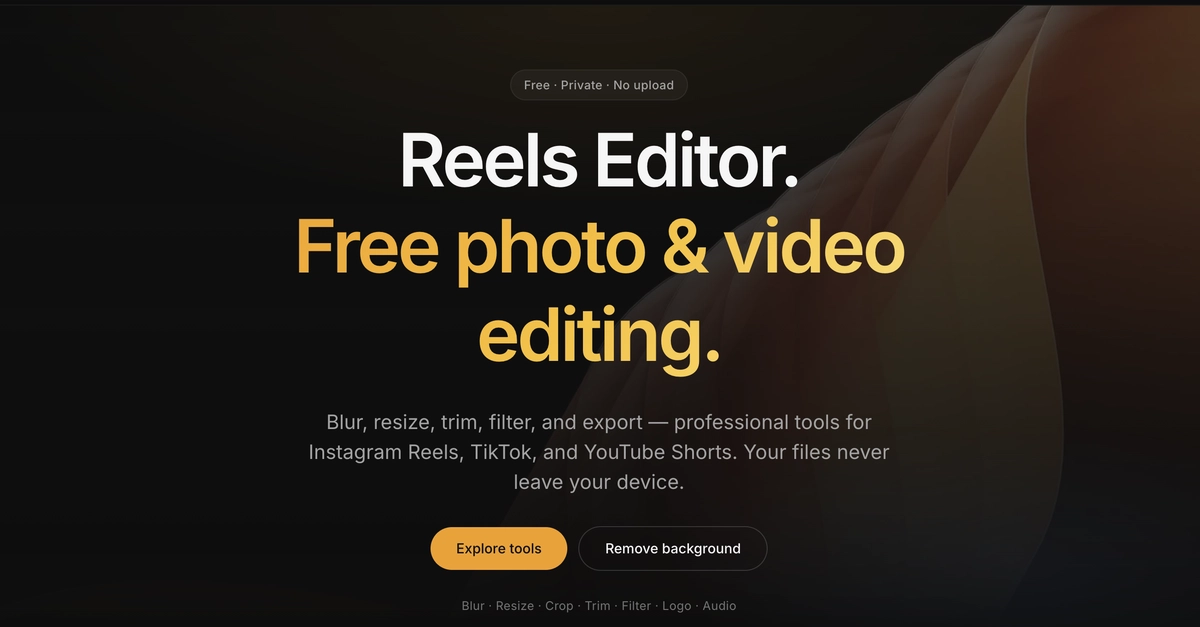
This friction led to the development of Reels Editor, a free, browser-based tool designed with a singular principle: user files should remain entirely under the user's control. The core promise is simple: no uploads, no accounts, no newsletters. Your data stays local, on your device, throughout the editing process.
Key Features and Privacy Focus
Reels Editor operates on a starkly minimalist ethos. It eschews common online service requirements that often feel intrusive for basic editing needs. Specifically, the platform does not require:
- User accounts
- Email addresses for registration or continued use
- Subscriptions to newsletters or marketing communications
- Any file uploads to remote servers
- Integration with cloud storage services
The user experience is designed to be as frictionless as possible. Upon visiting the website, users can immediately begin editing their video or image files. There are no prompts to enter an email to proceed, no artificial limitations on features requiring a paid upgrade or account creation, and no post-editing marketing outreach.
This approach directly addresses the growing user demand for privacy-preserving tools. In an era where data breaches are common and online services often monetize user data, a tool that guarantees local processing offers a compelling alternative for individuals and small businesses concerned about intellectual property or personal content.
How It Works: Local Processing Explained
The underlying technology enabling Reels Editor's privacy-first approach is client-side processing. Instead of sending video files to a server for manipulation, the editing operations—such as trimming, cutting, resizing, and audio removal—are performed directly within the user's web browser using JavaScript. Modern web browsers have become powerful enough to handle these computationally intensive tasks efficiently for many common editing needs.
When a user uploads a file to Reels Editor, it is loaded into the browser's memory. All subsequent edits are applied to this in-memory representation. Once the user is satisfied with the edits, the final output is rendered and exported locally. The original file, as well as the edited version before export, never leaves the user's machine. This is analogous to using a desktop application like early versions of Windows Movie Maker or iMovie, but delivered through the convenience of a web browser without installation.
The benefits of this local processing model are manifold:
- Enhanced Privacy: Sensitive or proprietary video content is not exposed to potential data breaches on third-party servers.
- Speed and Efficiency: Eliminates the time-consuming upload and download phases, making for a faster workflow, especially for smaller edits.
- Accessibility: No installation is required; the tool is available on any device with a modern web browser.
- Cost-Effectiveness: Being free and requiring no server-side computation for individual users keeps operational costs low for the developer and ensures no direct cost to the user.
Target Audience and Use Cases
Reels Editor is particularly well-suited for a specific segment of content creators and social media managers. Its focus on simplicity and privacy makes it ideal for:
- Social Media Managers: Quickly trim video clips for platforms like Instagram Reels, TikTok, or YouTube Shorts, or resize images for posts without worrying about content privacy.
- Small Business Owners: Create basic promotional videos or edit product images without the need for expensive software or complex workflows.
- Individuals: Make simple edits to personal videos or photos before sharing them with friends and family.
- Developers and Privacy Advocates: A demonstration of how powerful client-side web applications can be for privacy-focused tools.
While Reels Editor may not replace professional-grade desktop editing software for complex projects involving multiple layers, advanced effects, or high-resolution cinematic footage, it fills a critical gap for fast, on-the-fly edits where privacy and simplicity are paramount. The tool's commitment to not uploading files means users can trust that their content remains confidential.
The Future of Browser-Based Editing
The success of Reels Editor highlights a growing trend in web application development: leveraging the increasing capabilities of the browser to perform complex tasks client-side. As web technologies mature, we can expect more sophisticated applications, from full-fledged IDEs to powerful creative tools, to operate entirely within the browser, enhancing user privacy and accessibility.
What remains to be seen is how Reels Editor will evolve. Will it introduce more advanced editing features while maintaining its local-processing commitment? Or will its simplicity remain its defining characteristic? For now, it stands as a refreshing alternative to the data-hungry online tools that have become the norm.