A Complete UI Overhaul
Ramen 2026.09.1 marks a significant step forward for the project, focusing on a substantial UI redesign to enhance the developer experience. While this release eschews a long list of new functionalities, its core objective is to make the daily interactions with Ramen feel more intuitive and efficient. The work done here aims to refine the parts of the application developers interact with most frequently, ensuring a smoother workflow.
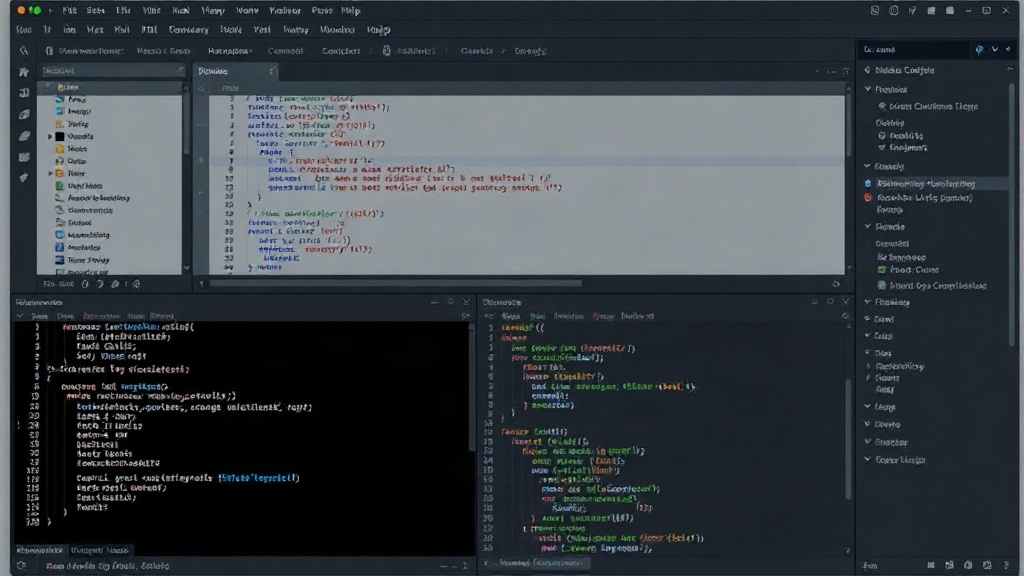
The most prominent change is the complete rebuilding of the application's user interface. This includes a thorough rework of dialogs, the editor's chrome, title bars, the overall workspace layout, the navigator panel, and both light and dark themes. This extensive overhaul provided an opportunity to address and clean up older UI decisions that had accumulated over time as the application evolved. The result is a distilled interface, characterized by a simpler layout, reduced visual clutter, and more screen real estate dedicated to the tasks at hand.
Reworked Branch Selector and Terminal Fixes
Beyond the overarching UI redesign, Ramen 2026.09.1 introduces specific improvements to key components. The branch selector has been significantly reworked. This component, crucial for managing different versions of code, now offers a more streamlined and responsive experience. Developers often spend considerable time switching between branches, and this update aims to make that process less of a friction point. The rework likely involved optimizing its performance and improving its visual feedback, ensuring clarity even in complex repository structures.
Furthermore, the release addresses a number of persistent terminal issues. These kinds of fixes are often subtle but critical for maintaining productivity. Glitches, rendering problems, or integration issues within the terminal can lead to significant frustration and wasted time. By resolving these, Ramen 2026.09.1 ensures a more stable and predictable environment for developers who rely on integrated terminal functionality for scripting, debugging, or command-line operations.
Integrated Feedback Mechanism
A small but impactful addition in Ramen 2026.09.1 is the inclusion of a feedback form directly within the application. This feature simplifies the process for users to report bugs, suggest improvements, or share general observations. Previously, users might have had to navigate away from the application, find the correct reporting channel, and format their feedback. The integrated form streamlines this, allowing for quicker, more contextual feedback submission. This direct line of communication between users and the development team is invaluable for iterative improvement.
The development team can now receive more immediate and detailed reports, often including relevant diagnostic information that is automatically captured. This not only speeds up the bug-fixing process but also provides direct insights into how the application is being used and where pain points might exist. It transforms user reporting from a cumbersome chore into a seamless part of the user experience, fostering a more collaborative development cycle.
Focus on Usability and Feel
The overarching theme of Ramen 2026.09.1 is a deliberate shift towards improving the application's 'feel' and overall usability. Instead of introducing complex new features that might add to the learning curve or increase cognitive load, the development effort was concentrated on refining existing workflows and visual presentation. This approach is particularly beneficial for tools that developers use for extended periods daily.
A polished and responsive interface can significantly reduce developer fatigue and increase overall satisfaction. When the tools themselves are a pleasure to use, developers can focus more energy on the creative and problem-solving aspects of their work. This release demonstrates a commitment to the foundational user experience, recognizing that a well-crafted interface is not merely aesthetic but a critical component of developer productivity and tool adoption. For users who have been with Ramen for a while, this update should feel like returning to a familiar tool that has been thoughtfully polished and ergonomically improved.
The decision to prioritize UI refinement over feature expansion is a strategic one. It indicates an understanding that the core functionality of Ramen is robust, and the next phase of improvement lies in making that functionality more accessible and pleasant to engage with. This user-centric approach is often a hallmark of mature software projects that aim for long-term user retention and satisfaction.