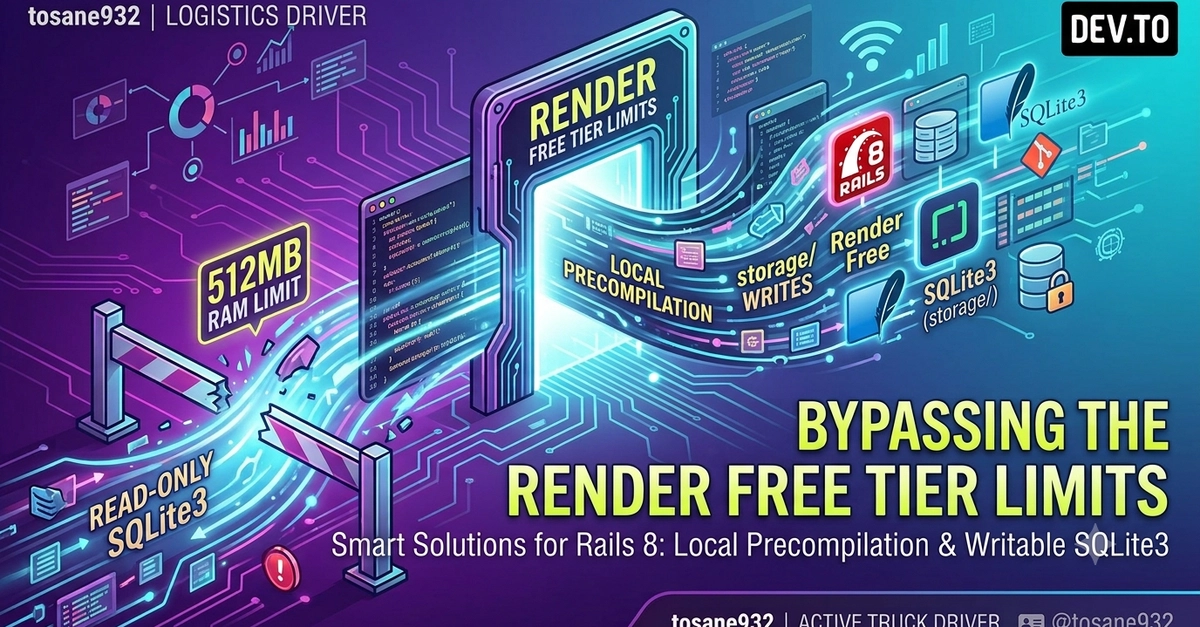
Deploying Rails 8 on Render Free Tier: Overcoming Resource Limitations
Deploying modern web applications on limited free tiers often presents a significant challenge. This is particularly true for frameworks like Ruby on Rails, which can be resource-intensive. This article details a practical approach to deploying Rails 8 on Render's free tier, specifically addressing the common hurdles of 512MB RAM and read-only storage limitations.
The author, a self-studying engineer from Japan, shares their journey and technical solutions for making a Rails 8 application functional within these strict constraints. This guide is for developers aiming to deploy Rails applications cost-effectively or experiment with new features without committing to paid hosting plans.
Understanding Render's Free Tier Constraints
Render's free tier offers a compelling entry point for developers, providing essential hosting capabilities at no cost. However, it comes with distinct limitations designed to encourage upgrades for production-ready applications. The most critical constraints for a Rails application are:
- RAM: 512MB. This is a significant bottleneck for Ruby applications, which are known for their memory footprint, especially during startup and when handling concurrent requests.
- Storage: Read-only filesystem. This means applications cannot write to their own filesystem. This impacts tasks like log rotation, temporary file creation, and asset compilation if not handled correctly.
- Ephemeral Nature: Free tier services are often spun down after periods of inactivity and may have longer spin-up times.
These limitations necessitate careful optimization and architectural adjustments to ensure a Rails 8 application can run reliably.
Optimizing Rails for Low RAM Environments
The 512MB RAM limit requires aggressive memory management. Several strategies can be employed:
- Puma Configuration: The default Puma web server configuration might be too memory-hungry. Adjusting the number of worker threads and processes is crucial. A common approach is to reduce the number of Puma workers and threads to the absolute minimum required. For a 512MB environment, starting with 1 worker and 2-4 threads per worker is a sensible baseline. Monitor memory usage closely and adjust iteratively.
- Gem Selection: Minimize the number of gems loaded. Audit your `Gemfile` and remove any non-essential gems. Gems that perform heavy operations or load large data structures at initialization can quickly exhaust available memory.
- Background Jobs: Offload any non-critical tasks to background job processors. While Render's free tier might not support dedicated background job workers, you can configure them to run less frequently or use external services if necessary. For truly free tier deployment, consider scheduling tasks that can run periodically and only when the app is active.
- Database Connection Pooling: Ensure your database connection pool size is appropriately configured. A large pool can consume significant memory. Tune it down to avoid unnecessary overhead.
- Lazy Loading: Implement lazy loading for models and services where possible. This ensures that memory is only consumed when data is actually needed, rather than pre-loading large datasets or objects at application startup.
- Code Optimization: Review application code for memory leaks or inefficient data handling. Techniques like using streams instead of loading entire files into memory, and ensuring objects are garbage collected promptly, become critical.
Addressing the Read-Only Filesystem
The read-only filesystem is another major hurdle. Rails applications typically need to write logs, temporary files, and potentially compiled assets. Here's how to manage this:
- Logging: Redirect logs to standard output (`stdout`). Most modern PaaS platforms, including Render, capture `stdout` and `stderr` and make them accessible via their logging interface. This bypasses the need to write log files to the filesystem. In `config/environments/production.rb`, ensure your logger is configured for `STDOUT`.
- Asset Pipeline: Rails' asset pipeline (Sprockets or Webpacker/Shakapacker) typically compiles assets into the `public/assets` directory. Since this directory is writeable on a read-only filesystem, compilation must happen before deployment or handled by a build process. Render supports build commands. Configure your build command to run asset compilation. Alternatively, use a CDN and precompile assets locally.
- Temporary Files: For any operations requiring temporary files, use the operating system's temporary directory. On Linux-based systems like Render's environment, this is typically `/tmp`. This directory is usually mounted as a RAM disk and is available for temporary writes. Ensure your code correctly specifies `/tmp` for temporary file operations.
- Database for Sessions: If you are using file-based session storage, switch to a database-backed or Redis-backed session store. These require external services or a database that supports writes, which is essential if your application requires stateful sessions.
Deployment Strategy on Render
The deployment process on Render's free tier requires specific configurations:
- Build Command: Set a build command in Render's service settings. This command should include `RAILS_ENV=production bundle exec rails assets:precompile`. This ensures assets are compiled during the deployment process, as they cannot be compiled post-deployment on the read-only filesystem.
- Environment Variables: Configure necessary environment variables, such as `RAILS_MASTER_KEY`, `DATABASE_URL`, and any API keys, through Render's dashboard.
- Database: Render's free tier does not include a database. You will need to use an external free-tier database service (e.g., ElephantSQL, Neon, Supabase) and configure the `DATABASE_URL` environment variable accordingly.
- Web Server Configuration: Ensure Puma is configured correctly. The `config/puma.rb` file may need adjustments for low memory. For example, limiting `threads` and `workers` is essential.
Testing and Monitoring
After deployment, rigorous testing is essential. Pay close attention to:
- Application Startup Time: Monitor how long the application takes to spin up, especially after periods of inactivity.
- Memory Usage: Continuously monitor memory consumption. Use Render's built-in metrics or external monitoring tools if available. Look for spikes that might indicate memory leaks or inefficient operations.
- Error Logs: Regularly check logs for any errors related to file operations, memory exhaustion, or application crashes.
This methodical approach allows developers to leverage the benefits of Render's free tier for their Rails applications, proving that resource constraints can be overcome with careful planning and optimization.