
The Challenge: IP Bans and Rate Limiting
When scraping web data at any significant scale, the primary obstacle is rarely inefficient code. Instead, it's the target website's defenses: rate limiting and IP address bans. These measures are designed to protect servers from abuse, but they can cripple legitimate data collection efforts. Rotating residential proxies offer a solution by routing each request through a different IP address belonging to a real user, making your scraping activity appear more organic and less like automated bot traffic.
Understanding the Proxy URL Format
A residential proxy functions as an authenticated HTTP or SOCKS endpoint. When using a pool gateway provided by a service, you can specify parameters like the target country and control session behavior directly within the proxy URL itself, typically through the username field. This approach simplifies configuration compared to managing numerous distinct proxy endpoints.
A common proxy URL format looks like this:
http://USERNAME_country-us_session-a1b2c3_lifetime-30:PASSWORD@proxy.gproxy.net:1000Let's break down the components:
country-us: Specifies the desired exit country using its ISO code.session-a1b2c3: This is the sticky-session identifier. If you reuse the same session ID for multiple requests, you will consistently use the same IP address. Changing this ID will trigger a rotation to a new IP.lifetime-30: This parameter, often found in some proxy services, might indicate the session duration in minutes or hours.USERNAMEandPASSWORD: Your authentication credentials for the proxy service.proxy.gproxy.net:1000: The hostname and port of the proxy gateway.
Implementing Proxies with the requests Library
Integrating rotating proxies into Python's popular requests library is straightforward. You simply pass the proxy configuration to the proxies argument in your request methods.
Basic IP Rotation
For basic rotation, where each request uses a new IP, you can dynamically generate a new session ID for each request or simply omit the session ID if the service defaults to rotation.
import requests
import random

# Replace with your actual proxy details
USERNAME = "YOUR_USERNAME"
PASSWORD = "YOUR_PASSWORD"
PROXY_GATEWAY = "proxy.gproxy.net:1000"

def get_proxy_url(session_id=None):
    country = "us"
    proxy_user = f"{USERNAME}_country-{country}"
    if session_id:
        proxy_user += f"_session-{session_id}"

    return f"http://{proxy_user}:{PASSWORD}@{PROXY_GATEWAY}"

# Example: Rotating IP for each request
proxies = {
    "http": get_proxy_url(session_id=str(random.randint(10000, 99999))),
    "https": get_proxy_url(session_id=str(random.randint(10000, 99999)))
}

try:
    response = requests.get("https://httpbin.org/ip", proxies=proxies)
    response.raise_for_status() # Raise an exception for bad status codes
    print(f"IP Address: {response.json()['origin']}")
except requests.exceptions.RequestException as e:
    print(f"Error: {e}")
Sticky Sessions with requests
To maintain the same IP address for a series of requests, you must use a consistent session-id. This is crucial for tasks that require maintaining a user session, such as logging into a website or navigating through multiple pages of search results.
import requests
import random

# Replace with your actual proxy details
USERNAME = "YOUR_USERNAME"
PASSWORD = "YOUR_PASSWORD"
PROXY_GATEWAY = "proxy.gproxy.net:1000"

def get_proxy_url(session_id):
    country = "us"
    proxy_user = f"{USERNAME}_country-{country}_session-{session_id}"
    return f"http://{proxy_user}:{PASSWORD}@{PROXY_GATEWAY}"

# Example: Sticky session for multiple requests
sticky_session_id = str(random.randint(10000, 99999))

proxies = {
    "http": get_proxy_url(sticky_session_id),
    "https": get_proxy_url(sticky_session_id)
}

print(f"Using Sticky Session ID: {sticky_session_id}")

for i in range(3):
    try:
        response = requests.get("https://httpbin.org/ip", proxies=proxies)
        response.raise_for_status()
        print(f"Request {i+1} - IP Address: {response.json()['origin']}")
    except requests.exceptions.RequestException as e:
        print(f"Error on request {i+1}: {e}")
In this example, all three requests will attempt to use the same IP address assigned via the sticky_session_id.
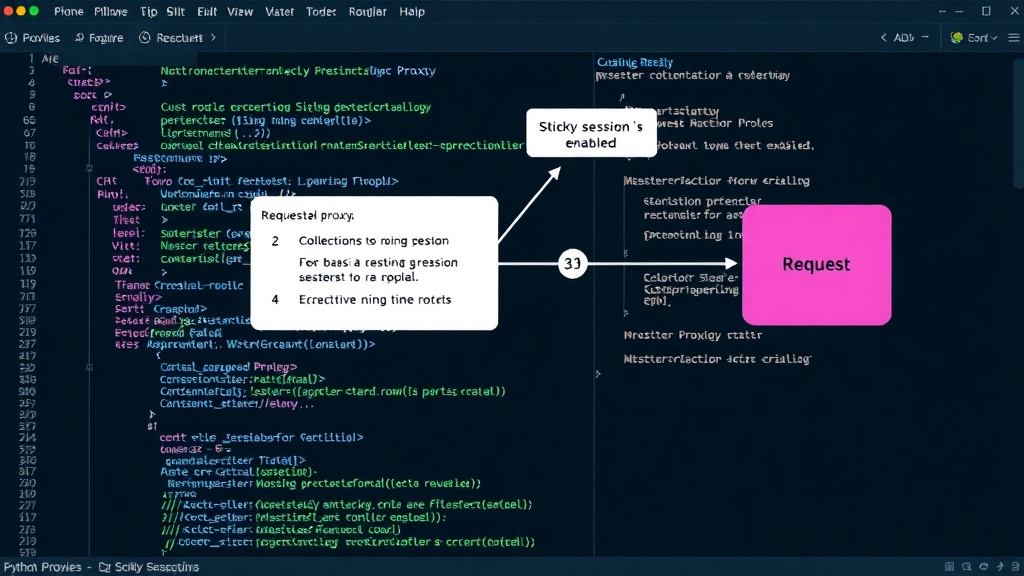
Integrating Proxies with Scrapy
Scrapy, a powerful Python framework for web crawling and scraping, also supports proxy integration. You can configure Scrapy to use rotating or sticky residential proxies through its settings.
Scrapy Settings for Proxies
The primary way to configure proxies in Scrapy is by setting the HTTP_PROXY and HTTPS_PROXY values in your settings.py file. For rotating proxies, you'll typically use a list of proxies and Scrapy's downloader middleware can handle the rotation. For sticky sessions, you need a more custom approach.
A common approach for basic rotation in Scrapy is to define a list of proxy URLs:
# settings.py

HTTP_PROXY = 'http://YOUR_USERNAME:YOUR_PASSWORD@proxy.gproxy.net:1000'
HTTPS_PROXY = 'http://YOUR_USERNAME:YOUR_PASSWORD@proxy.gproxy.net:1000'

# For rotating proxies, you'd typically use a middleware to manage a list.
# If your proxy service provides a single endpoint that rotates, the above might suffice.
# For more advanced control (e.g., country selection, sticky sessions), a custom middleware is often needed.

DOWNLOADER_MIDDLEWARES = {
    'scrapy.downloadermiddlewares.httpproxy.HttpProxyMiddleware': 1,
    # Add your custom proxy middleware here if needed
}
Custom Scrapy Middleware for Sticky Sessions
Implementing sticky sessions in Scrapy requires a custom downloader middleware. This middleware can manage a pool of proxy IPs, assigning a specific IP to a spider or a set of requests based on a session identifier. The identifier could be derived from the request itself (e.g., a cookie, a parameter) or managed at a higher level.
Here’s a conceptual example of a custom Scrapy middleware:
# myproject/middlewares.py
import random

class StickyProxyMiddleware(object):

    def __init__(self, settings):
        self.username = settings.get('PROXY_USERNAME')
        self.password = settings.get('PROXY_PASSWORD')
        self.proxy_gateway = settings.get('PROXY_GATEWAY')
        self.proxies = {}

    @classmethod
    def from_crawler(cls, crawler):
        obj = cls(crawler.settings)
        crawler.signals.connect(obj.spider_opened, signal=signals.spider_opened)
        crawler.signals.connect(obj.spider_closed, signal=signals.spider_closed)
        return obj

    def process_request(self, request, spider):
        session_id = self.get_session_id(request, spider)
        if not session_id:
            session_id = str(random.randint(10000, 99999)) # Generate a new one if none exists

        proxy_url = self.build_proxy_url(session_id)

        request.meta['proxy'] = proxy_url
        request.meta['proxy_session_id'] = session_id # Store for potential logging or debugging

    def process_exception(self, request, exception, spider):
        # Handle proxy errors, potentially reassigning IP or rotating
        pass

    def get_session_id(self, request, spider):
        # Logic to extract session ID from request meta, cookies, or URL parameters
        # Example: if 'session_id' in request.meta: return request.meta['session_id']
        return request.meta.get('session_id') # Placeholder

    def build_proxy_url(self, session_id):
        country = "us" # Or get dynamically
        proxy_user = f"{self.username}_country-{country}_session-{session_id}"
        return f"http://{proxy_user}:{self.password}@{self.proxy_gateway}"

    def spider_opened(self, spider):
        spider.logger.info('Spider opened: %s' % spider.name)

    def spider_closed(self, spider, reason):
        spider.logger.info('Spider closed: %s, Reason: %s' % (spider.name, reason))

# settings.py additions:
# PROXY_USERNAME = 'YOUR_USERNAME'
# PROXY_PASSWORD = 'YOUR_PASSWORD'
# PROXY_GATEWAY = 'proxy.gproxy.net:1000'
# DOWNLOADER_MIDDLEWARES = {
#     'myproject.middlewares.StickyProxyMiddleware': 543, # Adjust priority
#     'scrapy.downloadermiddlewares.httpproxy.HttpProxyMiddleware': None, # Disable default
# }
This custom middleware intercepts outgoing requests. It determines a session_id (either from the request's metadata or by generating a new one) and constructs the proxy URL accordingly. The process_request method assigns the proxy to the request's meta dictionary. By ensuring the same session_id is used for related requests, you guarantee the use of the same IP address.
The Sticky Session Trick: Why It Matters
Most tutorials focus solely on IP rotation, which is effective for avoiding IP bans. However, many websites rely on more sophisticated tracking mechanisms that go beyond just the IP address. Maintaining a consistent user session, identified by a fixed IP address for a period, can often bypass these deeper detection methods. Think of it like trying to get into a club: just changing your face (IP) might not be enough if the bouncer remembers your gait or the way you talk. A sticky session ensures you maintain a consistent 'persona' for the duration of your visit, making you appear as a single, legitimate user.
Conclusion: Robust Scraping Strategies
Effectively using rotating residential proxies in Python involves understanding both basic IP rotation and the more nuanced sticky session technique. Whether you're using the simple requests library or the powerful Scrapy framework, implementing these strategies allows you to build more resilient and effective web scraping solutions. By carefully managing your proxy configurations, you can navigate the complexities of website anti-bot measures and ensure reliable data extraction.