The Illusion of Index Creation
You’ve done the right thing: identified a frequently queried column, run CREATE INDEX idx_orders_status ON orders(status);, and confirmed its existence with orders. You anticipate a swift query execution for SELECT * FROM orders WHERE status = 'shipped';. However, when you run EXPLAIN ANALYZE, you might see a Seq Scan on orders instead of the expected index scan. This is a common point of frustration, leading developers to question the utility of their indexes and even the intelligence of the query planner. The reality is that index creation is only the first step; understanding how Postgres uses these indexes, and when it chooses not to, is crucial for performance tuning.
How B-Tree Indexes Work
Postgres primarily uses B-tree (Balanced Tree) indexes. Imagine a highly organized library where books are arranged not just by title, but by a multi-level catalog system. A B-tree is similar. It’s a data structure that keeps data sorted and allows searches, sequential access, insertions, and deletions in logarithmic time. Each node in the tree contains keys and pointers to child nodes. The root node is at the top, and leaf nodes contain the actual data pointers. When you search for a value, Postgres starts at the root, follows the appropriate pointers based on the key’s value, and navigates down the tree until it reaches a leaf node. This process is efficient because the tree is balanced, meaning the path from the root to any leaf is roughly the same length, regardless of where the data is stored.
A B-tree index in Postgres doesn't store the actual table rows. Instead, each entry in the index consists of the indexed column value and a pointer (called a ctid) to the actual row in the table’s heap storage. This is why indexes can be significantly smaller and faster to traverse than the entire table.
The Problem of Page Splits
As data is inserted into or updated in the table, the B-tree index also changes. When a page (a fixed-size block of memory, typically 8KB in Postgres) in the index becomes full, Postgres must split it into two new pages to accommodate the new data. This is known as a page split. Similarly, if multiple entries are deleted from a page, it might become too sparse, and Postgres may merge it with another page.
Page splits are a normal part of index maintenance, but they have performance implications. A split requires writing new pages to disk and updating pointers throughout the tree. Frequent page splits, especially in the middle of a large index, can lead to index fragmentation. While Postgres's B-tree implementation is designed to minimize splits and distribute data evenly, very high insert rates or updates that cause keys to be inserted in a mostly sorted order can still trigger them. This overhead can slow down write operations and, indirectly, read operations if the index becomes less compact.
Why the Query Planner Might Ignore Your Index
The Postgres query planner is a sophisticated piece of software that analyzes your query and the available data to determine the most efficient execution plan. It doesn't just blindly use an index because one exists. Several factors influence its decision:
Data Selectivity
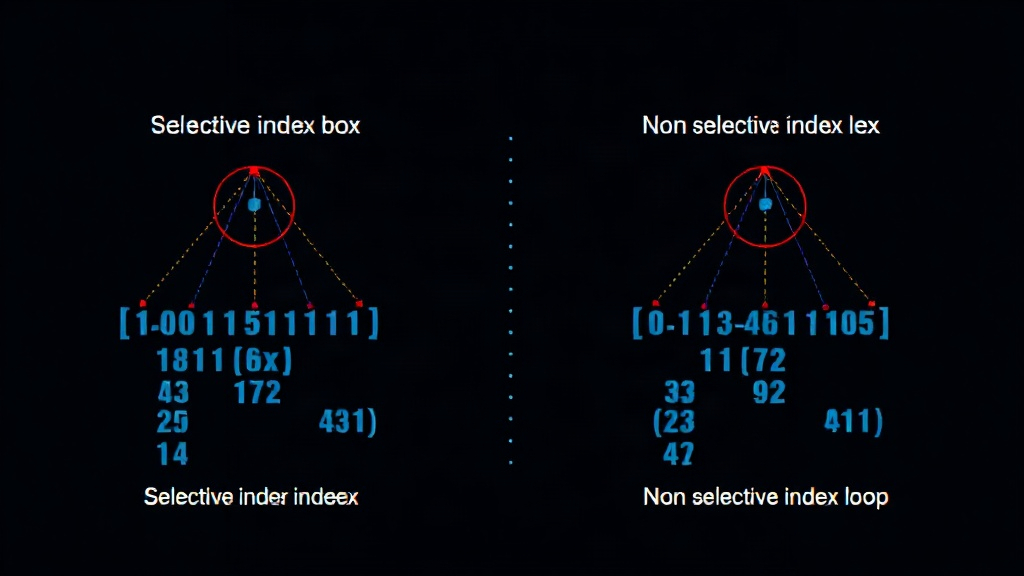
The most common reason a planner ignores an index is low selectivity. If your query condition, like status = 'shipped', matches a very large percentage of the rows in the table, scanning the entire table (a Seq Scan) might actually be faster than consulting the index. To use the index, Postgres would have to fetch the index entry for each matching row, then use the pointer to fetch the actual row from the table heap. If nearly every row matches, this involves a lot of random I/O and overhead. A sequential scan, on the other hand, reads data in a predictable, contiguous manner, which can be more efficient for large result sets, especially if the data is already in the operating system's cache.
Index Type and Predicate
Not all indexes are suitable for all queries. For example, a B-tree index is ideal for equality (=) and range (<, >, BETWEEN) queries. However, if you have a LIKE '%pattern%' query, a standard B-tree index on that column won't be used because the B-tree is ordered by the beginning of the string. For such cases, you might need a full-text search index or a trigram index (using the pg_trgm extension).
Table Statistics
The query planner relies on statistics about your data, which are gathered by the ANALYZE command (often run automatically by AUTOVACUUM). If these statistics are stale or inaccurate, the planner might make a suboptimal decision. For instance, it might believe a condition is highly selective when it's not, or vice-versa, leading it to choose a sequential scan when an index scan would have been better, or the other way around.
Index Bloat and Maintenance
Over time, indexes can become bloated, meaning they contain many dead entries or have significant free space within their pages. This can reduce their efficiency. Regular maintenance, including VACUUM FULL or REINDEX, can help reduce bloat, but these operations come with their own costs and locking implications.
Cost Model Limitations
The planner uses a cost model to estimate the expense of different operations. This model is an approximation and can sometimes be wrong. For example, it might underestimate the cost of a sequential scan or overestimate the cost of an index scan in certain scenarios, leading to a poor choice.
Strategies for Optimization
When faced with a query that ignores an index, consider the following:
- Analyze Selectivity: Use
EXPLAIN ANALYZEto understand how many rows your condition actually matches. If it's a high percentage, the index might not be the bottleneck. Consider if a partial index (indexing only a subset of rows) or a different indexing strategy is needed. - Update Statistics: Ensure your table statistics are up-to-date by running
ANALYZE your_table_name;. If you have very dynamic data, you might need to adjust autovacuum settings. - Multi-Column Indexes: If your query filters on multiple columns, create a composite index (e.g.,
CREATE INDEX idx_orders_status_date ON orders(status, order_date);). The order of columns in the index matters. - Index Types: Explore other index types like GIN, GiST, or BRIN, or extensions like
pg_trgm, if your query patterns don't suit B-trees. - Query Rewriting: Sometimes, rewriting the query itself can help the planner make better decisions. Avoid functions on indexed columns in the WHERE clause if possible (e.g.,
WHERE lower(column) = 'value'prevents index use;WHERE column = 'value'with a case-insensitive index or collation might be better). - Tune Configuration: Parameters like
random_page_costandseq_page_costinpostgresql.confcan influence the planner’s cost estimates, but tuning them requires careful consideration and understanding of your workload.
Understanding the internal workings of Postgres indexes, particularly B-trees and the factors influencing the query planner’s choices, is essential for building performant database applications. It’s not just about creating indexes; it’s about creating the right indexes and ensuring the system uses them effectively.