
Playwright Simplifies Scraping JavaScript-Heavy Websites
Many websites today render their content dynamically using JavaScript. Traditional web scraping tools like requests or httpx, which fetch only the initial HTML, often return blank pages or incomplete data when faced with these JavaScript-heavy sites or single-page applications (SPAs). This is because they cannot execute the JavaScript code that populates the page with actual content. The solution lies in using a tool that can simulate a real browser environment. Playwright, a modern, fast, and reliable browser automation library, offers precisely this capability, making it an ideal choice for scraping dynamic content.
Why Playwright?
Playwright differentiates itself from older automation tools like Selenium through several key advantages. Firstly, it is engineered for speed and efficiency. Secondly, it provides native support for multiple browser engines: Chromium (the engine behind Chrome and Edge), Firefox, and WebKit (the engine behind Safari). This cross-browser compatibility ensures that your scrapers will function consistently across different browsing environments. Furthermore, Playwright boasts native asynchronous support, which is crucial for building high-performance scraping applications that can handle many requests concurrently without blocking.
The core mechanism behind Playwright's effectiveness is its ability to control a real browser instance. When you instruct Playwright to visit a URL, it launches a browser, navigates to the page, and crucially, waits for the JavaScript to execute and the page to render fully before allowing you to interact with or extract data from it. This is fundamentally different from traditional HTTP clients, which simply download the raw HTML source without rendering it.
Getting Started with Playwright
To begin using Playwright for web scraping, you first need to install it. The library is available for Python, Node.js, Java, and .NET. For Python, the installation is straightforward:
pip install playwright
playwright install
The playwright install command downloads the necessary browser binaries (Chromium, Firefox, WebKit) that Playwright will control. Once installed, you can start writing your scraping script.
Basic Scraping with Playwright
A typical Playwright script involves launching a browser, creating a new page, navigating to a URL, and then interacting with the page's content. Here’s a simplified example in Python demonstrating how to fetch the HTML of a JavaScript-heavy page:
from playwright.sync_api import sync_playwright

with sync_playwright() as p:
    browser = p.chromium.launch()
    page = browser.new_page()
    page.goto("https://example.com") # Replace with your target URL
    html_content = page.content()
    print(html_content)
    browser.close()
In this snippet:
sync_playwright()context manager initializes Playwright.p.chromium.launch()starts an instance of the Chromium browser. You can replacechromiumwithfirefoxorwebkitif needed.browser.new_page()creates a new tab or page within the browser.page.goto(url)navigates the page to the specified URL. Playwright automatically waits for the page to load and for basic JavaScript to execute.page.content()returns the full HTML content of the rendered page.browser.close()shuts down the browser instance.
For sites that require more complex JavaScript interactions, such as clicking buttons, filling forms, or waiting for specific elements to appear, Playwright offers a rich API for these actions. You can locate elements using CSS selectors or XPath, trigger events, and set up explicit waits.
Handling Dynamic Content and Waits
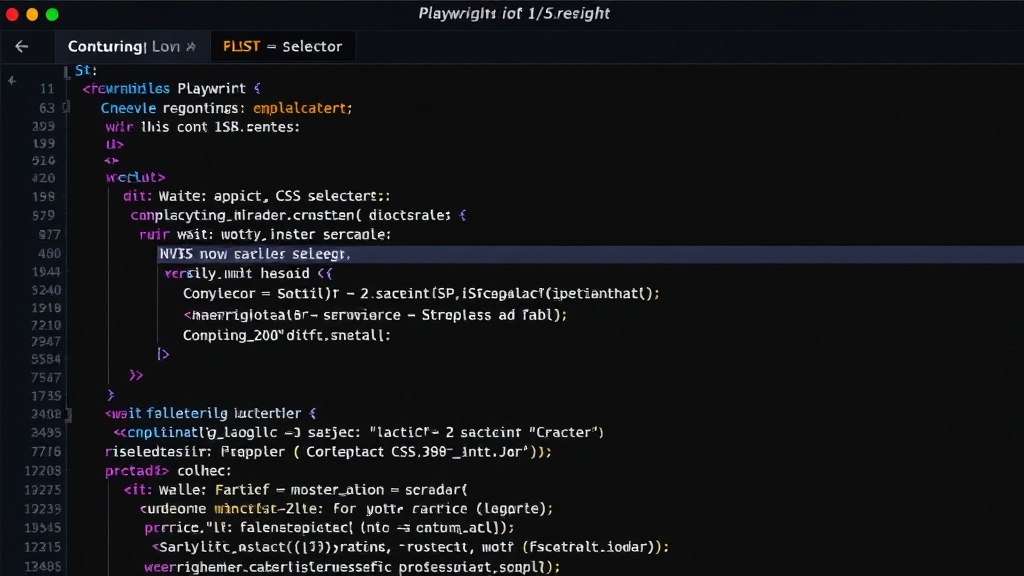
One of the most critical aspects of scraping dynamic sites is managing asynchronous operations and ensuring that the content you're trying to extract has actually loaded. Playwright provides robust waiting mechanisms. Instead of relying on fixed delays (like time.sleep()), which are brittle and inefficient, Playwright offers auto-waiting for many actions. For instance, when you try to click an element, Playwright will automatically wait for that element to become visible, enabled, and stable before performing the click. This significantly reduces the chances of encountering errors due to timing issues.
For scenarios where you need to wait for specific conditions, Playwright offers methods like:
page.wait_for_selector(selector): Waits for an element matching the selector to appear in the DOM.page.wait_for_load_state(state): Waits until the page reaches a specific load state (e.g.,'load','domcontentloaded','networkidle'). The'networkidle'state is particularly useful, as it waits until there are no network connections for at least 500ms, indicating that most dynamic content has likely loaded.page.wait_for_function(function): Waits for a JavaScript function to return a truthy value.
Consider a scenario where a product list is loaded via an AJAX call after the initial page load. You would use page.wait_for_selector('.product-item') or wait for the network to be idle before attempting to extract the product details.
Interacting with Web Elements
Beyond just fetching content, Playwright excels at simulating user interactions. You can:
- Type into input fields:
page.locator('#username').type('my_username') - Click buttons:
page.locator('.submit-button').click() - Select dropdown options:
page.locator('select#country').select_option('USA') - Handle pop-ups and modals: Playwright provides context managers for dialogs.
- Scroll pages: Simulate scrolling to load infinite scroll content.
These interactions are essential for scraping sites that require user input or navigation to reveal the desired data. The page.locator(selector) method is the modern way to target elements, providing a more robust and chained API for actions.
Headless vs. Headful Browsing
Playwright supports both headless and headful modes. Headless mode runs the browser without a visible UI, which is ideal for server-side scraping and automation tasks where visual output is not needed. This mode is faster and consumes fewer resources. Headful mode, on the other hand, launches the browser with a visible window, which is invaluable for debugging your scraping scripts. You can literally watch the browser perform the actions as your script executes, making it much easier to identify and fix issues.
To run in headful mode, simply pass headless=False to the browser launch function:
browser = p.chromium.launch(headless=False)
This visual feedback loop is a significant advantage when developing complex scrapers for challenging websites.
Advanced Techniques and Considerations
For more advanced scraping scenarios, Playwright offers features such as:
- Intercepting Network Requests: You can modify or inspect network requests and responses, which can be useful for bypassing certain anti-scraping measures or for understanding how data is loaded.
- Handling Authentication: Playwright can manage logins and sessions, allowing you to scrape data from protected areas of a website.
- Emulating Devices: You can emulate different devices, screen sizes, and network conditions, which is useful for testing responsive designs or for scraping mobile-specific content.
- Running in Parallel: Playwright's async capabilities and browser contexts allow for highly efficient parallel scraping. Each browser context can be thought of as an isolated browser session, preventing cookies and state from one task from interfering with another.
When building large-scale scraping projects, consider the ethical implications and the website’s terms of service. Respect robots.txt and avoid overwhelming the target server with too many concurrent requests. Playwright's speed, while an advantage, also means you can inadvertently cause harm if not used responsibly.
The surprising detail here is not just Playwright's capability, but its relative ease of use for such complex tasks. While tools like Puppeteer offered similar functionality, Playwright's unified API across different browsers and its robust async handling make it a more compelling choice for many developers tackling modern web scraping challenges.
Conclusion
Playwright provides a powerful and flexible solution for web scraping dynamic, JavaScript-heavy websites. Its ability to control real browsers, combined with sophisticated waiting mechanisms and interaction APIs, allows developers to extract data that would be inaccessible to traditional HTTP-based scrapers. By understanding its core features, from basic navigation to advanced network interception and parallel execution, you can build efficient and reliable scraping solutions for the modern web.