The Problem with Passwords
Passwords are a persistent security vulnerability. They leak from database breaches, are easily guessed or brute-forced, and are frequently reused across multiple services. Even with Multi-Factor Authentication (MFA), traditional methods like SMS or One-Time Passwords (OTPs) can be intercepted or spoofed, leaving users exposed.
This is where passkeys emerge as a significant advancement. Built upon the WebAuthn and FIDO2 specifications, passkeys aim to eliminate the concept of shared secrets entirely, fundamentally changing how we authenticate online.
Asymmetric Cryptography: The Foundation of Passkeys
The core innovation behind passkeys lies in the adoption of asymmetric cryptography, also known as public-key cryptography. Unlike traditional authentication, which relies on a shared secret (like a password) known by both the user and the server, passkeys use a pair of mathematically linked keys: a public key and a private key.
The private key is generated and stored securely on the user's device (e.g., smartphone, laptop, security key). It never leaves the device. The public key, conversely, is registered with the online service or website. This public key is shared openly and can be distributed widely.
When a user attempts to log in, the server uses the public key it has on record to generate a challenge. The user's device then uses the corresponding private key to sign this challenge. This signed response is sent back to the server. The server can then verify the signature using the public key. If the signature is valid, the server confirms the user's identity without ever having seen or transmitted the private key. This process eliminates the possibility of the private key being intercepted during transmission, a critical vulnerability with password-based systems.
The Authentication Flow: A Step-by-Step Breakdown
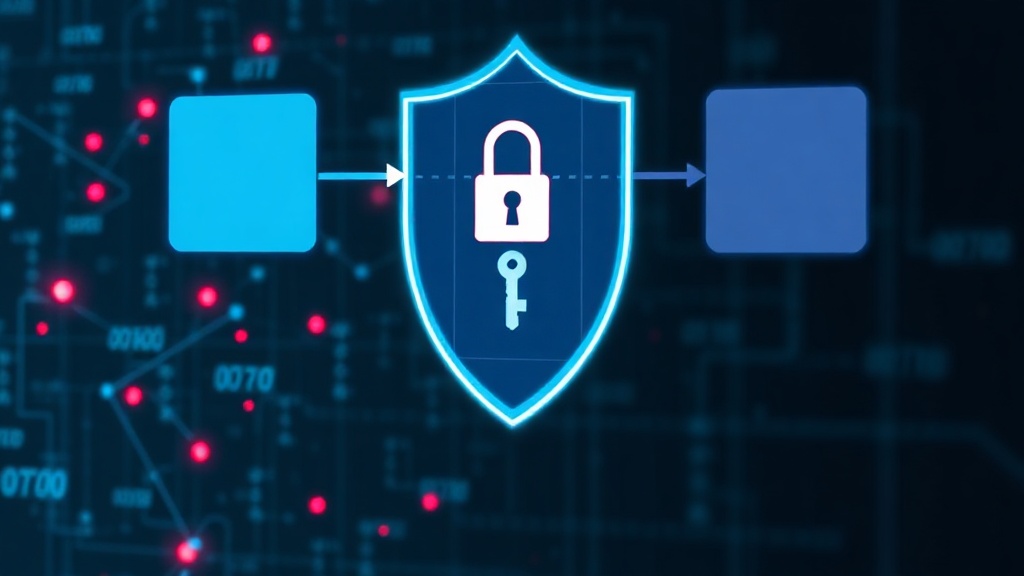
The passkey authentication process can be broken down into several key stages:
- Registration: When a user creates a passkey for a service, their device generates a new public/private key pair. The private key is stored securely on the device. The public key, along with a unique identifier for the key pair (known as a credential ID), is sent to the service provider and stored in their database, associated with the user's account.
- Login Challenge: To log in, the user initiates the process on the service's website or app. The server generates a random, time-sensitive challenge and sends it to the user's device, along with the credential ID associated with the user's account.
- Private Key Signing: The user's device receives the challenge. It uses the private key corresponding to the provided credential ID to cryptographically sign the challenge. This signing process is typically facilitated by the device's operating system or a dedicated authenticator app.
- Signature Verification: The signed challenge is sent back to the server. The server retrieves the user's public key (stored during registration) and verifies the signature using the challenge and the public key.
- Authentication Success/Failure: If the signature is valid, the server confirms the user's identity and grants access. If the signature is invalid, or if the challenge times out, authentication fails.
This entire exchange happens securely and rapidly, often without the user needing to manually enter anything beyond device authentication (like a fingerprint, face scan, or device PIN). The synchronization of passkeys across devices, managed by platform providers like Apple, Google, and Microsoft, ensures that a user can access their passkeys from any of their registered devices.
Phishing Resistance: A Fundamental Advantage
One of the most significant security benefits of passkeys is their inherent resistance to phishing attacks. Traditional phishing attacks rely on tricking users into entering their credentials on fake websites that mimic legitimate ones. Since passkeys do not involve typing a password or sharing a secret that can be intercepted, this attack vector is largely neutralized.
Consider this: a phishing website, no matter how convincing, cannot trick your device into signing a challenge with a private key it does not possess. The private key is bound to the specific domain (the website address) for which it was created. If you attempt to use a passkey generated for 'example.com' on a fake site 'examp1e.com', your device will refuse to sign the challenge because the domain doesn't match. This domain-binding mechanism is a powerful defense against credential harvesting.
Furthermore, passkeys are not susceptible to credential stuffing attacks, where attackers use stolen passwords from one breach to try and log into other services. Because there is no shared secret to steal and reuse, this common form of cyberattack becomes irrelevant.
The Role of WebAuthn and FIDO2
Passkeys are not a standalone technology but rather an implementation built upon established standards: WebAuthn (Web Authentication API) and FIDO2. WebAuthn is a web standard that allows browsers and web applications to interact with strong authentication credentials, including passkeys. FIDO2 is a broader set of protocols that enables strong, passwordless authentication.
These standards ensure interoperability across different devices, browsers, and platforms. They define the communication protocols, the cryptographic operations, and the security requirements necessary for robust authentication. By leveraging these industry-backed specifications, passkeys benefit from extensive testing, standardization, and a growing ecosystem of support.
Beyond the Device: Synchronization and Ecosystem
A critical aspect of the passkey experience is synchronization. While the private key itself never leaves the user's device, the ability to use a passkey created on one device (e.g., a phone) on another (e.g., a desktop computer) is facilitated by cloud-based synchronization services. Major platform providers like Apple (iCloud Keychain), Google (Google Password Manager), and Microsoft (Windows Hello) are integrating passkey management and synchronization into their ecosystems.
This means that once a passkey is created and registered on a device, it can be securely synced to other devices logged into the same account. When a user needs to authenticate on a different device, the passkey is available, and the authentication flow proceeds as described. This seamless experience is vital for user adoption, ensuring that users don't need to recreate passkeys for every device they own.
The Future of Authentication
Passkeys represent a significant step forward in online security and user experience. By moving away from vulnerable passwords and embracing strong, phishing-resistant cryptographic methods, passkeys offer a more secure and convenient alternative. As adoption grows and more services integrate passkey support, the era of password-based authentication may finally be drawing to a close.