
Ollama vs. LM Studio: A Tale of Two Local LLM Interfaces
The landscape of local large language model (LLM) deployment is rapidly evolving, with tools like Ollama and LM Studio emerging as frontrunners. While both platforms aim to simplify running LLMs on personal hardware, their distinct philosophies and licensing models position them for different user bases. The core decision hinges on workflow: developers prioritizing automation and server-side deployment will find Ollama superior, whereas users seeking a user-friendly desktop application and compliance-friendly licensing will lean towards LM Studio. This distinction, rather than raw performance, defines their competitive edge.
Ollama: The Developer's Command Line Companion
Ollama has firmly established itself as the go-to solution for developers and automation tasks. Its MIT open-source license is a significant draw, offering maximum flexibility for integration into custom workflows and commercial products without restrictive licensing concerns. The project's API-first approach means that interacting with Ollama programmatically is not an afterthought but a core design principle. This makes it exceptionally well-suited for scripting agents, integrating LLMs into IDEs as coding assistants, or deploying models on self-administered servers.
The recent addition of Apple MLX support, mirroring LM Studio's capabilities, ensures that performance on Apple Silicon is competitive. However, Ollama's true strength lies in its command-line interface (CLI) and HTTP API. Version 0.34.0, released on September 9, 2026, further solidified its developer-centric features, enabling seamless integration and management of models. For anyone building applications that require programmatic control over LLM inference, Ollama offers a robust, transparent, and developer-friendly environment. Its ease of scripting and clear licensing remove many common friction points encountered when embedding AI capabilities into larger systems.
LM Studio: The Polished Desktop Experience
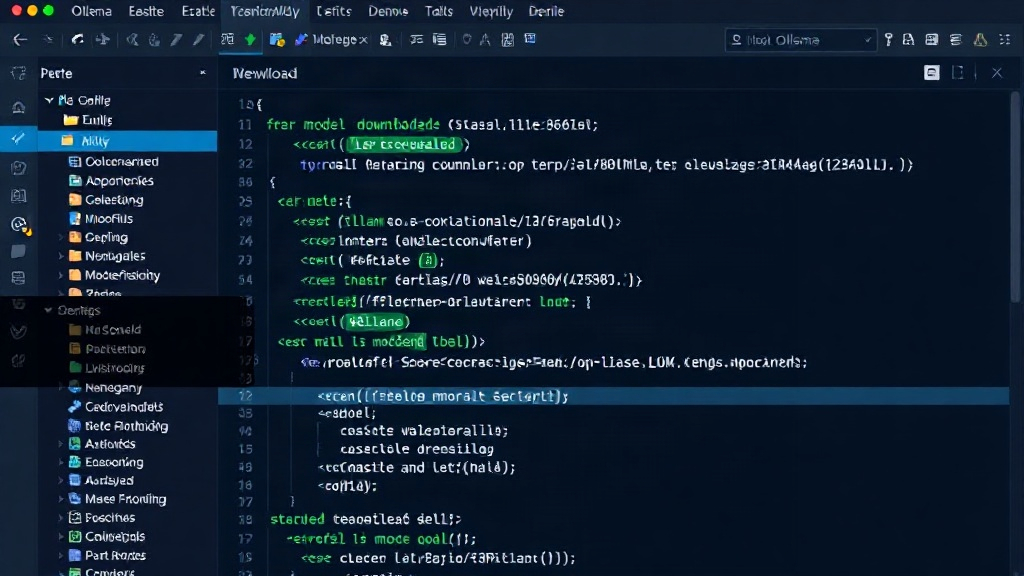
LM Studio, conversely, targets a broader audience, emphasizing a polished, user-friendly desktop application. Its model browser provides an intuitive way to discover, download, and run various LLMs, making it accessible even to non-technical users. This graphical interface simplifies the often-complex process of LLM setup, offering a curated experience that abstracts away much of the underlying technical detail.
Crucially, LM Studio has been free for both work and home use since July 2025. This licensing clarity is a significant advantage for organizations that need to satisfy compliance requirements or provide tools to a diverse workforce. While it also wraps the powerful llama.cpp inference engine and now supports Apple MLX, its primary appeal is its accessibility and ease of use. For individuals or teams who need a straightforward way to experiment with LLMs on their desktop or share LLM capabilities with less technical colleagues, LM Studio presents a compelling and compliant option. It democratizes access to LLMs by providing a clean, integrated experience that requires minimal technical expertise to operate.
Head-to-Head: Workflow, Not Speed
When comparing Ollama and LM Studio, the divergence is less about which tool is faster and more about which tool fits a specific workflow. Both leverage the highly optimized llama.cpp library at their core, and both have adopted support for accelerated inference on Apple Silicon via MLX. This means that for raw inference speed on compatible hardware, the differences are likely to be marginal and dependent on the specific model and configuration.
The real differentiator is the interface and licensing. Ollama's MIT license is a developer's dream, enabling unrestricted use and modification. Its CLI and API are designed for automation, making it ideal for CI/CD pipelines, custom agent frameworks, or backend services. Think of Ollama less like a standalone app and more like a powerful, scriptable LLM engine that you can plug into anything. LM Studio, on the other hand, is an application. It's a destination for exploring models, chatting with them, and even serving them locally through a GUI. Its licensing provides peace of mind for corporate environments, and its user-friendly interface lowers the barrier to entry for a wider range of users. If you are building an LLM-powered application, Ollama is your engine. If you are a user who wants to chat with LLMs easily and reliably, LM Studio is your vehicle.
Beyond the Core: A Look at Related Tools
The ecosystem around local LLM deployment is expanding rapidly, with tools like OpenClaude further illustrating the trade-offs users face. While this article focuses on Ollama and LM Studio, it's worth noting that other projects are addressing specific niches. OpenClaude, for instance, is a community-driven terminal agent that offers a wide array of provider routes, including direct integration with local Ollama instances. Its primary advantage is cost savings and model choice, as it allows users to leverage their existing LLM providers or local setups without additional agent fees. This highlights a broader trend: the development of specialized agents and interfaces that build upon foundational models and inference engines like those provided by llama.cpp, which both Ollama and LM Studio utilize.
The decision between Ollama and LM Studio, therefore, is not an isolated one. It sits within a spectrum of tools designed to make LLMs more accessible. For developers, Ollama's open nature and API focus are paramount. For those prioritizing a polished, out-of-the-box experience with clear licensing, LM Studio excels. The continued innovation in this space promises even more specialized tools, but for the core tasks of local LLM deployment and management, these two platforms represent the current state of the art, each with a clearly defined primary user base.