
Beyond Basic Revalidate: The Need for Advanced Caching
Server-side caching in Next.js is often reduced to a simple revalidate directive within page configurations. While useful, this basic approach is insufficient for high-traffic applications where performance and cost efficiency are paramount. The gap between a naive getServerSideProps implementation and a sophisticated, multi-layered caching strategy can be the difference between sub-second response times and a costly, slow user experience. This deep-dive explores how Next.js interacts with HTTP caching headers, how to implement custom "stale-while-revalidate" patterns, and how to architect robust cache-busting strategies for dynamic, data-intensive applications.
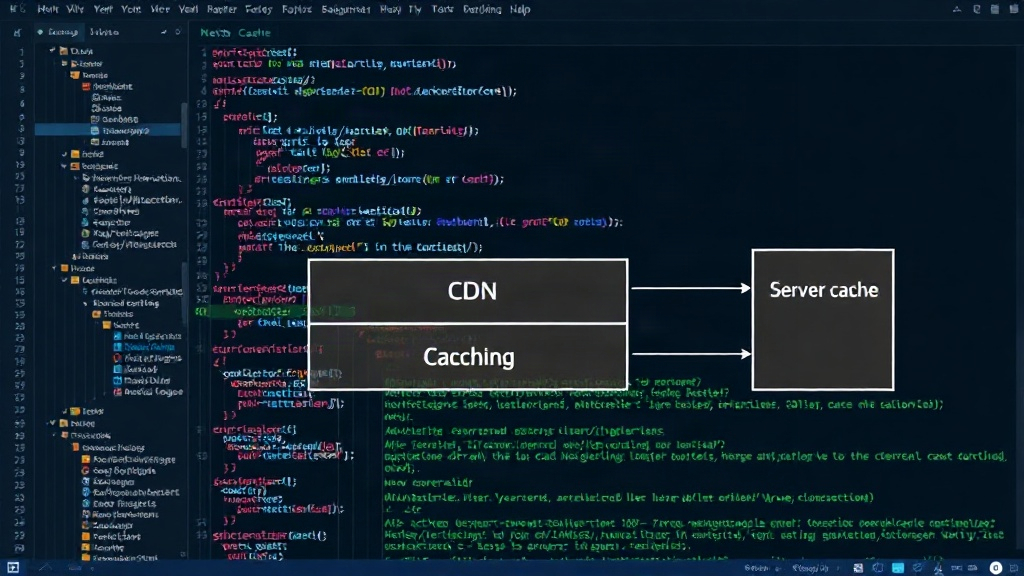
Modern web applications demand more than just static generation or basic server-side rendering with infrequent revalidation. For dynamic content that changes frequently but doesn't require real-time updates for every user, a nuanced caching approach is essential. This involves understanding the browser's cache, intermediary caches (like CDNs), and the server's own caching mechanisms. Next.js, with its focus on performance, provides primitives that, when combined with a deeper understanding of web caching principles, unlock significant performance gains.
Leveraging HTTP Caching Headers
Next.js applications, particularly those using server-side rendering (SSR) or Incremental Static Regeneration (ISR), can leverage standard HTTP caching headers to control how their responses are cached by browsers, CDNs, and other intermediaries. The key headers are Cache-Control and Vary.
The Cache-Control Header
The Cache-Control header is the primary mechanism for specifying caching policies. For Next.js, understanding its directives is crucial:
public: Allows caching by any cache, including CDNs.private: Allows caching only by the user's browser.no-cache: Forces revalidation of the cache by the origin server before serving a cached response. It doesn't mean the cache is discarded, but that it must be checked.no-store: Discards the cache entirely; no caching is allowed.max-age=<seconds>: Specifies the maximum time a resource is considered fresh. This is similar to therevalidateoption in Next.js ISR, but operates at the HTTP level.s-maxage=<seconds>: Similar tomax-agebut specifically for shared caches like CDNs.
When using getServerSideProps, you can set these headers directly. For example:
export async function getServerSideProps(context) {
  const res = await fetch('https://api.example.com/data');
  const data = await res.json();

  context.res.setHeader(
    'Cache-Control',
    'public, s-maxage=60, stale-while-revalidate=120'
  );

  return {
    props: { data },
  };
}
This example sets a 60-second s-maxage for CDNs and allows a 120-second stale-while-revalidate period. The stale-while-revalidate directive is particularly powerful, allowing the cache to serve stale content while a new version is being fetched in the background. This provides a near-instantaneous response to the user while ensuring the cache is updated efficiently.
The Vary Header
The Vary header is critical when your response depends on certain request headers, such as Accept-Encoding or Cookie. It tells caches that the response may differ based on the value of these headers, preventing incorrect caching. For instance, if your page content changes based on the user's geolocation (which might be determined by an X-Geo header), you must include Vary: X-Geo.
Implementing Custom Stale-While-Revalidate
While Next.js's ISR with revalidate and the stale-while-revalidate HTTP header directive offer built-in support, you might need a more fine-grained custom implementation, especially when dealing with complex data fetching or external caching layers.
Client-Side Caching with SWR or React Query
For data that is frequently updated and displayed within components, client-side state management libraries like SWR (which is built into Next.js for data fetching) or React Query are excellent choices. They implement their own stale-while-revalidate logic at the component level, fetching updated data in the background after an initial render.
// Example using SWR import useSWR from 'swr'; const fetcher = (url) => fetch(url).then((res) => res.json()); function Profile() { const { data, error, isLoading } = useSWR('/api/user', fetcher, { // Automatic revalidation on focus, reconnect, and interval // This effectively provides stale-while-revalidate at the client-side revalidateOnFocus: true, revalidateOnReconnect: true, refreshInterval: 5000, // Fetch every 5 seconds }); if (isLoading) returnLoading...; if (error) returnError loading profile; returnHello, {data.name}!; }This approach ensures that the UI remains responsive, showing stale data if necessary, while background fetches update the information without disrupting the user's flow. It's particularly useful for dashboards or real-time feeds.
Server-Side Custom Logic
For more complex scenarios, you might implement custom server-side caching. This could involve using external caching solutions like Redis or Memcached, integrated into your API routes or
getServerSideProps. The pattern typically looks like this:
- Check if the data exists in the cache.
- If yes, return the cached data immediately.
- If no, fetch the data from the source (e.g., database, external API).
- Store the fetched data in the cache with an appropriate TTL (Time To Live).
- Return the fetched data.
To implement a stale-while-revalidate at this level, you would modify step 2 and 3:
- Check if the data exists in the cache.
- If yes, return the cached data immediately.
- If no, or if the cached data is stale (based on a separate timestamp or flag), initiate a background fetch for new data.
- Return the currently cached (stale) data.
- Once the background fetch completes, update the cache with the new data.
This requires careful management of cache keys, TTLs, and background job execution, often facilitated by dedicated caching libraries or services.
Cache Busting Strategies
A critical aspect of any caching strategy is cache busting – the process of invalidating or updating cached assets or data when their underlying content changes. For dynamic applications, this is essential to ensure users always see the latest information.
URL Versioning and Fingerprinting
The most common method for busting static asset caches (like JavaScript, CSS, images) is URL versioning or fingerprinting. Build tools often append a hash to filenames (e.g.,
app.1a2b3c.js). When the file content changes, the hash changes, resulting in a new URL, which bypasses the old cached version.Cache Tags and Invalidation APIs
For data caching, especially with ISR or external caches, cache tags provide a more granular approach. When data is updated, you can invalidate all cache entries associated with a specific tag (e.g., tag for "user profile" or "product listing"). This requires an infrastructure that supports tagged cache invalidation, such as Redis Enterprise or specialized caching services.
Time-Based Expiration
While not strictly cache busting, setting appropriate TTLs on cached data is a form of controlled invalidation. For data that can tolerate some staleness, a fixed expiration time (e.g., 5 minutes, 1 hour) ensures that the cache is eventually refreshed. This is the core of the
revalidateoption in Next.js ISR and themax-age/s-maxageHTTP headers.Smart Cache Invalidation
The ultimate goal is smart cache invalidation: only invalidating what needs to be invalidated, when it needs to be invalidated. This often involves:
- Event-Driven Invalidation: Triggering cache invalidation based on specific events, like a database update or a user action.
- Conditional Revalidation: Only revalidating if the new data is actually different from the cached data.
- Stale-While-Revalidate: As discussed, serving stale content while updating in the background.
Architecting these systems requires careful consideration of the trade-offs between data freshness, performance, and complexity. For applications with high read volumes and less strict real-time requirements, advanced caching patterns are not just an optimization, but a necessity for scalability and cost management.
Conclusion: A Multi-Layered Approach
Effective server-side caching in Next.js is a multi-layered strategy. It begins with understanding and correctly implementing HTTP caching headers like Cache-Control and Vary. It extends to leveraging client-side libraries for dynamic data display and, where necessary, implementing custom server-side caching logic with tools like Redis. Finally, robust cache-busting strategies ensure that users always receive the most up-to-date information without sacrificing performance. By moving beyond the basic revalidate directive, developers can build highly performant, scalable, and cost-effective Next.js applications capable of handling significant traffic loads.