A Practical Full-Stack Architecture for Production Apps (React, Next.js, Node.js & Express)
Every "how to build a full-stack app" tutorial online teaches you how to build a to-do list. Almost none of them teach you what to do when that to-do list turns into a real product with real users, real auth, real edge cases, and a client asking "can we add X" every second sprint.
This is the architecture pattern we default to when building production web apps with React, Next.js, Node.js, and Express — not because it's the only way to do it, but because it scales cleanly from a 2-week MVP to a platform handling real traffic, without a rewrite in between.
The Core Decision: Where Does Next.js End and Express Begin?
This is the question that trips up most teams early on. Next.js ships with API routes out of the box, so it's tempting to build your entire backend inside pages/api (or app/api if you're on the App Router). While this works for simple projects, it quickly becomes unmanageable. You end up with a monolithic API route handler that's difficult to test, maintain, and scale. The temptation is to keep everything within Next.js for simplicity, but this leads to a tangled mess as complexity grows.
Our approach separates these concerns. Next.js handles frontend rendering, static site generation, and client-side routing. It also serves as the gateway for API requests. However, the actual business logic and data persistence are delegated to a dedicated Node.js/Express backend. Think of Next.js as the polished storefront and the Express app as the secure, efficient warehouse behind it. The storefront presents products and handles customer interactions, but the heavy lifting of inventory management and order fulfillment happens in the warehouse.
Structuring the Express Backend
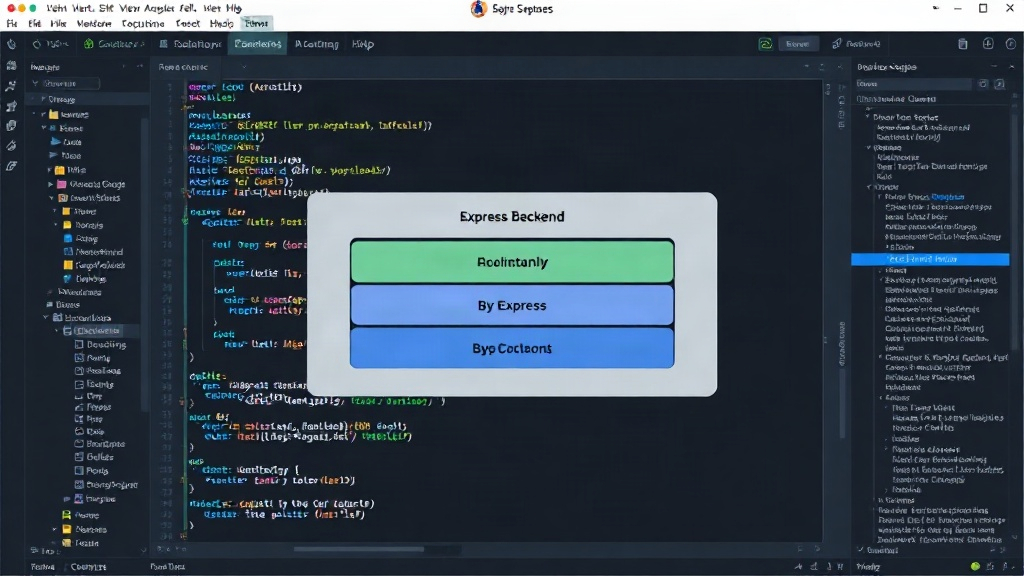
The Express backend is structured using a layered architecture. This promotes modularity, testability, and maintainability.
- Controllers: These handle incoming HTTP requests, validate input, and delegate tasks to the services layer. They are thin and primarily focused on request/response management.
- Services: This layer contains the core business logic. Services interact with the data access layer to perform operations like creating, reading, updating, and deleting data. They encapsulate complex operations and ensure consistency.
- Data Access Layer (DAL): This is responsible for interacting with the database. It abstracts away the specifics of the database technology (e.g., PostgreSQL, MongoDB) using an ORM or ODM. This allows for easier database migrations or swaps in the future.
- Middleware: Express middleware is used for cross-cutting concerns such as authentication, authorization, logging, and error handling. This keeps controllers and services clean and focused on their primary responsibilities.
We typically organize these layers into separate directories within the backend project (e.g., src/controllers, src/services, src/dal). This separation ensures that each part of the application has a single responsibility.
Connecting Next.js to Express
Next.js API routes act as a proxy to your Express backend. When a request hits a Next.js API route (e.g., /api/users), it forwards this request to the corresponding endpoint on the Express server (e.g., http://localhost:5000/users). This proxying can be achieved using libraries like axios or the built-in fetch API within Next.js API routes.
This pattern offers several advantages:
- Clear Separation of Concerns: Frontend developers can focus on the Next.js application, while backend developers work on the Express API.
- Independent Scaling: The Next.js frontend and the Express backend can be deployed and scaled independently. You can scale your API servers without affecting frontend performance, and vice-versa.
- Technology Flexibility: While this pattern uses Node.js/Express, the Express backend could theoretically be replaced with a backend built in Go, Python, or any other language, as long as it exposes a compatible API. Next.js remains agnostic to the backend language.
- Environment Management: Environment variables and configurations for the frontend and backend can be managed separately, reducing the risk of conflicts.
Authentication and Authorization
Authentication is handled by the Express backend. We typically use JWT (JSON Web Tokens) for stateless authentication. When a user logs in, the backend generates a JWT and sends it back to the client. The client stores this token (e.g., in local storage or cookies) and includes it in the `Authorization` header for subsequent requests.
Express middleware is crucial here. An authentication middleware intercepts incoming requests to protected API routes. It verifies the JWT, extracts user information, and attaches it to the request object (e.g., req.user). This ensures that only authenticated users can access protected resources.
Authorization, which determines what an authenticated user is allowed to do, is implemented within the service or controller layer of the Express backend, often leveraging the user information attached by the authentication middleware.
Database Choice and Management
The choice of database depends on the project's needs. For relational data, PostgreSQL is a robust choice. For NoSQL needs, MongoDB is often preferred. The Data Access Layer (DAL) in the Express backend abstracts the database interactions. We use libraries like Prisma or TypeORM for SQL databases, and Mongoose for MongoDB.
Migrations are critical for managing database schema changes over time. Tools like Prisma Migrate or Knex.js provide robust migration systems that allow you to evolve your database schema in a controlled and versioned manner. Running migrations should be part of the deployment process for the backend application.
Deployment Considerations
This architecture lends itself well to containerization using Docker. The Next.js frontend and the Express backend can be packaged into separate Docker images. This allows for consistent deployment across different environments (development, staging, production).
For deployment, consider using platforms like AWS, Google Cloud, or Azure. You can deploy the Next.js application using services like Vercel (optimized for Next.js), Netlify, or AWS Amplify. The Express backend can be deployed on EC2 instances, Elastic Beanstalk, Kubernetes, or serverless functions (like AWS Lambda with API Gateway, though this requires a different architectural pattern for the backend itself).
A common setup involves using a reverse proxy (like Nginx or a cloud load balancer) to route traffic. Requests to the root domain (e.g., your-app.com) would be directed to the Next.js frontend. Requests to an API subdomain (e.g., api.your-app.com) or a specific API path (e.g., your-app.com/api/*, handled by Next.js proxying) would be forwarded to the Express backend.
The Benefit: Scalability Without Rewrite
The primary advantage of this architecture is its scalability. As your application grows, you can scale the Next.js frontend and the Express backend independently. If your API becomes a bottleneck, you can add more Express instances without touching the frontend. If your frontend needs more resources, you can scale those independently.
This pattern avoids the common pitfall of building a monolithic application that becomes difficult to manage and scale. It provides a clear division of responsibilities, making it easier for teams to collaborate and for individual developers to focus on specific parts of the stack. This architecture is not about using every buzzword; it's about building robust, maintainable, and scalable applications that can evolve with user demand.