
RemControl: A New Android Banking Trojan Emerges
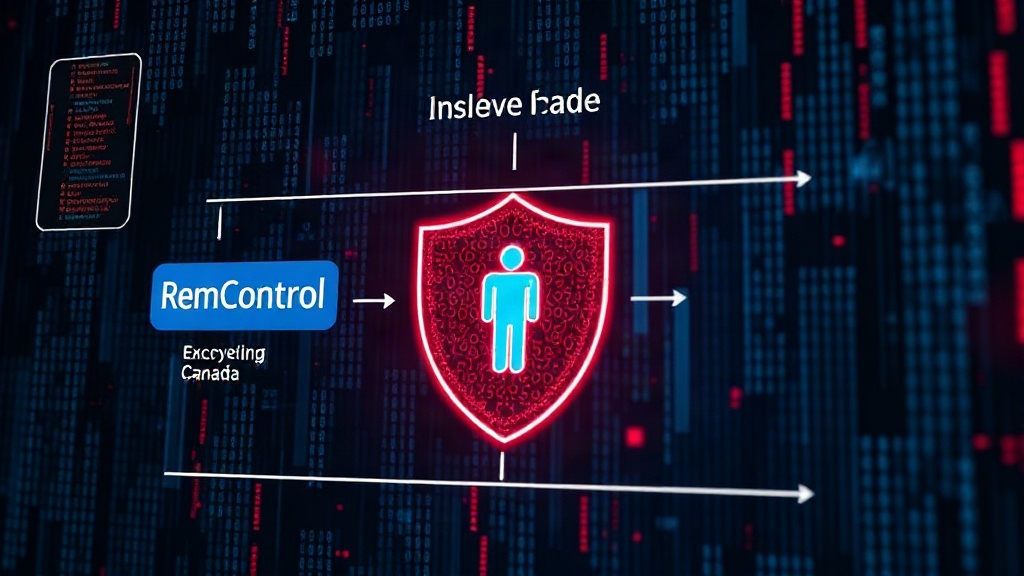
A new and concerning Android malware-as-a-service (MaaS) platform, dubbed RemControl, has surfaced, specifically targeting users in Europe and Canada. Security researchers have identified its primary distribution vector as malvertising campaigns. These campaigns cleverly impersonate a well-known and legitimate application, TVTap IPTV, to trick unsuspecting users into downloading the malicious software.
The RemControl platform operates on a MaaS model, meaning its developers offer the malware as a service to other threat actors. This lowers the barrier to entry for cybercriminals, allowing them to launch sophisticated phishing and credential-stealing operations with less technical expertise. The immediate impact of such platforms is the proliferation of advanced mobile threats that can be customized and deployed rapidly.
The primary goal of RemControl is to harvest sensitive banking information. Once installed on an Android device, it employs a range of techniques to deceive users and exfiltrate their financial data. This includes overlay attacks, where fake login screens mimicking legitimate banking applications are presented to the user, capturing their entered credentials.
Distribution Tactics: Malvertising and App Impersonation
RemControl's distribution strategy relies heavily on malvertising. This involves the use of malicious advertisements placed on websites and potentially other online platforms. These ads are designed to look like legitimate download links or promotional material for the TVTap IPTV application. When a user clicks on these ads, they are directed to download an APK file that is, in reality, the RemControl malware.
The choice to impersonate TVTap IPTV is a strategic one. IPTV applications are popular among users looking for streaming content, making it a plausible lure. By mimicking a trusted application, RemControl increases its chances of being downloaded and installed without raising immediate suspicion. The social engineering aspect is crucial here; users are conditioned to trust the appearance of the app and its associated branding.
Upon installation, RemControl does not immediately reveal its malicious nature. It often waits for a period or specific user action before initiating its credential-stealing functions. This delayed action can further obfuscate its presence, making it harder for users to correlate the installation with subsequent suspicious activity. The malware is designed to be stealthy, employing techniques to avoid detection by basic security measures on the device.
Capabilities and Functionality of RemControl
RemControl is equipped with a robust set of functionalities designed for effective banking credential theft. Its core capabilities include:
- Overlay Attacks: This is perhaps the most critical feature. RemControl displays fake login screens over legitimate banking or financial applications. When a user attempts to log in, their username, password, and other sensitive information are captured by the malware and sent to the attackers.
- SMS Interception: The malware can intercept SMS messages, which are often used for two-factor authentication (2FA) or for receiving one-time passwords (OTPs). By intercepting these messages, RemControl can bypass or compromise the user's second layer of security.
- Remote Access: As its name suggests, RemControl can provide remote access capabilities to the attackers. This could potentially allow for broader device control, though its primary focus remains financial data theft. This could include screen recording, keylogging, or initiating actions on behalf of the user.
- Information Gathering: The malware actively gathers information about the infected device and its installed applications. This helps it identify target banking apps and tailor its attacks accordingly. It may also collect device identifiers, network information, and other data that can be used for profiling or further attacks.
- Communication with C2 Servers: RemControl communicates with command-and-control (C2) servers to receive instructions, download malicious components, and exfiltrate stolen data. The security of these C2 communications is vital for the malware's operation and for the attackers' ability to manage their infected devices.
The sophistication of these features places RemControl among the more dangerous Android banking trojans currently in circulation. Its MaaS nature means that new variants and updated capabilities can emerge quickly, posing an ongoing threat.
Targeting and Geographic Focus
The current intelligence indicates that RemControl's operational focus is on users within Europe and Canada. This geographic targeting suggests that the threat actors behind RemControl have identified specific financial institutions or user demographics within these regions as prime targets. The choice of region might be based on the prevalence of certain banking apps, the perceived security awareness of users, or the ease of distributing malicious ads in those markets.
By concentrating its efforts, RemControl can optimize its attack campaigns, potentially creating more convincing fake login pages for locally popular banking applications. This tailored approach increases the likelihood of success compared to a generic, broad-spectrum attack. Users in these targeted regions should exercise extreme caution when downloading applications or clicking on online advertisements.
Mitigation and Prevention Strategies
Defending against sophisticated Android malware like RemControl requires a multi-layered approach:
- Download Apps from Official Sources: Always download applications exclusively from the Google Play Store or other trusted, reputable app stores. Avoid downloading APK files from third-party websites or through links in advertisements.
- Verify App Permissions: Pay close attention to the permissions requested by an application during installation. If an IPTV app requests access to SMS, accessibility services, or sensitive banking permissions, it is a significant red flag.
- Use Security Software: Install and maintain reputable mobile security software on your Android device. Keep it updated to ensure it can detect and block known malware threats.
- Be Wary of Ads: Exercise extreme caution with online advertisements, especially those offering free downloads of popular paid or subscription-based applications. Malvertising is a common delivery method for mobile malware.
- Enable Google Play Protect: Ensure Google Play Protect is enabled on your device. It scans apps for malicious behavior and provides an additional layer of defense.
- Keep Software Updated: Regularly update your Android operating system and all installed applications. Updates often include security patches that fix vulnerabilities exploited by malware.
The emergence of RemControl underscores the persistent and evolving threat of mobile banking malware. Its MaaS model and sophisticated distribution tactics make it a significant concern for users in its target regions.