Neleto's Block-Based Visual Editor Explained
Neleto's approach to landing page creation centers on a block-based visual editor. Developers and creators can drag and drop pre-defined sections onto a canvas, including hero units, text blocks, image galleries, calls-to-action, multi-column layouts, and embeddable content. Content and styling – such as spacing and typography – are managed through a side panel. The key differentiator here is the integrated Rust frontend; the page builder generates code that renders directly, eliminating the need for a separate frontend application or framework setup. Publishing a page means it's immediately live on the user's domain, bridging the gap between traditional drag-and-drop builders and a fully custom, developer-led headless CMS.
The platform aims to offer the best of both worlds: the ease of use of a visual editor for common tasks and the flexibility of a developer-centric backend when needed. This hybrid model is designed to accelerate content creation without sacrificing control or introducing unnecessary complexity.
AI-Assisted Landing Page Creation: A Real-World Test
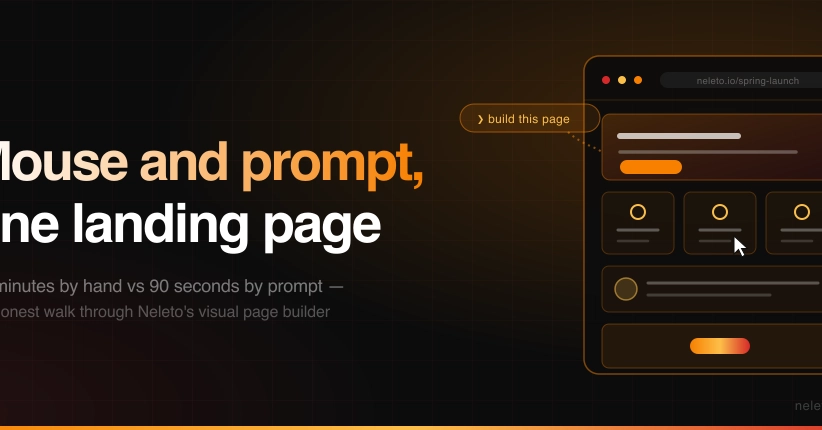
To gauge the efficacy and speed of its new page builder, Neleto conducted a direct comparison. The same landing page was built twice: once using the visual editor with manual input, and a second time by leveraging an AI, specifically Claude, through Neleto's MCP (Meta-Content-Platform) server. The objective was to document the entire process, including any unexpected friction points or inefficiencies, providing a transparent look at the AI's capabilities and limitations in a practical scenario.
The manual build involved selecting blocks, populating them with content, and adjusting layout and styling via the side panel. This process, while straightforward, requires deliberate user interaction for each element. The AI-assisted build involved crafting prompts for Claude to generate the page structure and content. The MCP server acts as the intermediary, translating AI output into Neleto's page builder format.
Performance Benchmarks: Manual vs. AI
The timed comparison revealed that the manual build, executed directly in the visual editor, was faster than the AI-assisted approach for this specific landing page. This outcome is counterintuitive, as one might expect an AI to significantly accelerate the process. However, the experiment highlighted that while the AI could generate the page's structure and content, the iterative process of refining prompts, correcting AI-generated output, and integrating it seamlessly into the visual builder added overhead. The manual build, despite requiring more direct user input, was more predictable and less prone to the back-and-forth needed to steer the AI.
This does not negate the potential of AI assistance. Instead, it underscores that the effectiveness of AI in page building is highly dependent on prompt engineering and the AI's ability to accurately interpret and implement nuanced design requests. For simpler pages, or for users less familiar with visual editors, the AI might offer a quicker start. However, for a precise, pixel-perfect result or for experienced users, the manual approach currently holds a speed advantage.
The MCP server's role is crucial here. It's designed to abstract away the complexities of integrating AI-generated content into a structured page builder. The performance bottleneck wasn't necessarily the MCP server itself, but the prompt-to-render cycle when relying on AI for intricate design elements or specific content nuances. The experiment logged the exact time spent on prompt writing, AI response processing, and manual adjustments, providing a granular breakdown of where time was saved and where it was lost.
The Nuances of AI in Content Creation
What the walkthrough implicitly raises is the question of prompt sophistication required for AI-driven design. Generating boilerplate content is one thing; achieving specific aesthetic choices, brand voice consistency, and functional element placement through prompts alone is another. The AI's output for the landing page, while functional, may have required more manual tweaking than a developer would typically spend if building it directly. This suggests that AI in page building is currently best positioned as an accelerator for initial drafts or repetitive content blocks, rather than a complete replacement for human design oversight.
The implication for developers and creators is clear: understand the strengths and weaknesses of AI tools. Leverage them for speed and idea generation, but be prepared to refine and direct the output. Neleto's platform acknowledges this by offering both paths, allowing users to choose the method that best suits their needs and skill level for any given task. The goal is not to force AI adoption but to provide a more efficient workflow, whether that's through direct visual manipulation or AI augmentation.
Future of Neleto's Page Builder
Neleto plans to continue refining the AI integration, focusing on improving prompt interpretation and reducing the iteration time required for AI-assisted builds. Future updates will likely aim to make the AI more context-aware, understanding design constraints and user preferences with greater accuracy. The ambition is to reach a point where the AI-assisted workflow is not only as fast as the manual one but offers a more compelling value proposition in terms of creative assistance and time savings. For now, the dual approach provides flexibility, allowing users to decide whether to mouse or prompt their way to a live landing page.