Ubiquitous Watermarking in Windows Image Tools
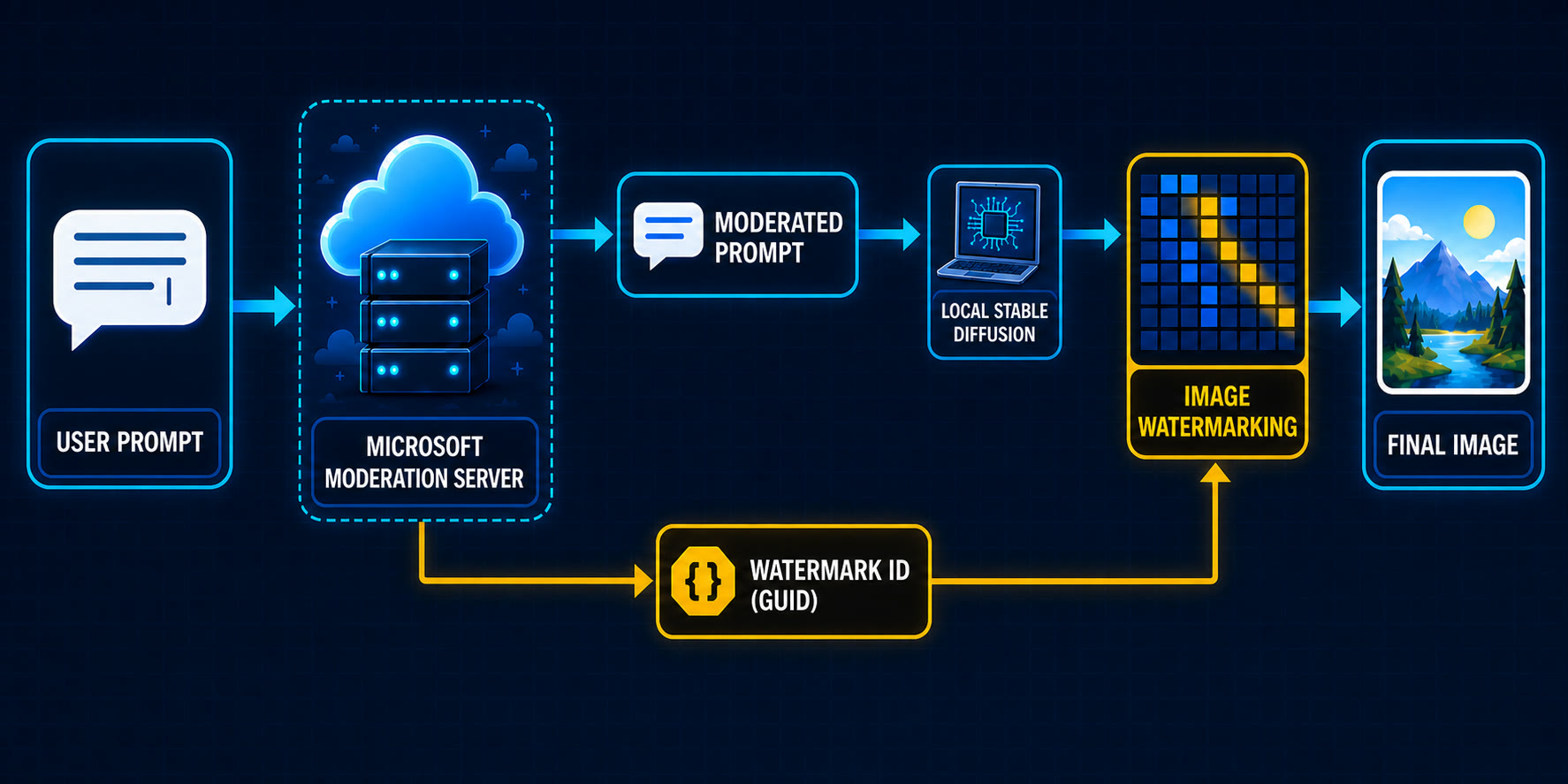
A recent discovery reveals that both Microsoft Paint and the Photos app in Windows embed a hidden, invisible watermark into every image file saved locally. This watermark is not a visible overlay but a specific byte sequence within the image metadata that contains a Globally Unique Identifier (GUID). This means that every image you create or edit using these standard Windows applications will carry a unique digital fingerprint, tied to the specific instance of the software and potentially the user's system, even if the image has never been uploaded or shared online.
The implications of this are significant. While the intention behind such a feature is not explicitly stated by Microsoft, it raises immediate concerns about user privacy and the potential for tracking. The GUID acts like a serial number for the image file, generated at the moment of saving. This GUID is appended to the file's metadata, often in a location that standard image viewers might overlook but is accessible to deeper analysis. The discovery was made by reverse-engineering the applications, highlighting the transparency gap in how common operating system tools handle user data.
Unlike traditional watermarks that are visible, this embedded GUID is designed to be unseen by the casual observer. It doesn't alter the visual content of the image in any way. However, its presence means that any image saved from Paint or Photos can be traced back, at least to the point of its creation or last save within that specific Windows environment. This could potentially allow for the tracking of image dissemination, even if the user believes the image remains private on their local machine.
Technical Details of the Embedded Watermark
The watermark is implemented by appending a specific chunk of data to the image file's metadata. For JPEG files, this often involves the creation of a new APP marker segment or modification of existing ones. The core of the watermark is a GUID, a 128-bit number used to identify information in computer systems. Each time an image is saved using these applications, a new GUID is generated and embedded. This GUID is not static; it's unique to each save operation, meaning that re-saving an image can change its watermark.
The exact implementation details can vary slightly between versions of Windows and the specific application (Paint vs. Photos). However, the consistent pattern observed is the addition of this unique identifier. This discovery challenges the notion of local, private image creation. Users might assume that an image saved to their desktop is free from any external tracking or identification beyond what they themselves add. This hidden watermark complicates that assumption.
The technical analysis involved dissecting the output files using hex editors and specialized metadata analysis tools. By comparing images saved under different conditions and with different application versions, researchers were able to isolate the specific byte sequences that constituted the watermark and confirm the presence of a GUID. The GUID's structure is standard, but its inclusion as a default, unprompted feature is what makes it noteworthy.
Privacy and Security Implications
The primary concern arising from this discovery is privacy. If every image generated or edited locally carries a unique identifier, it opens the door to potential tracking. While Microsoft has not outlined a specific use case for this feature, one can speculate on its utility for forensic analysis or, more controversially, for monitoring. Imagine a scenario where images of sensitive documents or private events are created on a Windows machine; even if never shared, the existence of a traceable GUID could be problematic.
Security professionals are also examining this feature. Could this watermark be exploited by malicious actors? While it's unlikely to be a direct vector for malware, it could be used for covert information gathering. For instance, if a user is forced to save a specific image, the embedded GUID could later be used to identify that image as originating from a particular system or user, even if other identifying metadata has been stripped.
The lack of user consent or even awareness is a critical point. Most users are unaware that their locally saved images are being subtly altered with unique identifiers. This deviates from the principle of user control over their data. Unlike opting into cloud-based services that might collect telemetry, this watermark is applied to files on the user's own machine without explicit permission or notification.
What This Means for Users and Developers
For end-users, the immediate takeaway is that images saved from MS Paint or Photos are not entirely anonymous, even when kept private. If absolute anonymity is a requirement, users would need to employ third-party image editing software that does not embed such identifiers or take steps to strip the metadata before sharing. However, stripping metadata can be a complex process, and it's not always guaranteed that all traces of the watermark can be removed, especially if it's embedded in a non-standard way.
Developers building applications that handle image data should be aware of this behavior. If their applications rely on image metadata for analysis or identification, they need to account for the potential presence of these GUIDs. Furthermore, if they are developing tools that require truly anonymous image generation, they must ensure their chosen libraries or methods do not replicate this behavior. The discovery also highlights the importance of scrutinizing the default behaviors of operating system components, as they can have far-reaching implications that are not immediately apparent.
The broader question this raises is about the increasing integration of identification and tracking mechanisms into fundamental OS tools. As AI models become more capable of generating and manipulating images, the ability to trace their origin, even locally, could become a critical feature for provenance and authenticity. However, without transparency and user control, such features lean towards surveillance rather than utility.