The Problem: Scattered Course Materials
Managing educational content often leads to disorganization. Planning notes might reside in one repository, marketing copy in another, and facilitator run-sheets yet elsewhere. This fragmentation means each new course begins with a blank slate, forcing creators to reinvent the folder layout and structure every time. This lack of standardization wastes time and increases the cognitive load for anyone involved in course development.
The author of this convention experienced this firsthand, with training materials scattered across multiple repositories. This made it difficult to maintain consistency, track progress, and onboard new team members. The core issue was the absence of a unified system for organizing the entire lifecycle of a course, from initial planning to post-training analysis.
The Solution: A Lifecycle Monorepo Convention
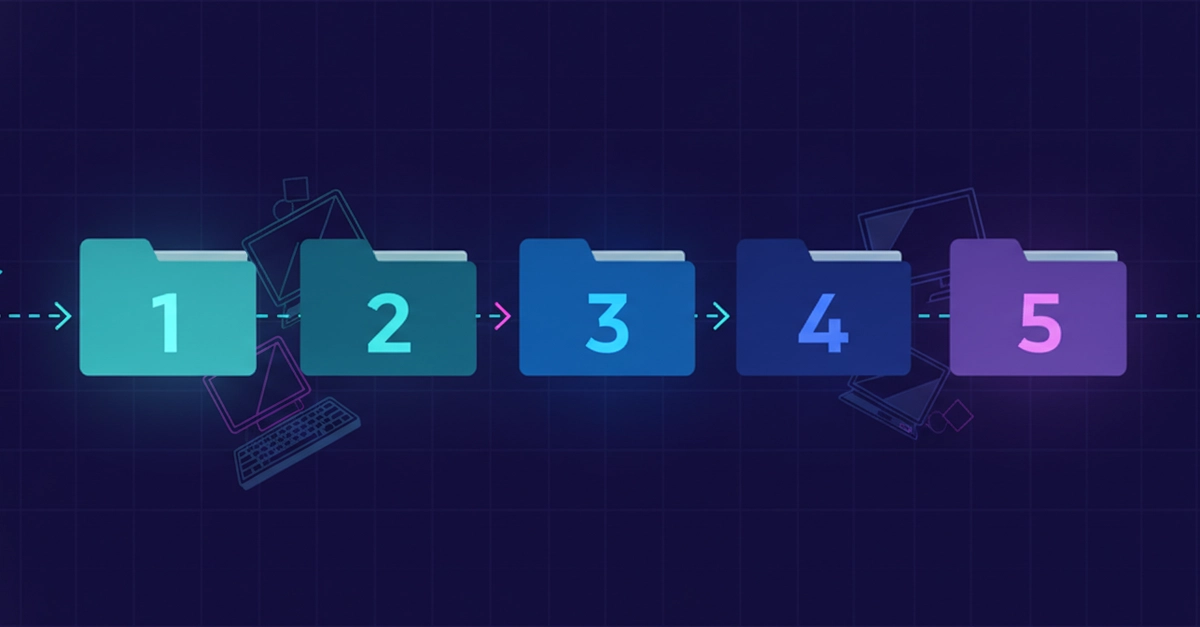
The proposed solution is to consolidate all course-related materials into a single monorepo. The key to this approach is enforcing a strict, identical folder structure for every course. This convention treats the course development process as a lifecycle, with each stage represented by a numbered folder. The standard shape is as follows:
00-planning: Initial conceptualization, audience analysis, learning objectives.01-curriculum: Detailed course outlines, module breakdown, content strategy.02-content-creation: Drafts of slides, scripts, exercises, assessments.03-production: Finalized materials, video editing, graphic design assets.04-post-training: Feedback analysis, performance metrics, iteration plans.
This consistent structure acts as a predictable map for all course-related work. It ensures that regardless of the course topic or complexity, the organizational framework remains the same, fostering familiarity and efficiency.
Essential Supporting Structures
Beyond the core lifecycle folders, the convention includes two crucial utility folders and a metadata file:
_TEMPLATE/: This special folder serves as a blueprint for new courses. When starting a new course, the contents of_TEMPLATE/are copied to create the initial structure for the new course's numbered folders. This ensures immediate adherence to the convention from the outset._ARCHIVED/: For older courses or materials that are no longer actively in development but need to be retained for reference, the_ARCHIVED/folder provides a designated space. This keeps the active course directories clean and focused on current work.CLAUDE.md: This file is designed to be machine-readable and human-readable documentation of the convention itself. It acts as an authoritative reference, explaining the purpose of each folder and the rules of the convention. This makes the system transparent and easy to understand for anyone joining the project or needing a refresher.
The inclusion of a template folder is critical for onboarding and consistency. It’s like having a pre-built IKEA flat-pack for your course structure; you just copy it and start assembling the specific pieces for your new piece of furniture (the course). The CLAUDE.md file serves as the instruction manual, ensuring everyone understands how to use the template and the overall system.
The 'Done' Trick: Grep for Nothing
A clever mechanism for verifying completion is integrated into the convention. The trick is to use templates that contain placeholder text, often denoted by <angle-bracket-slots>. These are visual cues indicating where specific content needs to be inserted. When a course is considered "done" or ready for review, a simple grep command can be used to search for any remaining angle-bracket placeholders across the relevant course directories.
If the grep command returns no results, it signifies that all placeholders have been filled, and the content is complete according to the defined structure. This provides an objective and automated way to check for completeness, reducing ambiguity and manual oversight. It transforms the abstract idea of "completion" into a verifiable state within the file system.
Benefits of the Convention
Adopting this lifecycle monorepo convention offers several advantages:
- Consistency: Every course adheres to the same organizational structure, making it easier to navigate and manage.
- Efficiency: The use of templates and a standardized shape reduces the time spent on setup and organization for new courses.
- Discoverability: Knowing where to find specific types of information (planning, content, feedback) within any course directory significantly improves information retrieval.
- Onboarding: New team members can quickly understand the project structure and where to contribute.
- Maintainability: A clear lifecycle and standardized layout simplify ongoing maintenance and updates.
- Measurability: The
greptrick provides an objective measure of content completion.
This convention transforms course development from a potentially chaotic, ad-hoc process into a streamlined, predictable workflow. By standardizing the folder shape and incorporating smart checks for completion, creators can focus more on developing high-quality educational content and less on wrestling with file organization.
The "So What?" Perspective
Developers can adopt this convention to structure course-related code, documentation, and assets within a monorepo. Utilizing the `_TEMPLATE/` folder and the `<angle-bracket-slots>` placeholder system with `grep` for completion checks can streamline development workflows and ensure consistency across multiple course projects.
This convention does not directly address security vulnerabilities or threat models. Its focus is purely on organizational structure for course materials within a development environment.
Founders can implement this convention to bring order to educational content creation, potentially reducing development time and improving team collaboration. Standardized workflows can lead to more predictable project timelines and easier scaling of content production.
Creators and educators will benefit from a clear, standardized structure for all course materials. The template system and automated completion checks simplify the organization of planning, content, and feedback, allowing more focus on instructional design and delivery.
While not directly data-centric, this convention can help organize datasets related to course development, such as user feedback logs or performance metrics, within the `04-post-training` folder. Standardized placement aids in data collection and analysis for course improvement.
Sources synthesised
- 12% Match