Introduction: The Virtualization Landscape in Proxmox
As an IT administrator, you've seen countless technological trends come and go. From the promise of all-encompassing cloud solutions to the hype around AI handling every task, one constant remains: virtualization is the bedrock of modern IT infrastructure. For many, Proxmox Virtual Environment (Proxmox VE) stands out as a premier open-source platform for both homelabs and production environments. Yet, a persistent question arises: should you opt for Linux Containers (LXC) or Kernel-based Virtual Machines (KVM)? The answer isn't a simple declaration of one being universally better; it hinges on understanding their fundamental differences, advantages, disadvantages, and, crucially, your specific use case.
Understanding the Core Technologies: LXC vs. KVM
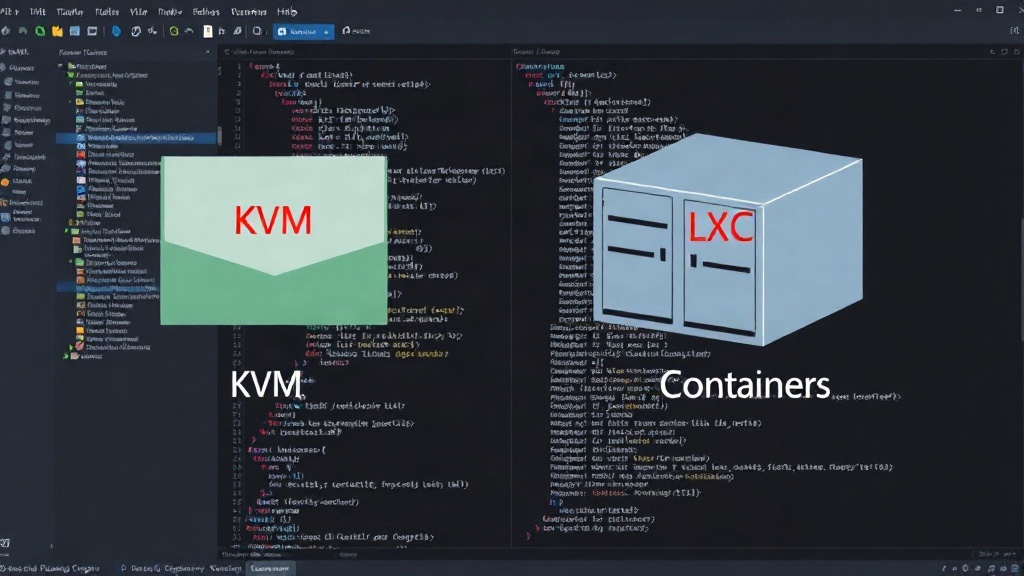
At their heart, LXC and KVM represent distinct approaches to virtualization. KVM is a full hardware virtualization solution. It allows you to run multiple, isolated virtual machines (VMs) on a single physical host. Each VM has its own virtual hardware, including CPU, memory, storage, and network interfaces. This isolation means each VM can run a completely different operating system, be it Linux, Windows, or another Unix-like system. KVM leverages hardware extensions (Intel VT-x or AMD-V) for efficient virtualization, making it a robust choice for demanding workloads that require full OS control and hardware access.
LXC, on the other hand, is a containerization technology. Unlike VMs, containers share the host system's operating system kernel. Instead of virtualizing hardware, LXC virtualizes the operating system, providing an isolated environment for applications and their dependencies. This means LXC containers are inherently Linux-based. They offer a lighter-weight alternative to VMs, with faster startup times and lower resource overhead because they don't need to boot an entire separate OS. Think of it less like running a whole new computer inside your computer, and more like running multiple distinct, sandboxed processes on your existing operating system.
Key Differences and Their Implications
The fundamental distinction between KVM and LXC leads to several critical differences in performance, resource utilization, isolation, and flexibility:
Performance and Resource Overhead
LXC containers generally offer superior performance and lower resource overhead compared to KVM VMs. Because they share the host kernel, there's no need to emulate hardware or boot a full OS for each container. This translates to faster application startup times, significantly reduced RAM consumption, and higher density – meaning you can run more containers on a given hardware set than VMs. KVM VMs, while more resource-intensive, provide dedicated virtual hardware, which can be beneficial for applications that need direct hardware access or predictable performance characteristics without contention from other VMs sharing the same kernel.
Isolation and Security
KVM VMs provide a higher level of isolation. Each VM operates with its own kernel and virtual hardware, creating a strong security boundary. A compromise within one VM is less likely to affect the host or other VMs. LXC containers, while offering good process-level isolation, share the host kernel. This means a severe kernel vulnerability on the host could potentially impact all containers. For applications requiring strict security or running untrusted code, KVM's robust isolation is often preferred. However, for trusted applications within a controlled environment, LXC's isolation is generally sufficient and offers a more efficient deployment model.
Flexibility and Operating System Support
KVM's primary advantage is its flexibility. It can run virtually any operating system that supports the underlying architecture (x86_64, ARM, etc.), including various Linux distributions, Windows, and BSD variants. This makes KVM ideal for mixed-OS environments or when you need to run applications that are incompatible with the host OS or require specific OS features. LXC containers are, by nature, tied to the host's Linux kernel. You can run different Linux distributions within containers, but they all rely on the same underlying kernel version and features. This limits LXC's applicability for non-Linux workloads or scenarios requiring specific kernel versions unavailable on the host.
When to Choose LXC in Proxmox
LXC is an excellent choice for several scenarios:
- Running multiple instances of the same Linux distribution: If you need to deploy many similar Linux environments for web servers, databases, or development/testing, LXC offers a highly efficient solution.
- Application-level isolation: For isolating services and applications that are all Linux-based, LXC provides sufficient security and performance with minimal overhead.
- Resource-constrained environments: When hardware resources are limited, LXC allows for higher VM density, making better use of your existing hardware.
- Fast deployment and startup: If your workflow requires rapid provisioning and tearing down of environments, LXC's near-instantaneous startup times are a significant advantage.
For example, if you're hosting multiple WordPress sites on a single Proxmox server, running each site in its own LXC container (with its web server, PHP, and database) would be far more resource-efficient than running each in a full KVM VM.
When to Choose KVM in Proxmox
KVM is the better option when:
- Running non-Linux operating systems: This is the most straightforward use case for KVM. If you need to run Windows, BSD, or other OSs, KVM is your only option within Proxmox.
- Maximum isolation and security are paramount: For critical applications, multi-tenant environments where tenants are untrusted, or when running security-sensitive workloads, KVM's hardware-level isolation is superior.
- Applications require specific kernel versions or modules: If your application depends on a particular Linux kernel version, custom modules, or specific hardware features not exposed to containers, KVM is necessary.
- You need full control over the operating system environment: KVM VMs offer a complete OS environment, allowing for deep customization, kernel tuning, and the installation of any software without regard for the host's OS.
Consider a scenario where you need to run a legacy Windows application alongside your Linux services. A KVM VM is the only viable solution within Proxmox to host that Windows application, providing it with its own virtualized hardware and operating system.
Proxmox VE Integration: A Unified Management Experience
One of Proxmox VE's strengths is its unified interface for managing both KVM VMs and LXC containers. Whether you're creating a new VM, cloning an existing one, managing storage, or configuring networks, the Proxmox VE web interface provides a consistent experience. This abstraction layer means you don't need to learn entirely separate tools for each virtualization type. You can manage your entire virtualized infrastructure from a single pane of glass, simplifying operations and reducing the learning curve.
The Ultimate Decision: It Depends
The choice between LXC and KVM in Proxmox is not about which technology is inherently superior, but which one best fits your specific requirements. For efficiency, speed, and density with Linux-based workloads, LXC is often the winner. For maximum isolation, flexibility, and the ability to run non-Linux operating systems, KVM is the clear choice. By understanding the trade-offs in performance, security, and flexibility, you can make an informed decision that optimizes your Proxmox environment for your unique needs.