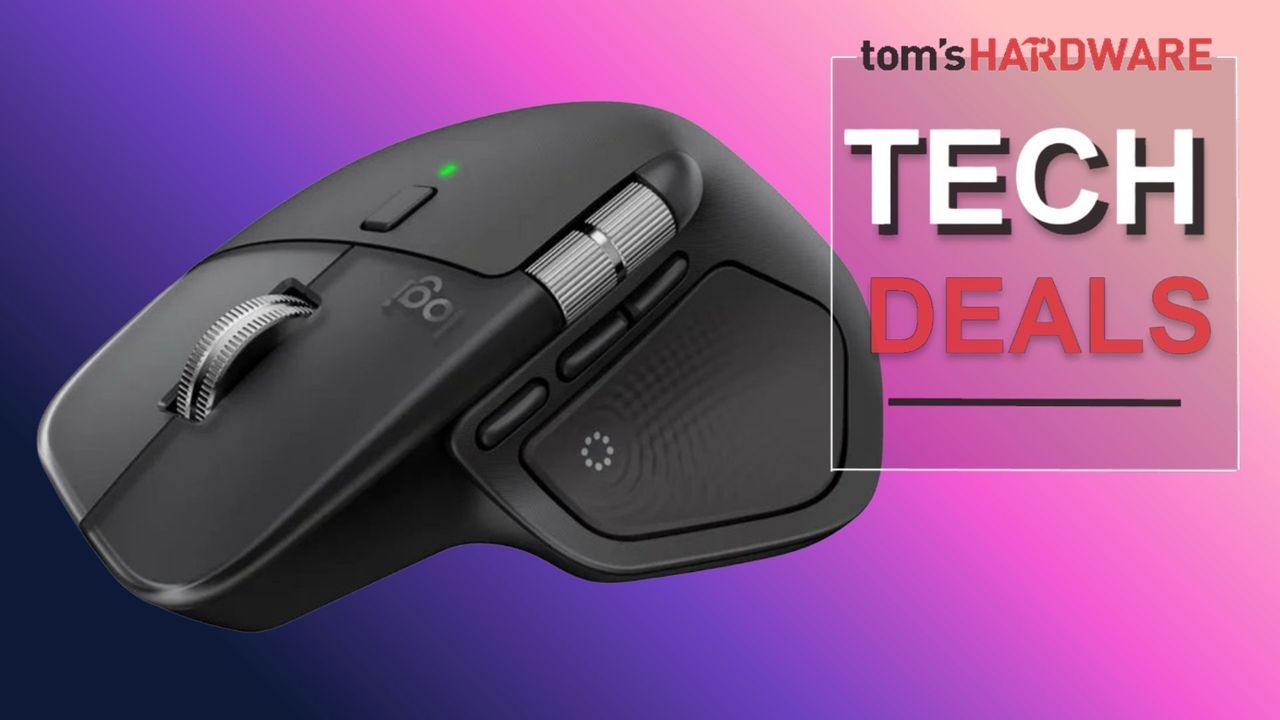
Logitech MX Master 4: A Productivity Powerhouse on Sale
Logitech's MX Master series has long been the benchmark for productivity-focused mice, and the MX Master 4 continues this legacy. For a limited time, Lenovo is offering this premium peripheral for just $102, a notable reduction from its typical retail price, when you apply specific e-coupon codes at checkout. This deal presents an excellent opportunity for professionals, creatives, and power users to upgrade their workstation with a tool designed to enhance efficiency and comfort.
The MX Master 4 is engineered for those who spend hours at their computer. Its ergonomic design contours to the hand, reducing strain during extended use. Beyond comfort, the mouse boasts advanced features that streamline workflows. The standout is its electromagnetic 'MagSpeed' scroll wheel, which can switch between precise, line-by-line ratcheting and hyper-fast scrolling. This allows users to navigate long documents or codebases with unprecedented speed and accuracy. The wheel's ability to shift modes automatically based on the scrolling speed is a subtle yet impactful innovation.
Key Features for Enhanced Workflow
The MX Master 4 isn't just about a great scroll wheel. It incorporates several features aimed at boosting productivity. The thumb wheel allows for horizontal scrolling, invaluable for wide spreadsheets, timelines, or large images. Customization is also central to the MX Master experience. Through Logitech's Logi Options+ software, users can reassign nearly every button to perform specific functions or macros tailored to individual applications. This means you can set up shortcuts for your most-used software, whether it's Adobe Creative Suite, Microsoft Office, or your favorite IDE.
Another significant upgrade over previous generations is the inclusion of haptic feedback. While not as pronounced as a gaming mouse's rumble, the subtle vibrations within the MX Master 4 provide tactile confirmation for specific actions, such as entering a specific mode or executing a custom function. This feedback loop can enhance user confidence and reduce errors, especially when working at speed.
Connectivity is handled via Bluetooth Low Energy or Logitech's Bolt USB receiver, ensuring a stable and low-latency connection. The mouse supports multi-device pairing, allowing users to seamlessly switch between up to three different computers with a press of a button on the underside. This is a critical feature for users who manage multiple machines or operate in a mixed-OS environment.
The Deal Dynamics: Lenovo's Coupon Strategy
The current pricing of $102 at Lenovo is achieved by stacking two distinct e-coupon codes. This method of discount, while requiring a few extra steps at checkout, significantly lowers the entry price for one of the most capable productivity mice on the market. Potential buyers should verify the current availability and validity of these codes on Lenovo's website. This specific sale highlights how retailers leverage coupon stacking to drive sales and attract deal-seeking consumers.
The MX Master 4's sensor offers high precision tracking up to 4000 DPI, ensuring smooth cursor movement on virtually any surface, including glass. While some might argue that such high DPI is overkill for standard productivity tasks, it provides ample headroom for users who require granular control, such as graphic designers or video editors. The 8000 DPI sensor on the newer MX Master 3S is available, but the 4000 DPI on the MX Master 4 is more than sufficient for most users and is now at a compelling price point.
Ergonomics and Sustainability
Logitech has also made strides in sustainability with the MX Master 4. The mouse is constructed using post-consumer recycled plastics, with up to 91% of the plastic in the Graphite model being recycled. This commitment to eco-friendly materials does not compromise the build quality or premium feel of the device. The battery life is also exceptional, with a full charge lasting up to 70 days, and a quick one-minute charge providing up to three hours of use via USB-C.
The ergonomic sculpted shape is designed to support the palm and thumb, promoting a natural hand posture. This is crucial for preventing repetitive strain injuries (RSIs) like carpal tunnel syndrome, which can arise from prolonged, awkward hand positions. The textured grip surfaces ensure the mouse remains secure in the hand, even during rapid movements.
Who Benefits Most from the MX Master 4?
This mouse is ideal for a broad spectrum of professionals. Developers will appreciate the customizable buttons for coding shortcuts and the hyper-fast scroll wheel for navigating extensive codebases. Designers and video editors can leverage the thumb wheel for timeline scrubbing and precise adjustments, alongside the high-resolution sensor. Office workers managing large datasets or multiple documents will find the seamless multi-device switching and ergonomic design a significant comfort and efficiency upgrade. Even content creators can benefit from the programmable buttons for streamlined editing workflows.
The inclusion of haptic feedback, while subtle, adds a layer of interaction that can make using the mouse feel more responsive and engaging. It's a feature that, once experienced, many users find hard to live without. The combination of advanced ergonomics, deep customization, and efficient navigation tools makes the MX Master 4 a compelling choice for anyone looking to optimize their digital workspace. The current Lenovo deal, requiring the use of e-coupons, makes this high-performance peripheral more accessible than ever.