
The Need for Web-Aware LLM Agents
Large Language Models (LLMs) are powerful tools for understanding and generating text. However, their knowledge is often static, confined to the data they were trained on. To perform real-world tasks that require up-to-date information or interaction with dynamic online services, LLM agents need the ability to browse the web. This capability transforms them from sophisticated chatbots into active participants in the digital ecosystem, capable of research, data retrieval, and even complex online workflows.
Traditionally, equipping an LLM with web browsing capabilities involved complex tool integration, often requiring custom code to parse HTML, extract relevant information, and interact with web elements. This process was cumbersome and prone to errors, limiting the practical applications of LLM agents. The advent of more sophisticated agent frameworks, however, is simplifying this integration, making it more accessible for developers to build agents that can effectively leverage the internet.
Leveraging OpenAI Agents SDK and Playwright
The OpenAI Agents SDK provides a framework for building agentic systems, allowing developers to define tools that agents can use. Playwright, a robust browser automation library, is an ideal candidate for providing these web browsing tools. Playwright enables programmatic control over web browsers, allowing agents to open pages, fill forms, click buttons, and extract content with high fidelity.
Combining these two technologies allows for the creation of agents that can autonomously perform tasks such as online research, price comparison, form submission, and content aggregation. The process involves defining custom tools within the OpenAI Agents SDK that wrap Playwright functionalities. When an agent needs to access the web, it calls these tools, which then execute the specified browser actions using Playwright.
Building a Browser-Use Agent: A Technical Overview
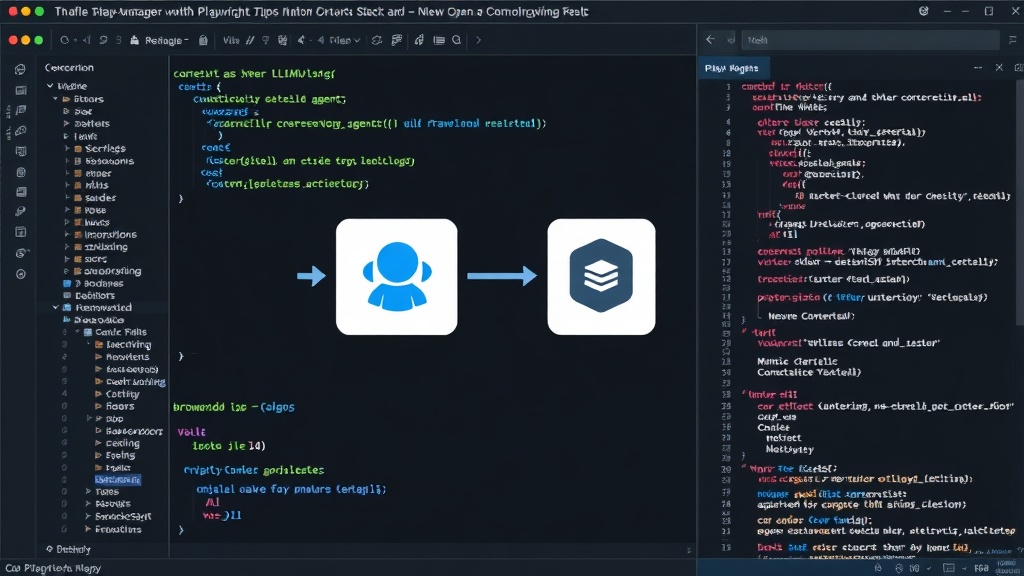
The core idea is to expose Playwright's capabilities as tools that the LLM agent can invoke. This typically involves creating a Python class that inherits from the `AgentTool` or a similar abstract base class provided by the SDK. Within this class, methods are defined that correspond to specific browser actions.
For instance, a `browse_url` tool could take a URL as an argument, use Playwright to navigate to that URL, and then return the page's content. A more sophisticated tool, `get_element_text`, might accept a CSS selector and a URL, navigate to the URL, find the element matching the selector, and return its text content. Similarly, tools for clicking elements, filling input fields, or even taking screenshots can be implemented.
The LLM agent, when presented with a task requiring web access, will reason about its available tools and decide which ones to use. It might first decide to browse a specific URL, then extract certain information, and perhaps even perform a search query on a search engine. The SDK handles the orchestration, passing the agent's chosen tool and its arguments to the tool's execution logic, and then feeding the tool's output back to the agent for further reasoning.
Key Components and Implementation Details
Browser Automation Library: Playwright is chosen for its cross-browser support (Chromium, Firefox, WebKit), its ability to run in headless mode (without a visible browser window), and its robust API for interacting with web pages. This makes it suitable for automated, background tasks.
Agent Framework: The OpenAI Agents SDK (or similar frameworks like LangChain Agents) provides the overarching structure for defining agents, their memory, their reasoning capabilities, and the tools they can access. It handles the prompt engineering and the loop of thought, action, observation.
Tool Definition: Developers must carefully define the input and output schemas for each tool. This is crucial for the LLM to understand how to use them correctly. For example, a `fill_form` tool would need parameters for the URL, the form field names, and the values to be entered.
Error Handling and Robustness: Web scraping and automation are inherently fragile. Websites change their structure, elements might not load, or network errors can occur. Robust agents require comprehensive error handling within the tool implementations, providing informative feedback to the agent when operations fail.
Use Cases and Future Potential
The ability for LLM agents to browse the web unlocks a vast array of practical applications:
- Automated Research: Agents can gather information from multiple sources, summarize findings, and answer complex questions that require up-to-date data.
- E-commerce Assistants: Agents can compare prices across different online retailers, find product reviews, and even track price drops.
- Customer Support: Agents can access knowledge bases, user manuals, and FAQs to provide more accurate and comprehensive support.
- Data Entry and Form Filling: Agents can automate repetitive tasks like filling out online forms or migrating data between web applications.
- Content Curation: Agents can monitor news sites, blogs, or social media for specific topics and curate relevant content.
The integration of web browsing capabilities represents a significant step forward in making LLM agents truly useful for complex, real-world tasks. As these frameworks mature and become more accessible, we can expect to see a proliferation of intelligent agents capable of navigating and interacting with the internet autonomously, driving new forms of automation and digital assistance.