The Pain of Juggling JDKs
Developers working on multiple Java projects frequently encounter a common, frustrating problem: each project requires a different Java Development Kit (JDK) version. One service might target the latest JDK 21, another a stable JDK 17, and a legacy application might stubbornly demand JDK 11. Every time a developer switches context between these projects, they face the manual chore of resetting the JAVA_HOME environment variable, running a version-switching command, or worse, discovering a cryptic compiler error only after ten minutes of work that the wrong JDK is active.
This tedious process consumes valuable developer time and introduces avoidable friction into the workflow. While existing tools like SDKMAN!, jenv, asdf, and mise offer solutions for managing multiple JDKs, they often require explicit commands or configuration for each project switch. The goal with Jolta is to eliminate this ceremony entirely, providing automatic, per-project JDK switching with minimal user intervention, and importantly, treating Windows as a first-class citizen.
Introducing Jolta: Automatic Per-Project JDK Switching
Jolta, a personal project by the author, aims to solve this by taking inspiration from the Node.js ecosystem. Specifically, it adopts the model pioneered by Volta, a tool that allows developers to pin specific tool versions (like Node.js or npm) to individual projects. When a developer enters a project directory, Volta automatically switches to the pinned version. Jolta applies this same principle to JDK management for Java development.
The core idea is simple: you define the required JDK version for each project. Jolta then ensures that the correct JDK is active whenever you are working within that project's directory. This means no more manual JAVA_HOME manipulation or remembering which command to run for which project. The switch happens seamlessly in the background.
Jolta is open-source, licensed under MIT, and available on GitHub at OneAppPlatform/jolta. The project prioritizes ease of use and broad platform support, including Windows, which is often an afterthought for tools developed primarily in Unix-like environments.
How Jolta Works
At its heart, Jolta operates by intercepting commands that are likely to be related to Java development. When you execute commands like java, javac, or build tool commands (e.g., mvn, gradle) within a project directory, Jolta checks for a project-specific configuration file. This configuration file specifies the desired JDK version for that project.
If a version is specified and it differs from the currently active JDK, Jolta automatically switches to the correct version before executing your command. This mechanism is designed to be as transparent as possible, aiming for a truly zero-ceremony experience. The tool manages the underlying installation of different JDKs and symlinks or environment variable adjustments necessary to ensure the correct version is found in the system's PATH.
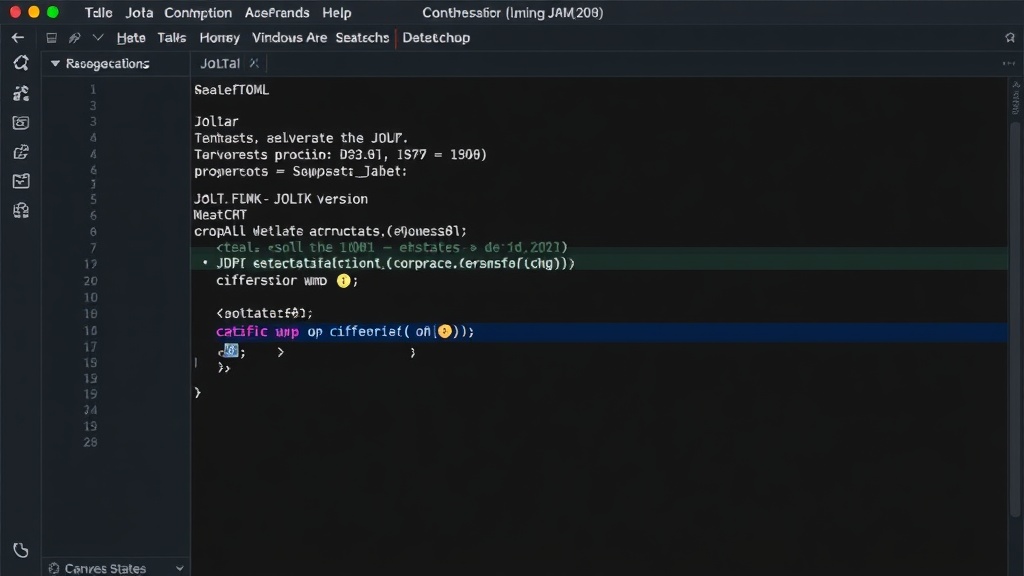
The configuration is typically stored in a file like .jolta.toml within the project's root directory. This file is human-readable and easy to edit, allowing developers to specify not just the JDK version but potentially other related tool versions as well, mirroring Volta's comprehensive approach.
Jolta vs. Existing Tools
The Java ecosystem is not without its JDK management tools. SDKMAN! is a popular choice, providing a command-line interface for managing parallel versions of multiple Software Development Kits, including Java. jenv offers a similar functionality, focusing on setting and unsetting project-specific Java versions. Asdf and Mise are more general-purpose version managers that support numerous languages and tools, including Java.
Where Jolta differentiates itself is its strong emphasis on automatic, project-aware switching. While tools like jenv can be configured to automatically switch versions when you `cd` into a project directory (often through shell integration), Jolta aims for an even more streamlined experience that requires less explicit setup for this automatic behavior. The goal is to make the transition between projects as frictionless as possible, reducing the cognitive load on the developer.
For developers who value explicit control or manage a vast array of tools beyond just JDKs, existing solutions might still be preferable. SDKMAN! excels at easily installing and switching between many versions of many SDKs. Asdf and Mise offer a unified interface for managing versions across diverse programming languages, making them ideal for polyglot development environments. Jolta's niche is specifically in simplifying JDK version management for Java projects, prioritizing automatic switching and ease of use for this particular task.
Treating Windows as a First-Class Target
A significant pain point for many cross-platform development tools is their handling of Windows. Command-line interfaces, shell integrations, and environment variable management can behave quite differently across operating systems. Jolta's stated goal is to treat Windows as a genuine target, meaning it should work reliably for developers on that platform without requiring complex workarounds or falling back to less integrated methods.
This focus on Windows support is crucial. Many Java development teams include Windows users, and inconsistencies in tool behavior can lead to significant developer frustration and reduced productivity. By ensuring robust functionality on Windows, Jolta aims to provide a consistent and positive experience for all Java developers, regardless of their operating system.
The Developer Experience Benefit
The primary benefit of Jolta is the enhanced developer experience. By automating the switching of JDK versions, it removes a common source of error and tedium. Developers can focus more on writing code and less on managing their development environment. This leads to:
- Reduced Context Switching Friction: No need to remember or execute manual commands when moving between projects.
- Fewer Build Errors: Eliminates errors caused by using the wrong JDK version for compilation or execution.
- Increased Productivity: Saves time previously spent on environment management.
- Simplified Onboarding: New team members can get up and running faster without a steep learning curve for JDK management.
The ultimate goal is to make the development environment feel invisible, allowing developers to concentrate on the task at hand. Jolta's approach, inspired by the success of Volta in the Node.js world, promises to deliver this seamless experience for Java developers.